Select your vehicle brand and the topic you are interested in.
Vehicle and connectivity
VINIdentifying my vehicle – VIN
VIN
What a VIN is
A VIN is a unique vehicle identifier made up of 17 VIN characters. Characters 1–3 form the World Manufacturer Identifier (WMI), characters 4–9 the Vehicle Descriptor Section (VDS), and characters 10–17 the Vehicle Identifier Section (VIS). The exact meaning of individual positions can vary by manufacturer and market, so a VIN alone does not establish the complete equipment or service specification without the matching records.
Vehicle documents
In a registration certificate, look for field E or wording that identifies the vehicle identification number (VIN). Older and newer certificates, and documents issued in different countries, use different layouts, so one fixed position cannot be stated for every document.
Where the VIN may be found on the vehicle
Some versions display the VIN in a field visible from outside through the windscreen. The VIN is also marked directly on the body; its exact location depends on the model, generation and body version, not only the brand. Follow the manual for the exact vehicle and compare the number with its documents.
Labels and service documents
Where fitted, a vehicle data sticker may be located in the luggage compartment or service documents. A vehicle data sticker containing vehicle codes is different from the manufacturer’s plate carrying approval and production data and from the VIN marked directly on the body.
How to read a vehicle data stickerSimplified schematic—the actual appearance, order and scope of data vary by the specific vehicle. This is not the manufacturer’s plate and does not replace the VIN marked on the body. The exact form for a particular vehicle can be stated only from the matching documentation.
1WVW••••••••••••••
2MODEL / TYPE
3XXXX / XXX
4XX / XX
5XXX XXX XXX
Data stated only on some vehicle data stickers
6— l/100 km
7— l/100 km
8— l/100 km
9— g/km CO₂
VINThe complete 17-character vehicle identifier.
Vehicle typeType and model information; depending on the sticker version, also engine output and gearbox type.
Engine and gearboxIdentification codes for the engine and gearbox.
Paint and interiorPaint colour and interior-trim codes, where stated.
Equipment codesProduction equipment codes. Their meaning must be checked in documentation for the exact vehicle.
Data stated only on some vehicle data stickers
Urban consumptionType-approval value in l/100 km, where stated on the sticker.
Extra-urban consumptionType-approval value in l/100 km, where stated on the sticker.
Combined consumptionCombined type-approval value in l/100 km, where stated.
Combined CO₂ emissionsCombined type-approval CO₂ value in g/km, where stated.
Examples of initial identifiers
Documented examples of WMI identifiers for the selected brand include: WVW, WVG. These are examples, not a complete list. The identifier alone does not establish the exact engine, equipment or complete vehicle version; the full VIN and matching documentation are required.
Data stored in the key
In some vehicles, identification data and selected service information are also stored in the key. A workshop with suitable equipment can read them with a specialised reader. The availability and scope of the data depend on the vehicle model and key version.
VIN
What a VIN is
A VIN is a unique vehicle identifier made up of 17 VIN characters. Characters 1–3 form the World Manufacturer Identifier (WMI), characters 4–9 the Vehicle Descriptor Section (VDS), and characters 10–17 the Vehicle Identifier Section (VIS). The exact meaning of individual positions can vary by manufacturer and market, so a VIN alone does not establish the complete equipment or service specification without the matching records.
Vehicle documents
In a registration certificate, look for field E or wording that identifies the vehicle identification number (VIN). Older and newer certificates, and documents issued in different countries, use different layouts, so one fixed position cannot be stated for every document.
Where the VIN may be found on the vehicle
Some versions display the VIN in a field visible from outside through the windscreen. The VIN is also marked directly on the body; its exact location depends on the model, generation and body version, not only the brand. Follow the manual for the exact vehicle and compare the number with its documents.
Labels and service documents
Where fitted, a vehicle data sticker may be located in the luggage compartment or service documents. A vehicle data sticker containing vehicle codes is different from the manufacturer’s plate carrying approval and production data and from the VIN marked directly on the body.
How to read a vehicle data stickerSimplified schematic—the actual appearance, order and scope of data vary by the specific vehicle. This is not the manufacturer’s plate and does not replace the VIN marked on the body. The exact form for a particular vehicle can be stated only from the matching documentation.
1WAU••••••••••••••
2MODEL / TYPE
3XXXX / XXX
4XX / XX
5XXX XXX XXX
Data stated only on some vehicle data stickers
6— l/100 km
7— l/100 km
8— l/100 km
9— g/km CO₂
VINThe complete 17-character vehicle identifier.
Vehicle typeType and model information; depending on the sticker version, also engine output and gearbox type.
Engine and gearboxIdentification codes for the engine and gearbox.
Paint and interiorPaint colour and interior-trim codes, where stated.
Equipment codesProduction equipment codes. Their meaning must be checked in documentation for the exact vehicle.
Data stated only on some vehicle data stickers
Urban consumptionType-approval value in l/100 km, where stated on the sticker.
Extra-urban consumptionType-approval value in l/100 km, where stated on the sticker.
Combined consumptionCombined type-approval value in l/100 km, where stated.
Combined CO₂ emissionsCombined type-approval CO₂ value in g/km, where stated.
Examples of initial identifiers
Documented examples of WMI identifiers for the selected brand include: WAU, WUA. These are examples, not a complete list. The identifier alone does not establish the exact engine, equipment or complete vehicle version; the full VIN and matching documentation are required.
Data stored in the key
In some vehicles, identification data and selected service information are also stored in the key. A workshop with suitable equipment can read them with a specialised reader. The availability and scope of the data depend on the vehicle model and key version.
VIN
What a VIN is
A VIN is a unique vehicle identifier made up of 17 VIN characters. Characters 1–3 form the World Manufacturer Identifier (WMI), characters 4–9 the Vehicle Descriptor Section (VDS), and characters 10–17 the Vehicle Identifier Section (VIS). The exact meaning of individual positions can vary by manufacturer and market, so a VIN alone does not establish the complete equipment or service specification without the matching records.
Vehicle documents
In a registration certificate, look for field E or wording that identifies the vehicle identification number (VIN). Older and newer certificates, and documents issued in different countries, use different layouts, so one fixed position cannot be stated for every document.
Where the VIN may be found on the vehicle
Some versions display the VIN in a field visible from outside through the windscreen. The VIN is also marked directly on the body; its exact location depends on the model, generation and body version, not only the brand. Follow the manual for the exact vehicle and compare the number with its documents.
Labels and service documents
Where fitted, a vehicle data sticker may be located in the luggage compartment or service documents. A vehicle data sticker containing vehicle codes is different from the manufacturer’s plate carrying approval and production data and from the VIN marked directly on the body.
How to read a vehicle data stickerSimplified schematic—the actual appearance, order and scope of data vary by the specific vehicle. This is not the manufacturer’s plate and does not replace the VIN marked on the body. The exact form for a particular vehicle can be stated only from the matching documentation.
1TMB••••••••••••••
2MODEL / TYPE
3XXXX / XXX
4XX / XX
5XXX XXX XXX
Data stated only on some vehicle data stickers
6— l/100 km
7— l/100 km
8— l/100 km
9— g/km CO₂
VINThe complete 17-character vehicle identifier.
Vehicle typeType and model information; depending on the sticker version, also engine output and gearbox type.
Engine and gearboxIdentification codes for the engine and gearbox.
Paint and interiorPaint colour and interior-trim codes, where stated.
Equipment codesProduction equipment codes. Their meaning must be checked in documentation for the exact vehicle.
Data stated only on some vehicle data stickers
Urban consumptionType-approval value in l/100 km, where stated on the sticker.
Extra-urban consumptionType-approval value in l/100 km, where stated on the sticker.
Combined consumptionCombined type-approval value in l/100 km, where stated.
Combined CO₂ emissionsCombined type-approval CO₂ value in g/km, where stated.
Examples of initial identifiers
Documented examples of WMI identifiers for the selected brand include: TMB. These are examples, not a complete list. The identifier alone does not establish the exact engine, equipment or complete vehicle version; the full VIN and matching documentation are required.
Data stored in the key
In some vehicles, identification data and selected service information are also stored in the key. A workshop with suitable equipment can read them with a specialised reader. The availability and scope of the data depend on the vehicle model and key version.
VIN
What a VIN is
A VIN is a unique vehicle identifier made up of 17 VIN characters. Characters 1–3 form the World Manufacturer Identifier (WMI), characters 4–9 the Vehicle Descriptor Section (VDS), and characters 10–17 the Vehicle Identifier Section (VIS). The exact meaning of individual positions can vary by manufacturer and market, so a VIN alone does not establish the complete equipment or service specification without the matching records.
Vehicle documents
In a registration certificate, look for field E or wording that identifies the vehicle identification number (VIN). Older and newer certificates, and documents issued in different countries, use different layouts, so one fixed position cannot be stated for every document.
Where the VIN may be found on the vehicle
Some versions display the VIN in a field visible from outside through the windscreen. The VIN is also marked directly on the body; its exact location depends on the model, generation and body version, not only the brand. Follow the manual for the exact vehicle and compare the number with its documents.
Labels and service documents
Where fitted, a vehicle data sticker may be located in the luggage compartment or service documents. A vehicle data sticker containing vehicle codes is different from the manufacturer’s plate carrying approval and production data and from the VIN marked directly on the body.
How to read a vehicle data stickerSimplified schematic—the actual appearance, order and scope of data vary by the specific vehicle. This is not the manufacturer’s plate and does not replace the VIN marked on the body. The exact form for a particular vehicle can be stated only from the matching documentation.
1VSS••••••••••••••
2MODEL / TYPE
3XXXX / XXX
4XX / XX
5XXX XXX XXX
Data stated only on some vehicle data stickers
6— l/100 km
7— l/100 km
8— l/100 km
9— g/km CO₂
VINThe complete 17-character vehicle identifier.
Vehicle typeType and model information; depending on the sticker version, also engine output and gearbox type.
Engine and gearboxIdentification codes for the engine and gearbox.
Paint and interiorPaint colour and interior-trim codes, where stated.
Equipment codesProduction equipment codes. Their meaning must be checked in documentation for the exact vehicle.
Data stated only on some vehicle data stickers
Urban consumptionType-approval value in l/100 km, where stated on the sticker.
Extra-urban consumptionType-approval value in l/100 km, where stated on the sticker.
Combined consumptionCombined type-approval value in l/100 km, where stated.
Combined CO₂ emissionsCombined type-approval CO₂ value in g/km, where stated.
Examples of initial identifiers
Documented examples of WMI identifiers for the selected brand include: VSS. These are examples, not a complete list. The identifier alone does not establish the exact engine, equipment or complete vehicle version; the full VIN and matching documentation are required.
Data stored in the key
In some vehicles, identification data and selected service information are also stored in the key. A workshop with suitable equipment can read them with a specialised reader. The availability and scope of the data depend on the vehicle model and key version.
VIN
What a VIN is
A VIN is a unique vehicle identifier made up of 17 VIN characters. Characters 1–3 form the World Manufacturer Identifier (WMI), characters 4–9 the Vehicle Descriptor Section (VDS), and characters 10–17 the Vehicle Identifier Section (VIS). The exact meaning of individual positions can vary by manufacturer and market, so a VIN alone does not establish the complete equipment or service specification without the matching records.
Vehicle documents
In a registration certificate, look for field E or wording that identifies the vehicle identification number (VIN). Older and newer certificates, and documents issued in different countries, use different layouts, so one fixed position cannot be stated for every document.
Where the VIN may be found on the vehicle
Some versions display the VIN in a field visible from outside through the windscreen. The VIN is also marked directly on the body; its exact location depends on the model, generation and body version, not only the brand. Follow the manual for the exact vehicle and compare the number with its documents.
Labels and service documents
Where fitted, a vehicle data sticker may be located in the luggage compartment or service documents. A vehicle data sticker containing vehicle codes is different from the manufacturer’s plate carrying approval and production data and from the VIN marked directly on the body.
How to read a vehicle data stickerSimplified schematic—the actual appearance, order and scope of data vary by the specific vehicle. This is not the manufacturer’s plate and does not replace the VIN marked on the body. The exact form for a particular vehicle can be stated only from the matching documentation.
1VSS••••••••••••••
2MODEL / TYPE
3XXXX / XXX
4XX / XX
5XXX XXX XXX
Data stated only on some vehicle data stickers
6— l/100 km
7— l/100 km
8— l/100 km
9— g/km CO₂
VINThe complete 17-character vehicle identifier.
Vehicle typeType and model information; depending on the sticker version, also engine output and gearbox type.
Engine and gearboxIdentification codes for the engine and gearbox.
Paint and interiorPaint colour and interior-trim codes, where stated.
Equipment codesProduction equipment codes. Their meaning must be checked in documentation for the exact vehicle.
Data stated only on some vehicle data stickers
Urban consumptionType-approval value in l/100 km, where stated on the sticker.
Extra-urban consumptionType-approval value in l/100 km, where stated on the sticker.
Combined consumptionCombined type-approval value in l/100 km, where stated.
Combined CO₂ emissionsCombined type-approval CO₂ value in g/km, where stated.
Examples of initial identifiers
Documented examples of WMI identifiers for the selected brand include: VSS. These are examples, not a complete list. The identifier alone does not establish the exact engine, equipment or complete vehicle version; the full VIN and matching documentation are required.
Data stored in the key
In some vehicles, identification data and selected service information are also stored in the key. A workshop with suitable equipment can read them with a specialised reader. The availability and scope of the data depend on the vehicle model and key version.
VIN
What a VIN is
A VIN is a unique vehicle identifier made up of 17 VIN characters. Characters 1–3 form the World Manufacturer Identifier (WMI), characters 4–9 the Vehicle Descriptor Section (VDS), and characters 10–17 the Vehicle Identifier Section (VIS). The exact meaning of individual positions can vary by manufacturer and market, so a VIN alone does not establish the complete equipment or service specification without the matching records.
Vehicle documents
In a registration certificate, look for field E or wording that identifies the vehicle identification number (VIN). Older and newer certificates, and documents issued in different countries, use different layouts, so one fixed position cannot be stated for every document.
Where the VIN may be found on the vehicle
Some versions display the VIN in a field visible from outside through the windscreen. The VIN is also marked directly on the body; its exact location depends on the model, generation and body version, not only the brand. Follow the manual for the exact vehicle and compare the number with its documents.
Labels and service documents
Where fitted, a vehicle data sticker may be located in the luggage compartment or service documents. A vehicle data sticker containing vehicle codes is different from the manufacturer’s plate carrying approval and production data and from the VIN marked directly on the body.
How to read a vehicle data stickerSimplified schematic—the actual appearance, order and scope of data vary by the specific vehicle. This is not the manufacturer’s plate and does not replace the VIN marked on the body. The exact form for a particular vehicle can be stated only from the matching documentation.
1WV1••••••••••••••
2MODEL / TYPE
3XXXX / XXX
4XX / XX
5XXX XXX XXX
Data stated only on some vehicle data stickers
6— l/100 km
7— l/100 km
8— l/100 km
9— g/km CO₂
VINThe complete 17-character vehicle identifier.
Vehicle typeType and model information; depending on the sticker version, also engine output and gearbox type.
Engine and gearboxIdentification codes for the engine and gearbox.
Paint and interiorPaint colour and interior-trim codes, where stated.
Equipment codesProduction equipment codes. Their meaning must be checked in documentation for the exact vehicle.
Data stated only on some vehicle data stickers
Urban consumptionType-approval value in l/100 km, where stated on the sticker.
Extra-urban consumptionType-approval value in l/100 km, where stated on the sticker.
Combined consumptionCombined type-approval value in l/100 km, where stated.
Combined CO₂ emissionsCombined type-approval CO₂ value in g/km, where stated.
Examples of initial identifiers
Documented examples of WMI identifiers for the selected brand include: WV1, WV2. These are examples, not a complete list. The identifier alone does not establish the exact engine, equipment or complete vehicle version; the full VIN and matching documentation are required.
Data stored in the key
In some vehicles, identification data and selected service information are also stored in the key. A workshop with suitable equipment can read them with a specialised reader. The availability and scope of the data depend on the vehicle model and key version.
Sign-in and online vehicle services
Primary user and over-the-air (OTA) updates
If your vehicle is equipped with online services, complete its connection to the manufacturer's account and, as described in the relevant instructions, verify the primary user. Creating an account or adding the vehicle to the mobile app alone may not activate every available function.
For some vehicles, correct activation of the primary user is one of the conditions for receiving over-the-air updates. Requirements vary by model, equipment, software version and the specific update. It is therefore not generally true that no update can arrive unless the primary user is currently signed in.
OTA stands for Over-the-Air, meaning that an update is transmitted wirelessly to the vehicle. Depending on the vehicle, this may include updates to control-unit or infotainment software. Navigation-map and app updates may have separate conditions.
For reception and installation, check in particular:
the vehicle's internet connection and sufficient mobile-network coverage;
online-mode settings and the permissions required for data transmission;
activation of the relevant service or contract, if required for the update;
conditions shown directly in the vehicle, such as the required battery charge level.
The manufacturer releases updates gradually for specific vehicles. A missing notification does not by itself indicate a fault. Read the on-screen instructions before installation; the vehicle cannot be used during some updates.
2G and 3G network shutdowns: impact on vehicle online services
Mobile operators are gradually retiring older 2G and 3G networks. Dates vary by country and operator. Restrictions may therefore affect a vehicle abroad earlier than when the same vehicle is used in the Czech Republic.
In affected vehicles, some services using the built-in mobile connection may stop working—for example, displaying vehicle status and location in the app, selected remote functions or requesting roadside assistance. The specific communication unit, its software and the service in use are decisive.
Will a software update or unit replacement help?
For some newer vehicle generations, manufacturers offer a software update that can preserve the relevant online services after older networks are shut down. Depending on the vehicle, it is installed over the air or by a workshop.
Software cannot add support for a newer mobile network to a modem that lacks the necessary hardware. Replacement of the communication unit can be considered only if a manufacturer-approved solution exists for that vehicle. This is not a universally available retrofit. For some older systems, the affected services cannot be retained.
Any available solution must be checked using the VIN, production specification and current manufacturer information. The model name or year of first registration alone is insufficient.
Check emergency calling separately
Network shutdowns can also affect emergency calling. The statutory eCall system and a manufacturer-provided emergency service may use different technologies and may be subject to different conditions.
A working LTE data connection alone therefore does not confirm that emergency calling will remain available. A phone connected by Bluetooth or a Wi-Fi hotspot is not a universal replacement for the built-in system. Before travelling to countries with restricted networks, check the impact on the specific vehicle with the manufacturer or its service partner.
Situation in the Czech Republic
3G network operation in the Czech Republic ended in 2021. 2G networks remain in service. The Czech Telecommunication Office requires them to be maintained at least until the end of June 2028, with the possibility of earlier closure if negligible demand is demonstrated. June 2028 therefore cannot be presented as a fixed shutdown date for all Czech 2G networks.
Information verified as of 2 November 2026.
Volkswagen
To connect the vehicle, you will need a Volkswagen ID account and the Volkswagen app.
If you already have an account, sign in. Otherwise create one and confirm your email address if requested by the manufacturer.
2. Open the app and add the vehicle
In the app, select the option to add a vehicle and enter its VIN as instructed. VIN means vehicle identification number. Creating an account alone does not pair the vehicle with the app.
3. Complete pairing in the vehicle
Follow the instructions in the app and on the vehicle display. Some services also require primary-user verification and a separate activation.
Depending on the vehicle, activation may use a scanned code, verification with two keys or an activation code. Use only the procedure shown for your vehicle and infotainment system.
Function availability depends on the vehicle, equipment, software, country and applicable contract or licence. The account password, security PIN, pairing code and vehicle code are different credentials. Do not enter them on the J&S SERVIS website.
Recover a forgotten password only through the manufacturer’s official sign-in page.
Audi
To connect the vehicle, you will need a Audi ID account and the myAudi app.
If you already have an account, sign in. Otherwise create one and confirm your email address if requested by the manufacturer.
2. Open the app and add the vehicle
In the app, select the option to add a vehicle and enter its VIN as instructed. VIN means vehicle identification number. Creating an account alone does not pair the vehicle with the app.
3. Complete pairing in the vehicle
Follow the instructions in the app and on the vehicle display. Some services also require primary-user verification and a separate activation.
Keep myAudi/Audi ID sign-in, pairing with MMI and primary-user verification separate. The procedure varies by model and MMI version. Use the instructions for your vehicle. A ten-digit vehicle code does not apply to every Audi; myAudi may first ask for a country or region.
Function availability depends on the vehicle, equipment, software, country and applicable contract or licence. The account password, security PIN, pairing code and vehicle code are different credentials. Do not enter them on the J&S SERVIS website.
Recover a forgotten password only through the manufacturer’s official sign-in page.
Škoda
To connect the vehicle, you will need a Škoda ID account and the MyŠkoda app.
If you already have an account, sign in. Otherwise create one and confirm your email address if requested by the manufacturer.
2. Open the app and add the vehicle
In the app, select the option to add a vehicle and enter its VIN as instructed. VIN means vehicle identification number. Creating an account alone does not pair the vehicle with the app.
3. Complete pairing in the vehicle
Follow the instructions in the app and on the vehicle display. Some services also require primary-user verification and a separate activation.
Use the current MyŠkoda → Škoda ID → add VIN sequence and complete the guided steps. The detailed verification method depends on the documented vehicle version.
Function availability depends on the vehicle, equipment, software, country and applicable contract or licence. The account password, security PIN, pairing code and vehicle code are different credentials. Do not enter them on the J&S SERVIS website.
Recover a forgotten password only through the manufacturer’s official sign-in page.
SEAT
To connect the vehicle, you will need a SEAT ID account and the My SEAT app.
If you already have an account, sign in. Otherwise create one and confirm your email address if requested by the manufacturer.
2. Open the app and add the vehicle
In the app, select the option to add a vehicle and enter its VIN as instructed. VIN means vehicle identification number. Creating an account alone does not pair the vehicle with the app.
3. Complete pairing in the vehicle
Follow the instructions in the app and on the vehicle display. Some services also require primary-user verification and a separate activation.
Use the current My SEAT app. SEAT ID is the manufacturer account; the former SEAT CONNECT web portal has been discontinued. Complete pairing with the current guided procedure.
Function availability depends on the vehicle, equipment, software, country and applicable contract or licence. The account password, security PIN, pairing code and vehicle code are different credentials. Do not enter them on the J&S SERVIS website.
Recover a forgotten password only through the manufacturer’s official sign-in page.
CUPRA
To connect the vehicle, you will need a CUPRA ID account and the My CUPRA app.
If you already have an account, sign in. Otherwise create one and confirm your email address if requested by the manufacturer.
2. Open the app and add the vehicle
In the app, select the option to add a vehicle and enter its VIN as instructed. VIN means vehicle identification number. Creating an account alone does not pair the vehicle with the app.
3. Complete pairing in the vehicle
Follow the instructions in the app and on the vehicle display. Some services also require primary-user verification and a separate activation.
GEN3 and GEN4 use different procedures. Two-key confirmation does not apply to every model; matching GEN4 versions of the Born and Tavascan use a QR procedure.
Function availability depends on the vehicle, equipment, software, country and applicable contract or licence. The account password, security PIN, pairing code and vehicle code are different credentials. Do not enter them on the J&S SERVIS website.
Recover a forgotten password only through the manufacturer’s official sign-in page.
Volkswagen Commercial Vehicles
To connect the vehicle, you will need a Volkswagen ID account and the Volkswagen app.
If you already have an account, sign in. Otherwise create one and confirm your email address if requested by the manufacturer.
2. Open the app and add the vehicle
In the app, select the option to add a vehicle and enter its VIN as instructed. VIN means vehicle identification number. Creating an account alone does not pair the vehicle with the app.
3. Complete pairing in the vehicle
Follow the instructions in the app and on the vehicle display. Some services also require primary-user verification and a separate activation.
Volkswagen ID and the Volkswagen app are shared, but the activation procedure must match the exact commercial-vehicle model, equipment and infotainment system.
Function availability depends on the vehicle, equipment, software, country and applicable contract or licence. The account password, security PIN, pairing code and vehicle code are different credentials. Do not enter them on the J&S SERVIS website.
Recover a forgotten password only through the manufacturer’s official sign-in page.
Safety and driver information
Warning lights and driver messages
Engine, lubrication and cooling
Glow plug lamp – preheating before starting · multiple meanings of the same symbol
Glow plug lamp – preheating before starting
Yellow / amber · Operating information · Steady
Meaning
On a diesel engine it lights during preheating. This normal state before starting is not itself a fault.
Recommended action
Wait for the lamp to go out before starting, as instructed in the vehicle’s manual.
Key indication
Only the listed versions and equipment are covered. Follow the exact message and your vehicle’s manual.
Diesel preheating and management
Yellow / amber · Information / warning depending on state · As described in the source
Meaning
Brief illumination before starting can be normal preheating. Illumination or flashing while running can indicate an engine management fault.
Recommended action
Follow the message and arrange inspection. The symbol does not automatically identify defective glow plugs.
Key indication
Brief illumination before starting; illumination or flashing while running.
Engine oil pressure
Red · Warning · As described in the source
Meaning
The warning indicates insufficient engine oil pressure. A correct oil level alone does not confirm adequate lubrication pressure.
Recommended action
Stop safely and switch off the engine. Do not leave it idling. Further steps, including any restart, must follow the specific vehicle manual; if unsure, obtain professional assistance.
Key indication
Do not confuse this with a yellow oil level warning. The source describes a conditional procedure after topping up; this is not general permission to restart.
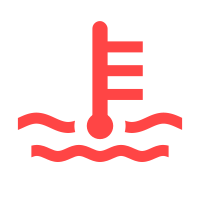
Combustion engine cooling system
Red · Warning · As described in the source
Meaning
May indicate overheating, an incorrect coolant level or a cooling system fault.
Recommended action
Stop safely, switch off the engine and follow the vehicle message. Check coolant as instructed only after safe cooling. Do not open a hot expansion tank.
Key indication
Visible coolant in the reservoir does not by itself resolve the warning. This entry does not cover electric-drive cooling.
Engine management and emissions – MIL
Yellow / amber · Warning · As described in the source
Meaning
The control system detected an engine management or emissions fault. The lamp alone does not identify a failed component.
Recommended action
Distinguish steady illumination from flashing. On relevant versions, flashing can indicate misfiring. If the engine shakes, vibrates or loses power markedly, stop safely and contact professional assistance. Otherwise follow the message and vehicle manual.
Key indication
Clearing a fault code does not remove the cause. This entry does not give universal permission to continue driving.
Diesel particulate filter – DPF
Yellow / amber · Warning · As described in the source
Meaning
On relevant diesel versions it indicates accumulated soot and a need for filter regeneration.
Recommended action
Check regeneration driving conditions in your specific manual. If other warnings appear or engine operation is abnormal, do not follow a universal internet regeneration procedure.
Key indication
No single speed, duration or engine speed applies to all engines. Petrol GPF/OPF requires separate verification.
Brakes and stability systems
ESC / TCS intervention · multiple meanings of the same symbol
ESC / TCS intervention
Yellow / amber · Operating information · Flashing
Meaning
Flashing indicates that stability or traction control is intervening. It does not by itself indicate a fault.
Recommended action
Adapt speed and driving style to available grip and traffic conditions. The system cannot overcome physical limits.
Key indication
Only the listed versions and equipment are covered. Follow the exact message and your vehicle’s manual.
ESC fault or system-induced deactivation
Yellow / amber · Warning · Steady
Meaning
A lamp that stays on after the initial check may indicate a fault or system-induced deactivation. This differs from flashing during intervention.
Recommended action
Read the message and follow the cited manual. If the lamp remains on, arrange professional inspection; do not rely on stability control being available.
Key indication
Only the listed versions and equipment are covered. Follow the exact message and your vehicle’s manual.
Brake system
Red · Warning · As described in the source
Meaning
Depending on the version, the symbol may relate to an applied parking brake, low brake fluid or a brake system fault.
Recommended action
The exact symbol and message are decisive. If the warning remains after releasing the parking brake or the vehicle reports a brake fault, stop safely and obtain professional assistance.
Key indication
Topping up brake fluid does not repair the cause of its loss. Distinguish a fault warning from the normal parking brake indication.
Brake pad wear
Yellow / amber · Warning · As described in the source
Meaning
Brake wear monitoring indicates that the brake pads require inspection.
Recommended action
Arrange brake inspection. The lamp does not reliably indicate the kilometres remaining before replacement.
Key indication
Do not confuse it with a red brake system fault warning.
ABS – anti-lock braking system
Yellow / amber · Warning · Steady
Meaning
A fault has been detected in the anti-lock braking system.
Recommended action
Follow the vehicle message and have the brake system inspected. If a red brake warning also appears or braking behaves abnormally, stop safely and obtain professional assistance.
Key indication
Braking behaviour can change; a yellow ABS lamp does not universally confirm safe onward driving.
Steering, chassis and tyres
Tyre pressure
Yellow / amber · Warning · As described in the source
Meaning
The symbol warns of incorrect tyre pressure. The symbol alone does not identify a particular leak. Fault-flashing behaviour is not documented here; check the model-specific manual.
Recommended action
Stop safely and check tyres and pressures. Store reference values only after proper inspection and adjustment using the manufacturer’s procedure.
Key indication
Acknowledging or resetting the warning does not repair a puncture or leak. Direct sensors and indirect wheel-speed-based monitoring can require different learning procedures.
Airbags and safety systems
Airbags and belt tensioners
Yellow / amber · Warning · As described in the source
Meaning
The restraint system reports a fault. Protection in an accident may be restricted.
Recommended action
Arrange professional inspection promptly. Do not attempt repairs to airbags or belt tensioners yourself.
Key indication
Distinguish it from a separate passenger airbag OFF operating indication.
Seat belts
Red · Warning · As described in the source
Meaning
The lamp reminds an occupant to fasten the seat belt.
Recommended action
Ensure all occupants fasten their seat belts correctly before driving. Follow the vehicle’s seat occupancy information.
Key indication
Indications can differ by seat and equipment; the symbol alone is not a diagnosis of a sensor fault.
Lighting and visibility
Main beam headlights
Blue · Operating information · Steady
Meaning
Main beam or the headlight flasher is on.
Recommended action
Use them considerately and dip in good time to avoid dazzling others.
Key indication
Only the listed versions and equipment are covered. Follow the exact message and your vehicle’s manual.
Turn signals or hazard warning lights
Green · Operating information · Flashing
Meaning
Flashing indicates turn signals or hazard warning lights in operation. A faster rate may indicate a failed turn signal on the listed versions.
Recommended action
Check that the lights work correctly. Use hazard lights as appropriate when securing the vehicle.
Key indication
Only the listed versions and equipment are covered. Follow the exact message and your vehicle’s manual.
Exterior lighting fault
Yellow / amber · Warning · As described in the source
Meaning
The vehicle reports a fault in one or more exterior lights.
Recommended action
Check the message and lighting function. Arrange repair of the affected light; the lamp does not itself identify the required part.
Key indication
Different light sources and systems require the procedure for the specific vehicle.
Headlight range control
Yellow / amber · Warning · Steady
Meaning
The amber indicator in the cited general Volkswagen UK source indicates a fault in the headlight range control system.
Recommended action
Contact an authorised repairer.
Key indication
Steady amber illumination; the general page does not state a flashing variant. This is specifically headlight range control, not a generic lighting fault or automatic proof of a failed level sensor. The source identifies no model or manual edition.
Rear fog light
Yellow / amber · Operating information · As described in the source
Meaning
The rear fog light is switched on.
Recommended action
Use it according to visibility and traffic rules and switch it off when no longer needed.
Key indication
This is an operating indication, not an engine fault.
Main-beam control – enabled, white A (Golf)
White · Operating information · Steady
Meaning
In this Golf edition, white A indicates enabled main-beam control. Actual main-beam illumination is confirmed by the separate blue main-beam indicator.
Recommended action
Monitor actual lighting and switch manually if needed. Poorly lit road users, an obscured camera, weather or road layout can restrict automatic operation.
Key indication
Colour is documented by the original white rendition in this exact edition’s symbol overview. The section also describes three confirmation flashes during sensitivity adjustment in some markets; their colour is not independently assumed and the flashes are not represented as a fault.
Driver assistance systems
Lane Assist active and available
Green · Operating information · Steady
Meaning
The system has detected conditions for lane keeping assistance. The green lamp does not indicate autonomous driving.
Recommended action
Watch traffic, keep your hands on the wheel and be ready to steer at all times. Observe lane detection limits and vehicle instructions.
Key indication
Only the listed versions and equipment are covered. Follow the exact message and your vehicle’s manual.
Lane Assist steering correction
Yellow / amber · Operating information · Steady
Meaning
In this version, the yellow symbol indicates a corrective steering intervention. It differs from the fault symbol with an additional marking.
Recommended action
Watch traffic, keep your hands on the wheel and be ready to steer at all times. Observe lane detection limits and vehicle instructions.
Key indication
Only the listed versions and equipment are covered. Follow the exact message and your vehicle’s manual.
ACC unavailable
Yellow / amber · Function restricted · Steady
Meaning
Distance regulation is unavailable. Possible causes include an obstructed radar view, misalignment or a fault; the symbol alone does not identify a defective sensor.
Recommended action
Control speed and distance yourself. Check accessible sensor areas as instructed; arrange professional inspection if the problem persists.
Key indication
Only the listed versions and equipment are covered. Follow the exact message and your vehicle’s manual.
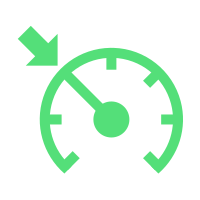
Cruise control actively regulating
Green · Operating information · Steady
Meaning
Cruise control is switched on and maintaining the selected speed. This does not confirm distance regulation.
Recommended action
Always adapt speed and safe distance to the situation yourself. Watch traffic, be ready to take control and do not use cruise control in unsuitable conditions.
Key indication
Only the listed versions and equipment are covered. Follow the exact message and your vehicle’s manual.
Cruise control on, not regulating
Grey · Operating information · Steady
Meaning
Cruise control is switched on but is not currently regulating speed. The grey symbol differs from active green regulation.
Recommended action
Always adapt speed and safe distance to the situation yourself. Watch traffic, be ready to take control and do not use cruise control in unsuitable conditions.
Key indication
Only the listed versions and equipment are covered. Follow the exact message and your vehicle’s manual.
Take-over steering request
White · Information / warning depending on state · Steady
Meaning
The vehicle asks the driver to take over steering. This does not confirm that the system can handle the situation independently.
Recommended action
Safely take over steering, monitor traffic and follow the exact vehicle message. Be ready to brake.
Key indication
The indicator illuminates white and an accompanying prompt appears; the reviewed chapters do not state flashing. The red request has higher urgency. Association with Travel Assist, Emergency Assist or Lane Assist depends on equipment and the cited manual.
Take over steering immediately
Red · Warning · Steady
Meaning
The vehicle requests immediate driver steering control.
Recommended action
Safely take over steering immediately, monitor traffic and follow the exact vehicle message. Be ready to brake.
Key indication
The indicator illuminates red with an accompanying message; depending on the situation, a sound or steering-wheel vibration follows. The reviewed chapters do not state flashing. Association with Travel Assist, Emergency Assist or Lane Assist depends on equipment and the cited manual.
Lane Assist – unavailable, symbol with exclamation mark
Yellow / amber · Function restricted · Steady
Meaning
The amber Lane Assist symbol with exclamation mark and message means the assistant is unavailable. Camera-view limitations, damage or faults may be responsible; the symbol alone does not identify a failed sensor.
Recommended action
The driver must steer. Follow the manual to inspect and clean the camera view and remove obstructions or stickers. Seek a qualified workshop if the problem persists; follow vehicle messages.
Key indication
The documented state is the steady amber car-between-lanes variant with an exclamation mark and unavailable message: Golf 5H0 11.2020, ID.4 11.2021, Terramar CS 11.25 and Tarraco DE 06.2023. Amber without an exclamation mark may mean corrective intervention, switched-on inactive operation or undetected markings in another precisely cited state; amber alone does not prove a fault.
Battery and electrical system
Electrical system and charging
Red · Warning · As described in the source
Meaning
On a combustion vehicle the warning can indicate a charging or electrical system fault. It does not automatically mean a defective battery.
Recommended action
Read the accompanying message and follow the manual. With additional warnings or restricted functions, stop safely and obtain professional assistance.
Key indication
An electric vehicle’s 12 V system needs a separately verified explanation; it must not be described as a conventional alternator failure.
Electric vehicles and plug-in hybrids
e-Sound / AVAS warning sound fault
Yellow / amber · Function restricted · Steady
Meaning
The electronic vehicle sound is not working. Other road users may not hear the approaching vehicle.
Recommended action
Drive with particular care and arrange prompt professional inspection as directed by the cited manual and any further messages.
Key indication
Only the listed versions and equipment are covered. Follow the exact message and your vehicle’s manual.
Electric drive – reduced available power
Yellow / amber · Function restricted · Steady
Meaning
Available power is restricted and may decrease further depending on conditions. Charge level or high-voltage battery temperature may be involved; this is not an automatic diagnosis of battery failure.
Recommended action
Follow the message and power display and adapt driving to reduced acceleration. If charge is low, follow the manual and charge the battery. If safe driving is not possible, stop safely and obtain help.
Key indication
No remaining range is guaranteed. Red turtle indications have separate model-specific explanations; changing the colour does not preserve the procedure.
ID.4 – battery depleted, drive shutdown imminent · multiple meanings of the same symbol
ID.4 – battery depleted, drive shutdown imminent
Red · Warning · Symbol with message
Meaning
While driving, a red turtle with the corresponding message indicates a very low high-voltage battery charge and imminent vehicle immobilisation. Power is reduced.
Recommended action
Pull over and park safely as traffic permits; use a charging station only if it can be reached safely. Follow the full message and manual. Do not infer remaining range from the symbol.
Key indication
ID.4 11/2021 distinguishes a red turtle while driving with a depleted battery from a red turtle before starting when the battery is too cold. This entry concerns depletion while driving; the exact message is decisive.
ID.4 – battery too cold, driving not possible
Red · Warning · Symbol with message
Meaning
On the cited ID.4, the red symbol with this message indicates very low high-voltage battery temperature and insufficient power for normal driving.
Recommended action
Do not continue normal driving. Secure the vehicle safely and follow the exact message and manual; charge the battery if its state of charge is low. Follow the manual for cold-weather battery preparation.
Key indication
This entry applies to the stated ID.4 edition. It is not electric-drive overheating or a universal meaning of a red turtle on every EV.
Infotainment and control symbols
Media
Albums
Control symbol
Meaning and function
Indicates the album category.
Artists
Control symbol
Meaning and function
Indicates the performer category.
Audiobooks
Control symbol
Meaning and function
Indicates the audiobook category.
Media via Bluetooth
Control symbol
Meaning and function
Selects the device connected via Bluetooth as the media source.
Favorites list · multiple uses of the same symbol
Favorites list
Control symbol
Meaning and function
Displays a list of favorites.
Station presets
Control symbol
Meaning and function
Displays station presets.
Genres
Control symbol
Meaning and function
Indicates a category of music genres.
Musical compositions
Control symbol
Meaning and function
Indicates the category of music tracks.
My media
Control symbol
Meaning and function
Selects the My Media source where connected USB devices can be selected.
Next track
Control symbol
Meaning and function
Skips to the next track.
Pause
Control symbol
Meaning and function
Pauses playback.
Play
Control symbol
Meaning and function
Starts playback.
Playlists
Control symbol
Meaning and function
Indicates a category of playlists.
Podcasts
Control symbol
Meaning and function
Indicates the podcast category.
Previous track
Control symbol
Meaning and function
Skips to the previous track.
Repeat all tracks
Control symbol
Meaning and function
Turns all tracks on repeat.
Repeat the song
Control symbol
Meaning and function
Turns on repeat of the current track.
The topmost folder of a media source
Control symbol
Meaning and function
It will return to the top folder of the media source.
Random order
Control symbol
Meaning and function
Turns on random playback.
Streaming services
Control symbol
Meaning and function
Opens the settings for available streaming services. Already set services are displayed with their own logo.
Videos
Control symbol
Meaning and function
Indicates the video category.
Full screen video
Control symbol
Meaning and function
Displays the video in full screen mode.
Minimize video playback
Control symbol
Meaning and function
Shrinks the view of the video being played.
Radio
DAB reception is not possible
Status information
Meaning and function
Indicates a state where DAB reception is not possible.
List of FM and DAB stations
Control symbol
Meaning and function
Displays a list of FM and DAB radio stations.
Manual FM frequency selection
Control symbol
Meaning and function
Displays the band for manual FM frequency selection. The function is available when the merged station list is turned off.
Next station
Control symbol
Meaning and function
Selects the next station from the list or the station on the next preset.
Previous station
Control symbol
Meaning and function
Selects the previous station from the list or the station on the previous preset.
Navigation
Search destination by address
Control symbol
Meaning and function
Opens the detailed entry of the destination address.
Navigation guidance volume
Control symbol
Meaning and function
Control volume of navigation instructions.
Automatic map display
Control symbol
Meaning and function
Turns on fully automatic map mode: orientation in direction of travel, position, zoom and tilt.
Close route plan
Control symbol
Meaning and function
Closes the route plan.
Current navigation destination
Status information
Meaning and function
Indicates the destination of the current route to the destination.
Target memory
Control symbol
Meaning and function
Displays saved destinations.
End navigation
Control symbol
Meaning and function
Terminates the current guidance to the destination.
Additional navigation options · multiple uses of the same symbol
Additional navigation options
Control symbol
Meaning and function
Shows additional route options.
Search for a contact
Control symbol
Meaning and function
Opens the contact search input.
Map scale
Status information
Meaning and function
Indicates the scale of the map.
North oriented map
Control symbol
Meaning and function
Rotates the map north up.
Bank
Map point or information
Meaning and function
Indicates a bank on the navigation map.
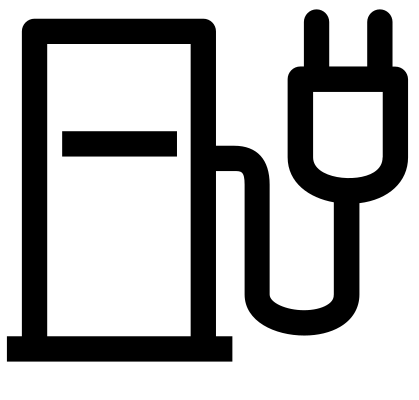
Charging station
Map point or information
Meaning and function
Indicates a charging station on the navigation map.
Gas station
Map point or information
Meaning and function
Indicates a gas station on the navigation map.
Parking lot
Map point or information
Meaning and function
Indicates the parking lot on the navigation map.
Restaurant
Map point or information
Meaning and function
Indicates a restaurant on the navigation map.
Tourist information
Map point or information
Meaning and function
Indicates a tourist information point on the navigation map.
Railway station
Map point or information
Meaning and function
Indicates a railway station on the navigation map.
Repeat the navigation instruction
Control symbol
Meaning and function
Repeats the last voice navigation command.
Route options window
Control symbol
Meaning and function
Displays an additional window with route options.
Overview and route alternatives
Control symbol
Meaning and function
Displays an overview of the route and alternative routes to the currently selected destination.
Navigation map
Control symbol
Meaning and function
Displays the navigation map.
Show current location
Control symbol
Meaning and function
Displays the current location of the vehicle.
Saved contact addresses · multiple uses of the same symbol
Saved contact addresses
Control symbol
Meaning and function
Opens the saved addresses in the contact list of the connected mobile device.
Contacts
Control symbol
Meaning and function
Opens contacts.
Traffic accident
Traffic information
Meaning and function
Indicates a traffic accident in navigation traffic information.
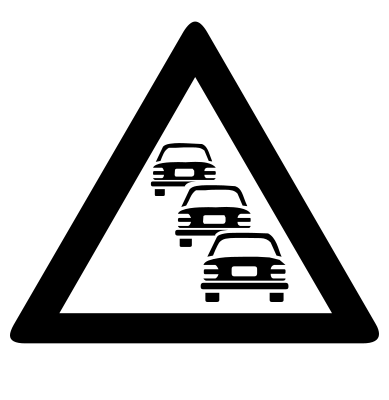
Traffic jam
Traffic information
Meaning and function
Indicates a traffic jam in navigation traffic information.
Phone and messages
Call control
Control symbol
Meaning and function
Displays the call and its controls.
Call lists
Control symbol
Meaning and function
Displays lists of incoming and outgoing calls.
Conference call
Control symbol
Meaning and function
Adds a participant to a conference or starts a conference call.
Dial the number
Control symbol
Meaning and function
Opens the phone number dialer.
End or reject the call
Control symbol
Meaning and function
Ends an ongoing call or rejects an incoming call.
Put the call on hold
Control symbol
Meaning and function
Puts the call on hold.
Incoming call
Status information
Meaning and function
Indicates an incoming call in the call list.
Messages
Control symbol
Meaning and function
Opens SMS text messages and emails according to available functions.
Missed call
Status information
Meaning and function
Indicates a missed call in the call list.
Mobile phone number
Status information
Meaning and function
Indicates the mobile phone number of the contact.
Mute handsfree
Control symbol
Meaning and function
Mutes the hands-free device during a call.
Outgoing call
Status information
Meaning and function
Indicates an outgoing call in the call list.
Select an active phone
Control symbol
Meaning and function
Selects the active device from two or more connected mobile phones.
Phone settings
Control symbol
Meaning and function
Opens the phone interface settings.
Voicemail
Control symbol
Meaning and function
Opens voicemail.
Vehicle warning lights
Engine, lubrication and cooling
Emissions system – MIL steadily lit · multiple meanings of the same symbol
Emissions system – MIL steadily lit
Yellow / amber · Warning · Steady
Meaning
An emissions system fault has been detected. The symbol alone does not identify a failed component.
Recommended action
Reduce load and arrange inspection as directed by the manual and message. If running is abnormal, other warnings appear or STOP is displayed, stop safely and seek assistance.
Key indication
Only the listed versions and equipment are covered. Follow the exact message and your vehicle’s manual.
Audi emissions system – indicator lit or flashing
Yellow / amber · Warning · Steady / flashing
Meaning
Steady or flashing illumination indicates an emissions-related fault that can worsen exhaust quality and damage the catalytic converter. Depending on engine and country, the indicator can also illuminate if the fuel cap is not properly closed. The symbol alone does not identify a failed component.
Recommended action
Check that the fuel cap is properly closed. If the indicator flashes or remains illuminated, drive immediately at reduced speed to a qualified workshop and have the fault corrected. Follow every accompanying message.
Key indication
Illumination during the ignition check does not by itself establish a fault. Whether the indicator goes out after the check, its subsequent behaviour and the accompanying message are decisive. The A8 manual gives one instruction for steady and flashing states, so they are not artificially split here.
Low engine oil pressure
Red · Warning · Steady / flashing
Meaning
Lubrication pressure is too low. A correct oil level does not confirm sufficient pressure.
Recommended action
Stop safely and switch off the engine. If the warning persists, even with the correct level, do not leave it idling; obtain professional assistance. Follow the manual for further steps.
Key indication
Only the listed versions and equipment are covered. Follow the exact message and your vehicle’s manual.
Diesel particulate filter – DPF · multiple meanings of the same symbol
Diesel particulate filter – DPF
Yellow / amber · Warning · As described in the source
Meaning
On relevant diesel versions it indicates accumulated soot and a need for filter regeneration.
Recommended action
Check regeneration driving conditions in your specific manual. If other warnings appear or engine operation is abnormal, do not follow a universal internet regeneration procedure.
Key indication
No single speed, duration or engine speed applies to all engines. Petrol GPF/OPF requires separate verification.
Petrol particulate filter – regeneration required
Yellow / amber · Warning · Symbol with message
Meaning
On the documented petrol implementation, the filter requires regeneration. The symbol alone does not identify a damaged filter.
Recommended action
First identify the exact engine and the manual procedure. Do not attempt a generic regeneration drive with other warnings or abnormal operation; arrange a professional check if the message persists.
Key indication
Q3 11/2024 specifies different procedures for different petrol engines. This is not a universal GPF/OPF procedure or a diesel DPF procedure.
Brakes and stability systems
Brake system fault · multiple meanings of the same symbol
Brake system fault
Red · Warning · Steady
Meaning
The red warning indicates a brake system fault. Read the accompanying message; this is not the normal parking brake confirmation.
Recommended action
Stop safely. Do not continue driving and obtain professional assistance. Topping up fluid does not repair the cause of fluid loss.
Key indication
Only the listed versions and equipment are covered. Follow the exact message and your vehicle’s manual.
Low brake fluid level
Red · Warning · Steady
Meaning
A message with the red brake symbol indicates that the brake fluid level is too low.
Recommended action
Do not continue driving. Stop safely and obtain professional assistance; low fluid can lead to brake failure.
Key indication
Only the listed versions and equipment are covered. Follow the exact message and your vehicle’s manual.
Brake pad wear
Yellow / amber · Warning · Steady
Meaning
The system indicates that the brake pads require inspection.
Recommended action
Arrange prompt professional brake inspection and pad replacement as required. The lamp does not indicate how many kilometres remain before replacement.
Key indication
Only the listed versions and equipment are covered. Follow the exact message and your vehicle’s manual.
ABS fault
Yellow / amber · Warning · Steady
Meaning
The anti-lock braking system is not working correctly or is unavailable. Normal braking may remain available without ABS protection.
Recommended action
Arrange professional inspection promptly. If a red brake warning or STOP instruction also appears, stop safely and follow the exact message.
Key indication
Only the listed versions and equipment are covered. Follow the exact message and your vehicle’s manual.
ESC / TCS intervention · multiple meanings of the same symbol
ESC / TCS intervention
Yellow / amber · Operating information · Flashing
Meaning
Flashing indicates that stability or traction control is intervening. It does not by itself indicate a fault.
Recommended action
Adapt speed and driving style to available grip and traffic conditions. The system cannot overcome physical limits.
Key indication
Only the listed versions and equipment are covered. Follow the exact message and your vehicle’s manual.
ESC fault or system-induced deactivation
Yellow / amber · Warning · Steady
Meaning
A lamp that stays on after the initial check may indicate a fault or system-induced deactivation. This differs from flashing during intervention.
Recommended action
Read the message and follow the cited manual. If the lamp remains on, arrange professional inspection; do not rely on stability control being available.
Key indication
Only the listed versions and equipment are covered. Follow the exact message and your vehicle’s manual.
Parking brake applied
Red · Operating information · Steady
Meaning
A red P in a circle confirms that the parking brake is applied. It is an operating status, not automatically a fault.
Recommended action
Release the parking brake as instructed before driving away. When parking, check that the vehicle is secured safely.
Key indication
Only the listed versions and equipment are covered. Follow the exact message and your vehicle’s manual.
Hold assist – vehicle held (green P)
Green · Operating information · Steady
Meaning
The hold assistant is holding the stationary vehicle. This green P is distinct from the red parking-brake confirmation.
Recommended action
Remain ready to brake. The system cannot hold the vehicle under all conditions; secure it properly before leaving.
Key indication
Only the specified versions with a hold assistant. Not red parking-brake confirmation, white assistant deactivation or the separate transmission-position P.
HOLD – vehicle being held
Green · Operating information · Steady
Meaning
The green inscription confirms that the hold assistant is holding the stationary vehicle with its operating conditions met.
Recommended action
Remain ready to brake and check that the vehicle is safely stationary. Follow the manual when moving off. Secure the vehicle before leaving; HOLD is not a universal substitute for the parking brake.
Key indication
Only the cited Q4 e-tron equipment and manual edition are covered. A different message requires its own interpretation.
ESC OFF – stability control switched off
Yellow / amber · Operating information · Steady
Meaning
The separate amber ESC OFF inscription indicates deactivated stability functions according to the specified manual. Not automatically a fault and not the plain skidding symbol.
Recommended action
Allow for the reduced safety margin. Use the mode only when required by conditions and allowed by the manual; restore stability control as soon as possible.
Key indication
Distinguish Sport mode, TCS deactivation and full ESC deactivation by message and exact symbol. An ignition function-check phase may occur.
Steering, chassis and tyres
Low tyre pressure or tyre damage · multiple meanings of the same symbol
Low tyre pressure or tyre damage
Yellow / amber · Warning · Steady
Meaning
The system detected a significant change from stored values. The listed versions use indirect monitoring based on ABS data.
Recommended action
Stop safely and check all tyres and pressures. Store reference values only after proper inspection and correction; resetting does not repair a puncture.
Key indication
Only the listed versions and equipment are covered. Follow the exact message and your vehicle’s manual.
Direct tyre-pressure monitoring – low pressure
Yellow / amber · Warning · Symbol with message
Meaning
In the specified direct system, a steady amber tyre with exclamation mark can indicate pressure below the stored reference. The accompanying message determines the exact meaning.
Recommended action
Check all tyres and correct pressure to the specified values at the next safe opportunity. Store correct reference values only after checking; stored values do not themselves prove compliance with the manufacturer’s specification.
Key indication
Only equipment with direct wheel pressure/temperature sensors. The same symbol with “Reifenpanne!” or “Radwechsel erkannt” has a different meaning. Do not transfer the procedure to indirect monitoring. In the direct system’s numerical display, green means approximately matching the stored reference, amber low pressure and red substantially low pressure. Dashes while stationary or learning are not measured pressure. Check tyre pressure at the appropriate temperature according to the manual; releasing air from hot tyres is not a general procedure.
Direct tyre-pressure monitoring – “Reifenpanne!” warning
Yellow / amber · Warning · Symbol with message
Meaning
The symbol together with the explicit puncture message indicates critically low pressure relative to the stored reference. Amber alone is not permission to continue.
Recommended action
Avoid unnecessary abrupt steering and braking. Stop safely at the next opportunity and inspect the tyres. Actual condition and the manual determine whether further travel is possible; do not merely reset the warning.
Key indication
Applies to the exact “Reifenpanne! Fahrzeug sicher abstellen. Bitte alle Reifen prüfen und im MMI speichern” message with the specified direct system. The symbol alone establishes neither damage extent nor a safe remaining range. In the direct system’s numerical display, green means approximately matching the stored reference, amber low pressure and red substantially low pressure. Dashes while stationary or learning are not measured pressure. Check tyre pressure at the appropriate temperature according to the manual; releasing air from hot tyres is not a general procedure.
Direct tyre-pressure monitoring – wheel change detected
Yellow / amber · Operating information · Symbol with message
Meaning
With the “Radwechsel erkannt” message, the same amber symbol can report changed sensor positions after a wheel swap or newly fitted sensors. Not automatically the same as critically low pressure.
Recommended action
First check all tyres and their specified pressures, then store correct reference values using the actual MMI procedure. The driver remains responsible for correct pressure; confirmation does not repair a tyre.
Key indication
Meaning is documented only with the exact message and direct sensors. The icon alone does not distinguish low pressure, critical loss and a wheel change. In the direct system’s numerical display, green means approximately matching the stored reference, amber low pressure and red substantially low pressure. Dashes while stationary or learning are not measured pressure. Check tyre pressure at the appropriate temperature according to the manual; releasing air from hot tyres is not a general procedure.
Steering – red warning
Red · Warning · Steady
Meaning
Steering fault; power assistance may be unavailable.
Recommended action
Stop safely and do not continue driving. Obtain professional assistance.
Key indication
Only the listed versions and equipment are covered. Follow the exact message and your vehicle’s manual.
Steering – restricted operation
Yellow / amber · Warning · Steady
Meaning
Steering assistance or response may differ from normal.
Recommended action
Follow the message and manual procedure. If the lamp remains on after that procedure, have the steering checked by a specialist workshop.
Key indication
Only the listed versions and equipment are covered. Follow the exact message and your vehicle’s manual.
TPMS – tyre-pressure monitoring fault
Yellow / amber · Function restricted · Symbol with message
Meaning
Tyre-pressure monitoring is unavailable or restricted. This is the TPMS inscription, distinct from the low-pressure warning.
Recommended action
Check tyres and pressures and follow the vehicle message. Have the system professionally checked; resetting does not repair a leak or a fault.
Key indication
Only the versions listed with each source are covered; calibration follows the actual equipment.
Airbags and safety systems
Seat belt not fastened
Red · Warning · Steady / flashing
Meaning
The warning indicates an unfastened driver’s or passenger’s seat belt. It may flash and sound while driving.
Recommended action
Before driving, ensure all occupants fasten their belts correctly and children use an appropriate restraint.
Key indication
Only the listed versions and equipment are covered. Follow the exact message and your vehicle’s manual.
Airbag and belt tensioner fault
Yellow / amber · Warning · Steady / flashing
Meaning
The lamp stays on after the initial check or flashes. Airbags and belt tensioners may not work correctly.
Recommended action
Have the system checked immediately. Do not confuse it with the separate passenger airbag OFF indication.
Key indication
Only the listed versions and equipment are covered. Follow the exact message and your vehicle’s manual.
Lighting and visibility
Main beam headlights
Blue · Operating information · Steady
Meaning
Main beam or the headlight flasher is on.
Recommended action
Use them considerately and dip in good time to avoid dazzling others.
Key indication
Only the listed versions and equipment are covered. Follow the exact message and your vehicle’s manual.
Rear fog light
Yellow / amber · Operating information · Steady
Meaning
The rear fog light is on. This is an operating indication, not an engine fault.
Recommended action
Use it according to visibility and applicable rules. Switch it off when visibility improves.
Key indication
Only the listed versions and equipment are covered. Follow the exact message and your vehicle’s manual.
Exterior lighting fault
Yellow / amber · Warning · Steady
Meaning
The vehicle has detected a lighting fault. Identify the affected light from the message and inspection.
Recommended action
Check the lights and arrange repair. Follow the manual; some light sources are not user-replaceable.
Key indication
Only the listed versions and equipment are covered. Follow the exact message and your vehicle’s manual.
Turn signals or hazard warning lights
Green · Operating information · Flashing
Meaning
Flashing indicates turn signals or hazard warning lights in operation. A faster rate may indicate a failed turn signal on the listed versions.
Recommended action
Check that the lights work correctly. Use hazard lights as appropriate when securing the vehicle.
Key indication
Only the listed versions and equipment are covered. Follow the exact message and your vehicle’s manual.
Headlight range control – fault
Yellow / amber · Warning · Symbol with message
Meaning
Headlight range control has a fault; incorrectly aimed headlights may dazzle other road users.
Recommended action
Arrange an immediate professional check and adapt driving to lighting conditions and the vehicle message.
Key indication
This is not a main-beam-on indicator or a general explanation for every lighting symbol.
High-beam assist – main beam on (AUTO)
Blue · Operating information · Steady
Meaning
The assistant has switched on main beam automatically. The blue AUTO symbol differs from the white enabled-assistant indication.
Recommended action
Monitor traffic and lighting. If the automatic system does not respond correctly, control the lights manually to avoid dazzling others.
Key indication
This meaning is documented for the cited versions with this assistant and the AUTO inscription. Do not confuse it with the A-inside-the-symbol variant used on another brand.
High-beam assist – enabled (AUTO) · multiple meanings of the same symbol
High-beam assist – enabled (AUTO)
White · Operating information · Steady
Meaning
The white operating indication without a fault message shows that the assistant is enabled. It does not mean that main beam is currently on.
Recommended action
Check current lighting and traffic and switch the lights manually when needed.
Key indication
A fault or restricted-camera-view message requires the separate unavailable-state explanation.
High-beam assist – fault or unavailable
White · Function restricted · Symbol with message
Meaning
With the corresponding message, automatic switching may not work. Restricted camera visibility or a fault may be involved; the symbol alone identifies no defective part.
Recommended action
Control main beam manually according to traffic. Follow the manual for temporarily restricted visibility; have a persistent fault professionally rectified.
Key indication
A white AUTO symbol without a fault message may simply indicate an enabled function. The full message determines the meaning.
Left direction indicator
Green · Operating information · Flashing
Meaning
Flashing indicates turn signals or hazard warning lights in operation. A faster rate may indicate a failed turn signal on the listed versions.
Recommended action
Check that the lights work correctly. Use hazard lights as appropriate when securing the vehicle.
Key indication
The individual arrow shows the relevant direction. Both arrows flashing together during hazard operation are a different state not depicted by this image.
Right direction indicator
Green · Operating information · Flashing
Meaning
Flashing indicates turn signals or hazard warning lights in operation. A faster rate may indicate a failed turn signal on the listed versions.
Recommended action
Check that the lights work correctly. Use hazard lights as appropriate when securing the vehicle.
Key indication
The individual arrow shows the relevant direction. Both arrows flashing together during hazard operation are a different state not depicted by this image.
Driver assistance systems
Driver alert – break recommendation
White · Warning · Symbol with message
Meaning
The system recommends a break based on driving behaviour. It does not measure health or guarantee detection of every case of fatigue.
Recommended action
If tired, stop safely and rest. Do not wait for a system warning; the driver remains responsible for being fit to drive.
Key indication
White information version of the cup; display background and accompanying message vary by version.
Cruise control actively regulating
Green · Operating information · Steady
Meaning
Cruise control is switched on and maintaining the selected speed. This does not confirm distance regulation.
Recommended action
Always adapt speed and safe distance to the situation yourself. Watch traffic, be ready to take control and do not use cruise control in unsuitable conditions.
Key indication
Only the listed versions and equipment are covered. Follow the exact message and your vehicle’s manual.
Take over steering immediately
Red · Warning · Steady
Meaning
The vehicle requests immediate driver steering control.
Recommended action
Safely take over steering immediately, monitor traffic and follow the exact vehicle message. Be ready to brake.
Key indication
The indicator illuminates red with an accompanying message; depending on the situation, a sound or steering-wheel vibration follows. The reviewed chapters do not state flashing. Association with Travel Assist, Emergency Assist or Lane Assist depends on equipment and the cited manual.
Take over steering – yellow Audi request
Yellow / amber · Warning · Symbol with message
Meaning
Insufficient driver steering activity was detected or a system limit was reached.
Recommended action
Immediately take active, safe control of steering. Keep your hands on the wheel and be ready to brake; do not rely on the assistant to handle the situation independently.
Key indication
Distinguish yellow and red requests using the message. On this implementation, even the yellow request requires immediate action.
Side assist – restricted or unavailable
Yellow / amber · Function restricted · Symbol with message
Meaning
With a fault message, blind-spot monitoring is unavailable or restricted. The symbol alone does not identify a defective sensor.
Recommended action
Monitor surrounding traffic directly. Follow the manual to check the rear sensor areas for contamination and observe weather-related limitations. Have a persistent message professionally checked.
Key indication
This is an instrument-cluster status message, distinct from a normal exterior-mirror warning when a vehicle is detected.
Side assist – restricted or unavailable
White · Function restricted · Symbol with message
Meaning
With a fault message, blind-spot monitoring is unavailable or restricted. The symbol alone does not identify a defective sensor.
Recommended action
Monitor surrounding traffic directly. Follow the manual to check the rear sensor areas for contamination and observe weather-related limitations. Have a persistent message professionally checked.
Key indication
This is an instrument-cluster status message, distinct from a normal exterior-mirror warning when a vehicle is detected.
Lane departure warning – restricted or unavailable
Yellow / amber · Function restricted · Symbol with message
Meaning
With the corresponding message, lane departure warning and any lane guidance are unavailable or restricted.
Recommended action
Steer independently and watch the road markings. Check the message and camera visibility as instructed; obtain a professional check if the issue persists.
Key indication
This meaning is documented for the explicitly cited Q3 and Q4 e-tron editions. A similar yellow symbol on another brand may indicate a corrective intervention; the meaning is not automatically transferred.
Lane departure warning – restricted or unavailable
White · Function restricted · Symbol with message
Meaning
With the corresponding message, lane departure warning and any lane guidance are unavailable or restricted.
Recommended action
Steer independently and watch the road markings. Check the message and camera visibility as instructed; obtain a professional check if the issue persists.
Key indication
This meaning is documented for the explicitly cited Q3 and Q4 e-tron editions. A similar yellow symbol on another brand may indicate a corrective intervention; the meaning is not automatically transferred.
Adaptive cruise assist – restricted or unavailable
Yellow / amber · Function restricted · Symbol with message
Meaning
With a fault message, some adaptive cruise assist functions are unavailable or restricted.
Recommended action
Take over the required speed, distance and steering control. Check sensor visibility as instructed by the message and manual; have a persistent issue checked.
Key indication
Act immediately on a take-over or braking request. Unavailability alone does not prove sensor damage.
Adaptive cruise assist – restricted or unavailable
White · Function restricted · Symbol with message
Meaning
With a fault message, some adaptive cruise assist functions are unavailable or restricted.
Recommended action
Take over the required speed, distance and steering control. Check sensor visibility as instructed by the message and manual; have a persistent issue checked.
Key indication
Act immediately on a take-over or braking request. Unavailability alone does not prove sensor damage.
Park assist – unavailable or interrupted
White · Function restricted · Symbol with message
Meaning
With the corresponding message, automatic parking assistance is unavailable or has been interrupted.
Recommended action
Safely take over vehicle control and watch the surroundings. Follow the message and manual; have a recurring issue checked.
Key indication
This white P-with-steering-wheel symbol is distinct from the circled P parking-brake indicator.
Fatigue – break recommended · multiple meanings of the same symbol
Fatigue – break recommended
White · Information / warning depending on state · Symbol with message
Meaning
The message indicates a low estimated level of driver fatigue.
Recommended action
Stop safely and take a break. Do not continue driving while tired.
Key indication
The eye symbol does not replace the driver’s own fitness assessment. The system may miss fatigue or microsleep; responsibility remains with the driver.
Fatigue – take a break
White · Warning · Symbol with message
Meaning
The message indicates a high estimated level of driver fatigue.
Recommended action
Stop safely and take a break. Do not continue driving while tired.
Key indication
The eye symbol does not replace the driver’s own fitness assessment. The system may miss fatigue or microsleep; responsibility remains with the driver.
Fatigue warning – system limitation message
Yellow / amber · Function restricted · Symbol with message
Meaning
With a fault message, fatigue monitoring is unavailable or restricted. The eye’s colour alone does not identify the cause.
Recommended action
Assess your fitness and take breaks independently of the assistant. Retry later as instructed; arrange a check for a persistent fault.
Key indication
This explanation requires an accompanying limitation or fault message. Do not dismiss a request for a break as merely a technical fault.
Cruise control – unavailable message · multiple meanings of the same symbol
Cruise control – unavailable message
White · Function restricted · Symbol with message
Meaning
With the corresponding message, speed regulation is unavailable or restricted.
Recommended action
Control speed yourself and follow the message. Have a persistent fault professionally checked.
Key indication
This meaning applies to a fault message, not every white cruise-control status indication.
Cruise control – on, regulation inactive (white)
White · Operating information · Steady
Meaning
The white symbol without a fault message indicates cruise control switched on but not activated.
Recommended action
Cruise control is switched on but is not yet regulating speed. Maintain speed and distance yourself. Activate regulation only in suitable conditions as described in the manual; remain ready to brake and take over at any time.
Key indication
Only the cited Q4 e-tron equipment and manual edition are covered. A different message requires its own interpretation.
Traffic sign recognition – displayed speed limit
Red · Operating information · Steady
Meaning
On suitably equipped vehicles, the system displays a detected speed restriction and also evaluates available navigation data. The 120 image illustrates the displayed road sign; it is not a current or recommended speed limit here. The red rim is the sign’s normal appearance, not by itself a red fault warning.
Recommended action
Observe actual road signs and comply with applicable rules. Do not rely on the display if information is uncertain or missing; camera and navigation data can be limited or incorrect.
Key indication
Applies only to Q3 with the stated equipment and manual edition. This example without a supplementary plate does not explain restrictions for rain, fog, time or trailers. A flashing overspeed warning with an exclamation mark and unavailability messages are distinct states not depicted by this standalone image.
LIM – speed limitation active · multiple meanings of the same symbol
LIM – speed limitation active
Green · Operating information · Steady
Meaning
The limiter is switched on and actively limits speed to the set value.
Recommended action
Monitor speed yourself and obey actual road signs. The limiter does not remove the driver’s responsibility for speed; adjust speed safely yourself if limitation is interrupted or exceeded.
Key indication
Only the listed Audi editions/equipment. Other white, flashing or predictive variants require their own interpretation.
LIM flashing – set speed exceeded
Green · Information / warning depending on state · Flashing
Meaning
The set control speed has been exceeded and limitation has temporarily been manually overridden.
Recommended action
Monitor speed yourself and obey actual road signs. The limiter does not remove the driver’s responsibility for speed; adjust speed safely yourself if limitation is interrupted or exceeded.
Key indication
Only the documented green LIM inscription and listed Audi editions. Does not mean all assistants are off or an engine fault.
LIM – switched on, not limiting · multiple meanings of the same symbol
LIM – switched on, not limiting
White · Operating information · Steady
Meaning
The limiter is switched on but not activated. The inscription does not confirm active speed limitation.
Recommended action
Monitor speed yourself and obey actual road signs. The limiter does not remove the driver’s responsibility for speed; adjust speed safely yourself if limitation is interrupted or exceeded.
Key indication
Only the cited Q4 e-tron equipment and manual edition are covered. A different message requires its own interpretation.
LIM – limitation or fault message
White · Function restricted · Symbol with message
Meaning
With an accompanying message, the limiter may be unavailable or restricted. A white inscription alone may simply mean the normal inactive state.
Recommended action
Control speed yourself. Follow the message and manual; arrange a professional check if the fault persists.
Key indication
Only the cited Q4 e-tron equipment and manual edition are covered. A different message requires its own interpretation.
LIM – detected speed limit cannot currently be adopted
White · Function restricted · Symbol with message
Meaning
The specific unavailable-limit-adoption message restricts the predictive function. In this manual, limiting continues at the manually set value. It does not automatically mean the limiter is entirely switched off.
Recommended action
Check the exact message and selected speed. Choose speed yourself according to road signs; follow the manual and seek service if the issue persists.
Key indication
Only the specified Q4 e-tron 07.2024 message, not every white LIM or general limiter fault.
LIM AUTO – predictive speed limiting
Green · Operating information · Steady
Meaning
The predictive limiter actively limits speed to a detected speed limit or manually selected value. It is not the plain manual LIM state or a fault.
Recommended action
The driver is responsible for speed compliance. Actual road signs take priority; recognition or map errors can cause incorrect regulation.
Key indication
Only for documented predictive equipment in Q4 e-tron 07.2024. Automatic limit adoption and a white inactive limiter are different states.
Battery and electrical system
Electrical system – red Audi warning
Red · Warning · Symbol with message
Meaning
The message indicates an electrical-system fault or a battery that is not charging. The symbol alone does not prove battery failure.
Recommended action
Stop the vehicle safely, do not continue driving and switch off the ignition. Obtain professional help as instructed.
Key indication
Applies to the cited red safe-stop or non-charging messages under the relevant manual; yellow messages have separate procedures.
Electric vehicles and plug-in hybrids
e-Sound / AVAS warning sound fault
Yellow / amber · Function restricted · Steady
Meaning
The electronic vehicle sound is not working. Other road users may not hear the approaching vehicle.
Recommended action
Drive with particular care and arrange prompt professional inspection as directed by the cited manual and any further messages.
Key indication
Only the listed versions and equipment are covered. Follow the exact message and your vehicle’s manual.
Electric drive – reduced available power
Yellow / amber · Function restricted · Steady
Meaning
Available power is restricted and may decrease further depending on conditions. Charge level or high-voltage battery temperature may be involved; this is not an automatic diagnosis of battery failure.
Recommended action
Follow the message and power display and adapt driving to reduced acceleration. If charge is low, follow the manual and charge the battery. If safe driving is not possible, stop safely and obtain help.
Key indication
No remaining range is guaranteed. Red turtle indications have separate model-specific explanations; changing the colour does not preserve the procedure.
Q4 e-tron – limited manoeuvring only
Red · Warning · Symbol with message
Meaning
A red turtle with the corresponding message means insufficient power for normal driving, for example because of low high-voltage battery temperature or charge. While driving, vehicle immobilisation may be imminent.
Recommended action
Do not continue normal driving. Park safely as traffic permits and follow the exact message. If charge is low, arrange charging as instructed. Limited manoeuvring does not authorise continuing the journey.
Key indication
Only the cited Q4 e-tron equipment and manual edition are covered. A different message requires its own interpretation.
A/C – cabin CO₂ concentration remains elevated
Red · Warning · Symbol with message
Meaning
On the cited version, the air-conditioning message warns that cabin CO₂ concentration remains elevated.
Recommended action
Ventilate the vehicle immediately. If the message persists, do not continue driving and contact a qualified workshop. Even if it disappears, have the cause checked soon.
Key indication
This interpretation requires the stated CO₂ message. It is not the general meaning of an A/C button or an engine-coolant CO₂ test. The separate text message “Klimatisierung eingeschränkt” on the same page describes reduced cabin climate operation during increased cooling to protect the high-voltage battery. It is not this CO₂ warning and has no separately documented symbol here.
A/C – elevated cabin CO₂ concentration
Yellow / amber · Warning · Symbol with message
Meaning
On the cited version, the air-conditioning message warns of elevated cabin CO₂ concentration.
Recommended action
Ventilate the vehicle immediately. If the message persists, do not continue driving and contact a qualified workshop. Even if it disappears, have the cause checked soon.
Key indication
This interpretation requires the stated CO₂ message. It is not the general meaning of an A/C button or an engine-coolant CO₂ test. The separate text message “Klimatisierung eingeschränkt” on the same page describes reduced cabin climate operation during increased cooling to protect the high-voltage battery. It is not this CO₂ warning and has no separately documented symbol here.
Operating and information symbols
Start-stop unavailable or switched off · multiple meanings of the same symbol
Start-stop unavailable or switched off
White · Function restricted · Steady
Meaning
Automatic stop conditions are not met or the function is switched off. The symbol alone does not diagnose a fault or a defective battery.
Recommended action
Follow any accompanying message. If the vehicle explicitly reports a system fault, arrange inspection; distinguish normal unavailability from a fault.
Key indication
Only the listed versions and equipment are covered. Follow the exact message and your vehicle’s manual.
Start-stop – engine not automatically stopped
White · Operating information · Steady
Meaning
Depending on engine version, the white crossed-out A can mean that conditions for automatic engine stop are not met. It does not by itself establish a fault.
Recommended action
Monitor operation and the exact message. Conditions include temperature, battery state, electrical demand and assistance systems. Arrange service for an explicit starting-system fault message; follow the manual if a manual restart is requested.
Key indication
Distinguish this state from the green stop-phase A and physical A OFF button. “Antrieb: Bitte Fahrzeug manuell starten” and “Fahrzeugstartsystem: Störung! Bitte Service aufsuchen” are different messages; the white icon alone does not distinguish them. These textual messages must not automatically be assigned to every occurrence of the white icon.
The green symbol confirms an automatic engine stop by the start-stop system.
Recommended action
Be prepared for an automatic restart. Before leaving the vehicle, switch it off and secure it as instructed.
Key indication
Do not confuse this with the white crossed-out A, which indicates a different availability state.
Audi central warning – red message
Red · Warning · Symbol with message
Meaning
The central symbol draws attention to an accompanying message. It does not identify a system or failed component by itself.
Recommended action
Read the message immediately and follow its instructions. If STOP or a prohibition on continuing is displayed, stop safely and obtain help.
Key indication
The red triangle is not a universal engine diagnosis. The full message determines the response.
Audi central warning – amber message
Yellow / amber · Warning · Symbol with message
Meaning
The amber central symbol draws attention to an accompanying message. It does not identify a system or failed component by itself.
Recommended action
Read the message in the instrument cluster and follow it. The full message determines the required action and its urgency.
Key indication
The amber triangle is neither universal permission to continue driving nor an engine diagnosis. The full message determines the response.
MMI symbols and messages
Controls and climate
MAX – windscreen demisting and defrosting · multiple meanings of the same symbol
MAX – windscreen demisting and defrosting
White · Operating information · Control marking (not a warning)
Meaning
This climate-control icon activates windscreen demisting and defrosting using dehumidified air and a high fan setting.
Recommended action
Use as needed to maintain visibility and adjust the function after demisting as instructed. This is not by itself a fault message.
Key indication
White is the schematic control colour in the cited manual; it does not confirm activation on every display. This is a control icon, not a fault warning.
MAX with ignition off – Audi A8 residual heat
White · Operating information · Control marking (not a warning)
Meaning
In this specific context, the defrost button has another function: using coolant residual heat to warm the cabin.
Recommended action
According to the specified manual, hold the button for more than two seconds with the ignition off. The function switches off automatically after approximately 15 minutes.
Key indication
Not proof of automatic activation or a universal procedure for other climate systems. Audi A4 07.2024 uses another residual-heat control; do not transfer this procedure to it.
REAR – heated rear window
White · Operating information · Control marking (not a warning)
Meaning
This control switches rear-window heating on or off under the conditions in the manual.
Recommended action
Use as needed to maintain visibility and adjust the function after demisting as instructed. This is not by itself a fault message.
Key indication
White is the schematic control colour in the cited manual; it does not confirm activation on every display. This is a control icon, not a fault warning.
AUTO – Audi automatic climate mode · multiple meanings of the same symbol
AUTO – Audi automatic climate mode
White · Operating information · Control marking (not a warning)
Meaning
Control of automatic regulation to the selected temperature using airflow and distribution, according to the specified equipment. Not Auto Hold or an automatic gearbox.
Recommended action
Select the desired temperature and check the actual active mode. Demist sufficiently and maintain visibility if windows fog.
Key indication
The label alone proves neither a fault nor current activation. A4 uses physical controls and A8 equipment includes touch and other controls; procedures are not transferred without the manual.
AUTO with ignition off – Audi A4 residual heat
White · Operating information · Control marking (not a warning)
Meaning
With ignition off, the applicable rotary control uses coolant residual heat to warm the cabin. Not ordinary automatic climate operation while driving.
Recommended action
For the basic climate system, press rotary control 1 according to the manual; for three-zone comfort climate, press left control 1. The function switches off automatically after approximately 15 minutes.
Key indication
AUTO label and its different context are documented by the controller illustration and Restwärme paragraph. The Audi A8 MAX-hold procedure must not be transferred to this A4. The white label alone proves no activation.
A/C – air-conditioning cooling control
White · Operating information · Control marking (not a warning)
Meaning
White A/C is the cooling-mode control label. Cooling requires the fan; with cooling off, air is neither cooled nor dehumidified.
Recommended action
Set the mode following the actual climate-system manual. Restore appropriate dehumidification if windows mist; cooling can switch off automatically at low outside temperatures.
Key indication
Not the red/amber Q4 A/C cabin-CO₂ warning. A/C MAX, ECO or OFF and other graphical controls have separate meanings.
A/C MAX – maximum cooling · multiple meanings of the same symbol
A/C MAX – maximum cooling
White · Operating information · Control marking (not a warning)
Meaning
Control label for maximum cooling performance and airflow. Not the red or amber A/C warning used in other models.
Recommended action
Use briefly to avoid unnecessary energy use. In unfavourable conditions this manual warns that the mode can contribute to window misting; maintain visibility.
Key indication
The white inscription labels a control, not by itself the function’s current state. According to the manual, activation is shown by a coloured bar in the control field or an LED; availability/layout depends on equipment. Only the cited Audi A8 edition.
A/C MAX – Audi A4 maximum cooling
White · Operating information · Control marking (not a warning)
Meaning
On the basic system, A/C MAX controls rapid maximum cooling and dehumidification. On the three-zone comfort system, maximum cooling is selected with the rocker control, depending on equipment.
Recommended action
Use briefly. The described three-zone mode can contribute to misting in unfavourable conditions; choose settings that maintain visibility.
Key indication
The white schematic represents a control label, not by itself activation or a fault. Only the specified climate system and equipment.
A/C ECO – energy-saving climate mode
White · Operating information · Control marking (not a warning)
Meaning
Control for energy-saving air-conditioning operation on the specified equipment. Not confirmation of a fault, low refrigerant or a whole-vehicle drive profile.
Recommended action
Choose the mode according to cooling and visibility needs. If windows mist, adjust climate control and airflow according to the manual.
Key indication
The white inscription labels a control, not by itself the function’s current state. According to the manual, activation is shown by a coloured bar in the control field or an LED; availability/layout depends on equipment. Only the cited Audi A8 edition.
REAR – rear climate controls
White · Operating information · Control marking (not a warning)
Meaning
This label gives access to rear climate controls where equipped. REAR text alone is not the rear-window heating symbol.
Recommended action
Press REAR to access the mode; leave it using REAR or REAR MODE EXIT. The function requires the applicable rear climate-control equipment.
Key indication
The white inscription labels a control, not by itself the function’s current state. According to the manual, activation is shown by a coloured bar in the control field or an LED; availability/layout depends on equipment. Only the cited Audi A8 edition.
SYNC – climate-zone synchronisation
White · Operating information · Control marking (not a warning)
Meaning
With synchronisation enabled, temperature, air distribution and fan settings from the driver’s side are adopted for the other seats.
Recommended action
Enable when shared settings are desired. Audi A8 06.2025 also specifies a two-finger pinch on the lower display; Audi A4 07.2024 uses its own rocker selection. Procedures are not interchangeable.
Key indication
The white label identifies a control; actual climate-system indication confirms activation. Only the explicitly listed Audi editions/equipment.
OFF – Audi A8 climate system off · multiple meanings of the same symbol
OFF – Audi A8 climate system off
White · Operating information · Control marking (not a warning)
Meaning
In the specified system, climate control switches off and outside-air intake closes. Front OFF switches off front and rear; where equipped, rear OFF controls only the rear section.
Recommended action
To switch back on, use a control field on the applicable display. Maintain ventilation and visibility; restore an appropriate mode if windows mist.
Key indication
The white inscription labels a control, not by itself the function’s current state. According to the manual, activation is shown by a coloured bar in the control field or an LED; availability/layout depends on equipment. Only the cited Audi A8 edition.
OFF – Audi A4 climate system off
White · Operating information · Control marking (not a warning)
Meaning
Overall OFF switches climate control off and closes the outside-air supply. Basic and three-zone versions use different physical controls in this manual.
Recommended action
Use the relevant rotary control or OFF button. Another button/rotary control can switch the system back on. Restore an appropriate mode if windows mist.
Key indication
The white schematic represents a control label, not by itself activation or a fault. Only the specified climate system and equipment.
A/C eco – Audi A4 energy-saving cooling
White · Operating information · Control marking (not a warning)
Meaning
The three-zone comfort climate setting activates energy-saving cooling. Lowercase “eco” is this edition’s label, not a warning.
Recommended action
Select according to cooling and visibility needs using the relevant rocker control; this is not a whole-vehicle driving profile.
Key indication
The white schematic represents a control label, not by itself activation or a fault. Only the specified climate system and equipment.
A/C ON – cooling mode on
White · Operating information · Control marking (not a warning)
Meaning
On the specified three-zone system, A/C ON means cooling is switched on and automatically controlled. The fan must run; cooling may switch off automatically at low outside temperatures.
Recommended action
Select using the relevant rocker and check the actual display selection. Ensure dehumidification and sufficient airflow if windows mist.
Key indication
The white schematic represents a control label, not by itself activation or a fault. Only the specified climate system and equipment.
A/C OFF – cooling off, not the whole climate system
White · Operating information · Control marking (not a warning)
Meaning
This three-zone setting switches cooling off. Air is then neither cooled nor dehumidified; this is different from the overall OFF control.
Recommended action
Restore appropriate cooling/dehumidification and airflow if windows mist. Do not equate this setting with a refrigerant or compressor fault.
Key indication
The white schematic represents a control label, not by itself activation or a fault. Only the specified climate system and equipment.
SET REAR – adjust rear climate from the cockpit
White · Operating information · Control marking (not a warning)
Meaning
On the three-zone comfort system, rear settings can be adjusted from the front panel. Rear-panel operation is blocked during this mode; it ends after a time or on leaving the menu.
Recommended action
Select with the applicable rocker and leave the menu after adjustment. Not a rear-control fault or rear-window heating.
Key indication
The white schematic represents a control label, not by itself activation or a fault. Only the specified climate system and equipment.
Engine, lubrication and cooling
EPC – petrol engine management · multiple meanings of the same symbol
EPC – petrol engine management
Yellow / amber · Warning · Steady
Meaning
The petrol engine management system has detected a fault. EPC does not identify a particular failed component.
Recommended action
Arrange engine inspection promptly. Brief illumination with the ignition on is a check; the lamp should go out after starting.
Key indication
Only the listed versions and equipment are covered. Follow the exact message and your vehicle’s manual.
Electric drive – EPC motor-control fault
Yellow / amber · Warning · Steady
Meaning
On this electric Enyaq, EPC is separately documented as a motor-control fault indication. This is not the petrol-engine interpretation.
Recommended action
Obtain professional assistance and follow any additional vehicle messages.
Key indication
Only the listed versions and equipment are covered. Follow the exact message and your vehicle’s manual.
Emissions system – MIL steadily lit
Yellow / amber · Warning · Steady
Meaning
An emissions system fault has been detected. The symbol alone does not identify a failed component.
Recommended action
Reduce load and arrange inspection as directed by the manual and message. If running is abnormal, other warnings appear or STOP is displayed, stop safely and seek assistance.
Key indication
Only the listed versions and equipment are covered. Follow the exact message and your vehicle’s manual.
Flashing glow plug lamp – diesel management fault
Yellow / amber · Warning · Flashing
Meaning
Flashing while running indicates a diesel engine management fault. It does not automatically identify faulty glow plugs.
Recommended action
Arrange professional inspection promptly and follow any additional messages or power restrictions.
Key indication
Only the listed versions and equipment are covered. Follow the exact message and your vehicle’s manual.
Enyaq iV – coolant warning
Red · Warning · Steady / flashing
Meaning
The separate coolant symbol lights up or flashes for excessive temperature or low level. Do not confuse it with the combined electrical-system overheating warning.
Recommended action
Stop safely. Check the level only by the safe procedure in the manual after cooling. If the warning persists with the correct level or safe topping-up is not possible, do not continue; obtain professional assistance.
Key indication
For the combined electrical-system overheating warning on page 201: stop, switch off the ignition, do not add coolant and obtain assistance.
Brakes and stability systems
Low brake fluid level · multiple meanings of the same symbol
Low brake fluid level
Red · Warning · Steady
Meaning
A message with the red brake symbol indicates that the brake fluid level is too low.
Recommended action
Do not continue driving. Stop safely and obtain professional assistance; low fluid can lead to brake failure.
Key indication
Only the listed versions and equipment are covered. Follow the exact message and your vehicle’s manual.
Electromechanical brake servo not working
Red · Warning · Steady
Meaning
Brake assistance is not working. More pedal force is required and stopping distances increase.
Recommended action
Stop safely, applying greater brake pedal force as required. Do not continue driving; obtain professional assistance immediately.
Key indication
Only the listed versions and equipment are covered. Follow the exact message and your vehicle’s manual.
Brake pad wear
Yellow / amber · Warning · Steady
Meaning
The system indicates that the brake pads require inspection.
Recommended action
Arrange prompt professional brake inspection and pad replacement as required. The lamp does not indicate how many kilometres remain before replacement.
Key indication
Only the listed versions and equipment are covered. Follow the exact message and your vehicle’s manual.
ABS fault
Yellow / amber · Warning · Steady
Meaning
The anti-lock braking system is not working correctly or is unavailable. Normal braking may remain available without ABS protection.
Recommended action
Arrange professional inspection promptly. If a red brake warning or STOP instruction also appears, stop safely and follow the exact message.
Key indication
Only the listed versions and equipment are covered. Follow the exact message and your vehicle’s manual.
ESC / TCS intervention · multiple meanings of the same symbol
ESC / TCS intervention
Yellow / amber · Operating information · Flashing
Meaning
Flashing indicates that stability or traction control is intervening. It does not by itself indicate a fault.
Recommended action
Adapt speed and driving style to available grip and traffic conditions. The system cannot overcome physical limits.
Key indication
Only the listed versions and equipment are covered. Follow the exact message and your vehicle’s manual.
ESC fault or system-induced deactivation
Yellow / amber · Warning · Steady
Meaning
A lamp that stays on after the initial check may indicate a fault or system-induced deactivation. This differs from flashing during intervention.
Recommended action
Read the message and follow the cited manual. If the lamp remains on, arrange professional inspection; do not rely on stability control being available.
Key indication
Only the listed versions and equipment are covered. Follow the exact message and your vehicle’s manual.
Parking brake applied · multiple meanings of the same symbol
Parking brake applied
Red · Operating information · Steady
Meaning
A red P in a circle confirms that the parking brake is applied. It is an operating status, not automatically a fault.
Recommended action
Release the parking brake as instructed before driving away. When parking, check that the vehicle is secured safely.
Key indication
Only the listed versions and equipment are covered. Follow the exact message and your vehicle’s manual.
Parking brake – parking position on an excessively steep gradient
Red · Warning · Flashing
Meaning
In this Enyaq edition, flashing red P with the corresponding message warns that the parking position has an excessively steep gradient. Not the same interpretation as the steady amber parking-brake fault indicator.
Recommended action
Secure the vehicle against movement and follow the instruction to find another parking place with a gentler gradient. Do not decide from colour or one photograph alone.
Key indication
Only the specified message and model edition. Steady red P during ordinary vehicle securing is an operating state, not this flashing warning.
AUTO HOLD – vehicle held
Green · Operating information · Steady
Meaning
The green inscription confirms that the function is currently holding the stationary vehicle.
Recommended action
Check the active state before releasing the brake pedal. The function does not replace safe parking; do not leave the vehicle with the drive system on.
Key indication
Only the listed versions and equipment are covered. Follow the exact message and your vehicle’s manual.
AUTO HOLD – switched on, not holding
Grey · Operating information · Steady
Meaning
The grey inscription means the function is switched on. It does not mean the brakes are currently holding the vehicle.
Recommended action
Keep the brake pedal pressed as necessary. Active holding is confirmed by the green inscription; secure the vehicle properly when parking.
Key indication
Only the listed versions and equipment are covered. Follow the exact message and your vehicle’s manual.
Steering, chassis and tyres
Low tyre pressure or tyre damage · multiple meanings of the same symbol
Low tyre pressure or tyre damage
Yellow / amber · Warning · Steady
Meaning
The system detected a significant change from stored values. The listed versions use indirect monitoring based on ABS data.
Recommended action
Stop safely and check all tyres and pressures. Store reference values only after proper inspection and correction; resetting does not repair a puncture.
Key indication
Only the listed versions and equipment are covered. Follow the exact message and your vehicle’s manual.
Tyre pressure monitoring fault
Yellow / amber · Warning · Flashing, then steady
Meaning
The lamp flashes for approximately one minute and then stays on. This indicates a system fault, not confirmation of correct pressures.
Recommended action
Check tyres and pressures first. Follow the manual for restarting and calibration; obtain professional inspection if the fault persists.
Key indication
Only the listed versions and equipment are covered. Follow the exact message and your vehicle’s manual.
Steering – red warning · multiple meanings of the same symbol
Steering – red warning
Red · Warning · Steady
Meaning
Steering fault; power assistance may be unavailable.
Recommended action
Stop safely and do not continue driving. Obtain professional assistance.
Key indication
Only the listed versions and equipment are covered. Follow the exact message and your vehicle’s manual.
Steering lock – red flashing
Red · Warning · Flashing
Meaning
A flashing red symbol with the corresponding message indicates a steering-lock fault.
Recommended action
Stop the vehicle, do not continue driving and obtain professional assistance. Follow the exact message for the vehicle.
Key indication
Do not confuse this with the flashing amber fault or the amber lock-not-released state. On the 11.2020 Enyaq, switching the ignition off may then prevent restarting the ignition, locking the steering or operating electrical consumers.
Steering – restricted operation · multiple meanings of the same symbol
Steering – restricted operation
Yellow / amber · Warning · Steady
Meaning
Steering assistance or response may differ from normal.
Recommended action
Follow the message and manual procedure. If the lamp remains on after that procedure, have the steering checked by a specialist workshop.
Key indication
Only the listed versions and equipment are covered. Follow the exact message and your vehicle’s manual.
Steering – yellow flashing and column lock
Yellow / amber · Warning · Flashing
Meaning
The steering column is under tension or is not locking or unlocking correctly. Read the accompanying message.
Recommended action
With the vehicle stationary, follow the manual. If the column remains locked or flashing persists, do not continue; obtain professional assistance.
Key indication
Only the listed versions and equipment are covered. Follow the exact message and your vehicle’s manual.
Enyaq – steering-lock fault, amber flashing
Yellow / amber · Warning · Flashing
Meaning
A flashing amber symbol with a fault message indicates a steering-lock fault. It is not the lock-not-released state.
Recommended action
You may continue driving with increased caution; seek a specialist workshop.
Key indication
Only Enyaq iV 5A, 11.2020 edition. The accompanying message determines the state.
Enyaq – steering lock not released
Yellow / amber · Warning · Flashing
Meaning
A flashing amber symbol with a request to move the wheel means the steering lock has not released. It is not a general power-steering fault.
Recommended action
Move the steering wheel alternately in both directions. If the steering does not unlock, stop the vehicle and obtain professional assistance.
Key indication
Only Enyaq iV 5A, 11.2020 edition. Distinguish it from the amber lock fault for which cautious continued driving is permitted.
Airbags and safety systems
Seat belt not fastened
Red · Warning · Steady / flashing
Meaning
The warning indicates an unfastened driver’s or passenger’s seat belt. It may flash and sound while driving.
Recommended action
Before driving, ensure all occupants fasten their belts correctly and children use an appropriate restraint.
Key indication
Only the listed versions and equipment are covered. Follow the exact message and your vehicle’s manual.
Airbag / belt tensioners deactivated by diagnostic tester · multiple meanings of the same symbol
Airbag / belt tensioners deactivated by diagnostic tester
Yellow / amber · Warning · After ignition: steady for 4 s, then flashing for 12 s
Meaning
The symbol may accompany diagnostic deactivation of an airbag or belt tensioner. The signal sequence depends on model and edition: Enyaq iV 11.2020 and Octavia 11.2018 specify illumination for 4 s after ignition is switched on, followed by flashing for 12 s; Born 08.21 specifies illumination. Follow the exact message and the specific vehicle manual.
Recommended action
Ask a specialist workshop to check whether the system should remain deactivated. The symbol alone does not establish the cause.
Key indication
Only the listed versions and equipment are covered. Follow the exact message and your vehicle’s manual.
Airbags – steady fault warning
Yellow / amber · Warning · Steady
Meaning
A steady symbol with a fault message indicates a restraint-system malfunction.
Recommended action
Arrange prompt professional inspection. System protection may be impaired in an accident.
Key indication
Only the listed versions and equipment are covered. Follow the exact message and your vehicle’s manual.
Proactive occupant protection unavailable or restricted
Yellow / amber · Warning · Steady
Meaning
With the corresponding message, the airbag symbol can indicate restricted proactive occupant protection. The accompanying text identifies the condition.
Recommended action
Have the safety systems professionally inspected promptly.
Key indication
Only the listed versions and equipment are covered. Follow the exact message and your vehicle’s manual.
Lighting and visibility
Main beam headlights
Blue · Operating information · Steady
Meaning
Main beam or the headlight flasher is on.
Recommended action
Use them considerately and dip in good time to avoid dazzling others.
Key indication
Only the listed versions and equipment are covered. Follow the exact message and your vehicle’s manual.
Rear fog light
Yellow / amber · Operating information · Steady
Meaning
The rear fog light is on. This is an operating indication, not an engine fault.
Recommended action
Use it according to visibility and applicable rules. Switch it off when visibility improves.
Key indication
Only the listed versions and equipment are covered. Follow the exact message and your vehicle’s manual.
Exterior lighting fault
Yellow / amber · Warning · Steady
Meaning
The vehicle has detected a lighting fault. Identify the affected light from the message and inspection.
Recommended action
Check the lights and arrange repair. Follow the manual; some light sources are not user-replaceable.
Key indication
Only the listed versions and equipment are covered. Follow the exact message and your vehicle’s manual.
Turn signals or hazard warning lights
Green · Operating information · Flashing
Meaning
Flashing indicates turn signals or hazard warning lights in operation. A faster rate may indicate a failed turn signal on the listed versions.
Recommended action
Check that the lights work correctly. Use hazard lights as appropriate when securing the vehicle.
Key indication
Only the listed versions and equipment are covered. Follow the exact message and your vehicle’s manual.
Light Assist – automatically activated main beam, blue A · multiple meanings of the same symbol
Light Assist – automatically activated main beam, blue A
Blue · Operating information · Steady
Meaning
In the cited Enyaq, Born and Terramar editions, the blue A symbol denotes automatically activated main beam according to each edition’s own operating instructions. The neutral assistant-enabled indication is a different state.
Recommended action
Watch oncoming/preceding vehicles and other road users. Switch main beam off manually when necessary; an obscured camera or poorly lit road user may not be recognised correctly.
Key indication
Applies only to the listed model editions and equipment. Do not confuse with the Tarraco 06.2023 blue variant, whose own legend is documented separately. Intervene manually if dazzling is possible.
Dynamic Light Assist – automatic main beam with beam adaptation
Blue · Operating information · Steady
Meaning
On the specified Enyaq equipment, blue A indicates automatically activated main beam. Dynamic Light Assist additionally adapts the beam to avoid dazzling oncoming/preceding vehicles; the indicator does not guarantee their recognition.
Recommended action
Intervene manually if there is a risk of dazzling. Account for obscured, dirty or failed lamps on other vehicles and the conditions in the actual manual.
Key indication
Only Dynamic Light Assist equipment, not automatically all Enyaqs. The same A shape on ordinary Light Assist does not establish dynamic beam adaptation.
Left direction indicator
Green · Operating information · Flashing
Meaning
Flashing indicates turn signals or hazard warning lights in operation. A faster rate may indicate a failed turn signal on the listed versions.
Recommended action
Check that the lights work correctly. Use hazard lights as appropriate when securing the vehicle.
Key indication
The individual arrow shows the relevant direction. Both arrows flashing together during hazard operation are a different state not depicted by this image.
Right direction indicator
Green · Operating information · Flashing
Meaning
Flashing indicates turn signals or hazard warning lights in operation. A faster rate may indicate a failed turn signal on the listed versions.
Recommended action
Check that the lights work correctly. Use hazard lights as appropriate when securing the vehicle.
Key indication
The individual arrow shows the relevant direction. Both arrows flashing together during hazard operation are a different state not depicted by this image.
Driver assistance systems
Lane Assist active and available
Green · Operating information · Steady
Meaning
The system has detected conditions for lane keeping assistance. The green lamp does not indicate autonomous driving.
Recommended action
Watch traffic, keep your hands on the wheel and be ready to steer at all times. Observe lane detection limits and vehicle instructions.
Key indication
Only the listed versions and equipment are covered. Follow the exact message and your vehicle’s manual.
Lane Assist steering correction
Yellow / amber · Operating information · Steady
Meaning
In this version, the yellow symbol indicates a corrective steering intervention. It differs from the fault symbol with an additional marking.
Recommended action
Watch traffic, keep your hands on the wheel and be ready to steer at all times. Observe lane detection limits and vehicle instructions.
Key indication
Only the listed versions and equipment are covered. Follow the exact message and your vehicle’s manual.
ACC unavailable
Yellow / amber · Function restricted · Steady
Meaning
Distance regulation is unavailable. Possible causes include an obstructed radar view, misalignment or a fault; the symbol alone does not identify a defective sensor.
Recommended action
Control speed and distance yourself. Check accessible sensor areas as instructed; arrange professional inspection if the problem persists.
Key indication
Only the listed versions and equipment are covered. Follow the exact message and your vehicle’s manual.
ACC regulating – no vehicle detected ahead
Green · Operating information · Steady
Meaning
Adaptive cruise control is regulating the selected speed, but no vehicle is detected ahead in this state. A different graphic version indicates a detected vehicle.
Recommended action
Watch traffic and be ready to brake. ACC may not detect every obstacle in time; respond immediately to a takeover or braking prompt.
Key indication
Only the listed versions and equipment are covered. Follow the exact message and your vehicle’s manual.
Driver alert – break recommendation
White · Warning · Symbol with message
Meaning
The system recommends a break based on driving behaviour. It does not measure health or guarantee detection of every case of fatigue.
Recommended action
If tired, stop safely and rest. Do not wait for a system warning; the driver remains responsible for being fit to drive.
Key indication
White information version of the cup; display background and accompanying message vary by version.
ACC on standby, not regulating
Grey · Operating information · Steady
Meaning
ACC is on standby. A stored speed and distance do not mean the system is currently controlling speed or braking.
Recommended action
Watch traffic and be ready to brake. ACC may not detect every obstacle in time; respond immediately to a takeover or braking prompt.
Key indication
Only the listed versions and equipment are covered. Follow the exact message and your vehicle’s manual.
ACC – take control and brake
Red · Warning · Steady
Meaning
Automatic ACC deceleration is insufficient in the current situation. The vehicle requests driver intervention. Do not confuse this red symbol with the green prompt during gear selection.
Recommended action
Take control of speed immediately and brake as necessary. Do not wait for ACC to resolve the danger by itself.
Key indication
Only the listed versions and equipment are covered. Follow the exact message and your vehicle’s manual.
Take-over steering request
White · Information / warning depending on state · Steady
Meaning
The vehicle asks the driver to take over steering. This does not confirm that the system can handle the situation independently.
Recommended action
Safely take over steering, monitor traffic and follow the exact vehicle message. Be ready to brake.
Key indication
The indicator illuminates white and an accompanying prompt appears; the reviewed chapters do not state flashing. The red request has higher urgency. Association with Travel Assist, Emergency Assist or Lane Assist depends on equipment and the cited manual.
Take over steering immediately
Red · Warning · Steady
Meaning
The vehicle requests immediate driver steering control.
Recommended action
Safely take over steering immediately, monitor traffic and follow the exact vehicle message. Be ready to brake.
Key indication
The indicator illuminates red with an accompanying message; depending on the situation, a sound or steering-wheel vibration follows. The reviewed chapters do not state flashing. Association with Travel Assist, Emergency Assist or Lane Assist depends on equipment and the cited manual.
Transmission and drive
Press the brake pedal · multiple meanings of the same symbol
Press the brake pedal
Green · Operating information · Steady
Meaning
The brake pedal is not pressed when connecting the drive or changing the selector position.
Recommended action
Press the brake pedal and carry out the requested operation as instructed.
Key indication
Only the listed versions and equipment are covered. Follow the exact message and your vehicle’s manual.
Selector lock prevents moving off
Green · Operating information · Flashing
Meaning
The flashing green symbol relates to the selector interlock; the locking button is not properly engaged.
Recommended action
With the vehicle stationary, check the selector locking button and follow the manual.
Key indication
Only the listed versions and equipment are covered. Follow the exact message and your vehicle’s manual.
Battery and electrical system
12 V battery – message requests inspection or replacement · multiple meanings of the same symbol
12 V battery – message requests inspection or replacement
Yellow / amber · Warning · Steady
Meaning
With the specific replacement message, the battery is nearing the end of its service life. Other yellow messages with the same symbol can have a different meaning.
Recommended action
Have the 12 V battery professionally checked and replaced if required. Follow the wording of the message.
Key indication
Only the listed versions and equipment are covered. Follow the exact message and your vehicle’s manual.
Enyaq iV – 12 V battery or related-system fault
Yellow / amber · Warning · Steady
Meaning
The yellow battery symbol, additional warning and exact message identify a fault in the 12 V battery or associated systems.
Recommended action
Contact a specialist workshop. The symbol alone does not prove that the battery is defective or needs replacement.
Key indication
Only the listed versions and equipment are covered. Follow the exact message and your vehicle’s manual.
Enyaq iV – low 12 V battery charge
Yellow / amber · Warning · Steady
Meaning
With the corresponding message, the yellow symbol indicates a weak or discharged 12 V battery. It differs from the red charging-fault warning.
Recommended action
Follow the exact message and charging instructions. This edition describes charging while driving or with suitable charging equipment; additional warnings may prevent continued driving.
Key indication
Only the listed versions and equipment are covered. Follow the exact message and your vehicle’s manual.
Enyaq iV – 12 V battery not charging
Red · Warning · Steady
Meaning
The red battery symbol with an accompanying warning indicates a 12 V battery charging fault.
Recommended action
Do not continue driving. Stop safely, switch off the ignition and obtain professional assistance.
Key indication
Only the listed versions and equipment are covered. Follow the exact message and your vehicle’s manual.
Electric vehicles and plug-in hybrids
e-Sound / AVAS warning sound fault
Yellow / amber · Function restricted · Steady
Meaning
The electronic vehicle sound is not working. Other road users may not hear the approaching vehicle.
Recommended action
Drive with particular care and arrange prompt professional inspection as directed by the cited manual and any further messages.
Key indication
Only the listed versions and equipment are covered. Follow the exact message and your vehicle’s manual.
Electric drive – reduced available power
Yellow / amber · Function restricted · Steady
Meaning
Available power is restricted and may decrease further depending on conditions. Charge level or high-voltage battery temperature may be involved; this is not an automatic diagnosis of battery failure.
Recommended action
Follow the message and power display and adapt driving to reduced acceleration. If charge is low, follow the manual and charge the battery. If safe driving is not possible, stop safely and obtain help.
Key indication
No remaining range is guaranteed. Red turtle indications have separate model-specific explanations; changing the colour does not preserve the procedure.
Enyaq iV – insufficient driving power, red turtle
Red · Function restricted · Steady
Meaning
In this Enyaq edition the red symbol denotes insufficient driving power when the high-voltage battery charge is very low. Very low or high battery temperatures can also affect available power.
Recommended action
The manual calls for charging the high-voltage battery and adapting driving to available power. Allow for limited speed and acceleration. If safe travel is not possible, stop safely and obtain help; observe any additional vehicle messages.
Key indication
Only Enyaq iV, DE manual 11.2020 pp17 and100–101. Distinguish amber restricted power. The same red turtle has different specific instructions in an Audi Q4 edition; those are not inherited here. This warning alone identifies neither a failed battery nor remaining range.
Operating and information symbols
Central warning – priority 1
Red · Warning · Steady / flashing
Meaning
A high-priority warning accompanied by a specific message and possibly a sound. The triangle alone does not identify a failed component.
Recommended action
Stop safely, do not continue driving and follow the specific message. Obtain professional assistance as required.
Key indication
Only the listed versions and equipment are covered. Follow the exact message and your vehicle’s manual.
Central warning – priority 2
Yellow / amber · Warning · Steady / flashing
Meaning
A malfunction or low operating fluid may cause damage. The accompanying message determines the exact meaning.
Recommended action
Check the indicated function promptly and follow the message. Yellow is not universal permission to continue driving.
Key indication
Only the listed versions and equipment are covered. Follow the exact message and your vehicle’s manual.
Infotainment and control symbols
Media
File and multimedia database management
Control symbol
Meaning and function
Opens the file manager or multimedia database of the connected resource.
Next track
Control symbol
Meaning and function
Press to play the next track; hold is used to fast forward.
Pause playback
Control symbol
Meaning and function
Pauses media playback.
Start playback
Control symbol
Meaning and function
Starts media playback.
Previous track or return to the beginning
Control symbol
Meaning and function
Pressing within 3 seconds from the beginning will play the previous track, after 3 seconds it will play the current track from the beginning; hold is used to quickly move back.
Repeating an album or folder
Control symbol
Meaning and function
Turns the repeat of the current album or folder on or off.
Repeating the current track
Control symbol
Meaning and function
Turns on or off the repeat of the currently playing track.
Random playback order
Control symbol
Meaning and function
Turns random playback of the current album or folder on or off.
Radio
DAB signal is not available
Control symbol
Meaning and function
DAB signal is not available for the given digital station.
Uncertain DAB reception
Control symbol
Meaning and function
The signal reception of the given digital station is uncertain.
Station saved to favorites
Control symbol
Meaning and function
Indicates a station stored in favorite station presets.
Filtering the list of FM stations
Control symbol
Meaning and function
Opens to filter FM stations by alphabet, group or genre; requires RDS and AF turned on.
The radio station being played
Control symbol
Meaning and function
Indicates the station you are currently listening to.
Updating the station list
Control symbol
Meaning and function
Manually updates the list of available radio stations.
Traffic news station
Control symbol
Meaning and function
Indicates a radio station that broadcasts traffic news.
Phone and messages
Answer the call or return to the call
Control symbol
Meaning and function
Answers an incoming call or resumes a held call; in the conference is also used to return to the held conference.
Switch the call sound to the speakers
Control symbol
Meaning and function
Switches the call sound from the phone to the vehicle's speakers.
Call lists
Control symbol
Meaning and function
Opens the phone call lists.
Caller or conference participant details
Control symbol
Meaning and function
Shows caller details; in the details of the conference will display the details of the selected participant.
Conference call details
Control symbol
Meaning and function
Opens the details of an ongoing conference call.
Talk to a participant outside the conference
Control symbol
Meaning and function
In the conference details, it will enable a separate call with the selected participant outside the conference call.
Create a conference call
Control symbol
Meaning and function
Combines calls into a conference call if the function is available and the conditions of the connected phone are met.
Telephone contacts
Control symbol
Meaning and function
Opens the phone contact list.
Entering a phone number
Control symbol
Meaning and function
Opens phone number entry.
End or reject the call
Control symbol
Meaning and function
Depending on the situation, it ends dialing, rejects an incoming call or terminates an ongoing call; the same symbol also ends the conference.
Call on hold
Control symbol
Meaning and function
Holds the current call; in a conference allows you to leave it temporarily while the conference continues in the background.
Messages
Control symbol
Meaning and function
Opens the text message menu.
Mute the microphone
Control symbol
Meaning and function
Mutes the microphone during a call or conference call.
Turn on the microphone
Control symbol
Meaning and function
Turns on the microphone during a call or conference call.
Turn off ringtone
Control symbol
Meaning and function
Incoming call ringer mute control; it's a ringtone status, not a phone fault.
Turn on ringtone
Control symbol
Meaning and function
Incoming call ringer activation control.
Exchange of main and additional telephone
Control symbol
Meaning and function
It swaps the roles of the main and additional phone connected to the infotainment.
Forwarding a text message
Control symbol
Meaning and function
Forwards the received message; it can be edited before sending.
Received text messages
Control symbol
Meaning and function
Opens received text messages; after selecting a specific message, its contents will be displayed.
Additional functions of received messages
Control symbol
Meaning and function
Opens other functions of the received message: reply with a template, delete or recognize phone numbers.
New text message
Control symbol
Meaning and function
Opens Create a new text message in the Phone menu.
Read a text message aloud
Control symbol
Meaning and function
Reads the received text message with the infotainment voice generated.
Reply to sender
Control symbol
Meaning and function
Allows you to reply to the sender of a received text message.
Sending a text message
Control symbol
Meaning and function
Sends a prepared message to selected and confirmed recipients.
Phone and app connectivity
Active location services
Control symbol
Meaning and function
The symbol in the status bar indicates active Škoda Connect localization services; information about individual services is in the service management.
Control buttons below
Control symbol
Meaning and function
When controlling a running MirrorLink app, it displays the control buttons at the bottom.
Control buttons on top
Control symbol
Meaning and function
When controlling a running MirrorLink application, it displays the control buttons at the top.
The application cannot be controlled while driving
Control symbol
Meaning and function
Indicates the MirrorLink application cannot be controlled while driving.
Return to the MirrorLink main menu
Control symbol
Meaning and function
When controlling a running application, it returns to the MirrorLink main menu.
Last running MirrorLink application
Control symbol
Meaning and function
Displays the last running application on the connected mobile device.
List of running MirrorLink applications
Control symbol
Meaning and function
Displays a list of running applications in the MirrorLink environment.
Return to the main SmartLink menu
Control symbol
Meaning and function
In the MirrorLink environment, it returns to the main SmartLink menu.
Ending an active SmartLink connection
Control symbol
Meaning and function
Terminates the active connection of the mobile device via SmartLink.
About SmartLink
Control symbol
Meaning and function
Displays information about the SmartLink feature.
Other symbols
Settings
Control symbol
Meaning and function
Opens the settings of the current infotainment menu.
Engine, lubrication and cooling
EPC – petrol engine management
Yellow / amber · Warning · Steady
Meaning
The petrol engine management system has detected a fault. EPC does not identify a particular failed component.
Recommended action
Arrange engine inspection promptly. Brief illumination with the ignition on is a check; the lamp should go out after starting.
Key indication
Only the listed versions and equipment are covered. Follow the exact message and your vehicle’s manual.
Emissions system – MIL steadily lit · multiple meanings of the same symbol
Emissions system – MIL steadily lit
Yellow / amber · Warning · Steady
Meaning
An emissions system fault has been detected. The symbol alone does not identify a failed component.
Recommended action
Reduce load and arrange inspection as directed by the manual and message. If running is abnormal, other warnings appear or STOP is displayed, stop safely and seek assistance.
Key indication
Only the listed versions and equipment are covered. Follow the exact message and your vehicle’s manual.
Flashing MIL – misfiring
Yellow / amber · Warning · Flashing
Meaning
Flashing may indicate misfiring that can damage the catalytic converter. This differs from a steadily lit MIL.
Recommended action
Reduce speed and load and arrange inspection in accordance with the message. If the engine shakes severely or loses power, stop safely and obtain professional assistance.
Key indication
Only the listed versions and equipment are covered. Follow the exact message and your vehicle’s manual.
Glow plug lamp – preheating before starting · multiple meanings of the same symbol
Glow plug lamp – preheating before starting
Yellow / amber · Operating information · Steady
Meaning
On a diesel engine it lights during preheating. This normal state before starting is not itself a fault.
Recommended action
Wait for the lamp to go out before starting, as instructed in the vehicle’s manual.
Key indication
Only the listed versions and equipment are covered. Follow the exact message and your vehicle’s manual.
Flashing glow plug lamp – diesel management fault
Yellow / amber · Warning · Flashing
Meaning
Flashing while running indicates a diesel engine management fault. It does not automatically identify faulty glow plugs.
Recommended action
Arrange professional inspection promptly and follow any additional messages or power restrictions.
Key indication
Only the listed versions and equipment are covered. Follow the exact message and your vehicle’s manual.
Low engine oil pressure · multiple meanings of the same symbol
Low engine oil pressure
Red · Warning · Steady / flashing
Meaning
Lubrication pressure is too low. A correct oil level does not confirm sufficient pressure.
Recommended action
Stop safely and switch off the engine. If the warning persists, even with the correct level, do not leave it idling; obtain professional assistance. Follow the manual for further steps.
Key indication
Only the listed versions and equipment are covered. Follow the exact message and your vehicle’s manual.
Oil pressure – red flashing (Toledo)
Red · Warning · Flashing
Meaning
The red flashing oil can warns of insufficient oil pressure. Do not confuse it with the yellow level warning on this version.
Recommended action
Stop safely and switch off the engine. If the warning persists, even with the correct level, do not leave it idling; obtain professional assistance. Follow the manual for further steps.
Key indication
Only SEAT Toledo, model year 2013, in the cited manual edition. This version and meaning are not transferred to other models.
Oil level – yellow steady light (Toledo) · multiple meanings of the same symbol
Oil level – yellow steady light (Toledo)
Yellow / amber · Warning · Steady
Meaning
The steadily lit yellow oil can on this version indicates an insufficient engine oil level. It is not the red lubrication pressure warning.
Recommended action
Stop safely, switch off the engine and check the level as instructed. If topping up is necessary, use the correct oil and do not exceed the maximum level.
Key indication
Only SEAT Toledo, model year 2013, in the cited manual edition. This version and meaning are not transferred to other models.
Oil level sensor – yellow flashing (Toledo)
Yellow / amber · Warning · Flashing
Meaning
Yellow flashing with “Oil sensor. Workshop!” indicates an oil level sensor fault. The lamp does not establish that the oil level is correct.
Recommended action
Obtain professional assistance and have the sensor and fault cause checked. Follow any additional vehicle messages.
Key indication
Only SEAT Toledo, model year 2013, in the cited manual edition. This version and meaning are not transferred to other models.
Engine not yet warm – blue indicator (Toledo)
Blue · Operating information · Steady
Meaning
The engine has not yet reached its operating temperature. This is an operating indication, not the red overheating warning.
Recommended action
Avoid high engine speeds, hard acceleration and high engine loads. According to the manual, this blue version does not apply to vehicles equipped with the information display.
Key indication
Only SEAT Toledo, model year 2013, in the cited manual edition. This version and meaning are not transferred to other models.
Engine cooling – red warning (Toledo)
Red · Warning · Steady / flashing
Meaning
Red illumination or flashing indicates excessive coolant temperature or low coolant level in the combustion engine.
Recommended action
Stop safely and switch off the engine. Check the system only after safe cooling, as instructed; do not open a hot expansion tank. If the warning persists, do not continue and obtain professional assistance.
Key indication
Only SEAT Toledo, model year 2013, in the cited manual edition. This version and meaning are not transferred to other models.
Brakes and stability systems
Brake system fault · multiple meanings of the same symbol
Brake system fault
Red · Warning · Steady
Meaning
The red warning indicates a brake system fault. Read the accompanying message; this is not the normal parking brake confirmation.
Recommended action
Stop safely. Do not continue driving and obtain professional assistance. Topping up fluid does not repair the cause of fluid loss.
Key indication
Only the listed versions and equipment are covered. Follow the exact message and your vehicle’s manual.
Low brake fluid level
Red · Warning · Steady
Meaning
A message with the red brake symbol indicates that the brake fluid level is too low.
Recommended action
Do not continue driving. Stop safely and obtain professional assistance; low fluid can lead to brake failure.
Key indication
Only the listed versions and equipment are covered. Follow the exact message and your vehicle’s manual.
Brake pad wear
Yellow / amber · Warning · Steady
Meaning
The system indicates that the brake pads require inspection.
Recommended action
Arrange prompt professional brake inspection and pad replacement as required. The lamp does not indicate how many kilometres remain before replacement.
Key indication
Only the listed versions and equipment are covered. Follow the exact message and your vehicle’s manual.
ABS fault
Yellow / amber · Warning · Steady
Meaning
The anti-lock braking system is not working correctly or is unavailable. Normal braking may remain available without ABS protection.
Recommended action
Arrange professional inspection promptly. If a red brake warning or STOP instruction also appears, stop safely and follow the exact message.
Key indication
Only the listed versions and equipment are covered. Follow the exact message and your vehicle’s manual.
ESC / TCS intervention · multiple meanings of the same symbol
ESC / TCS intervention
Yellow / amber · Operating information · Flashing
Meaning
Flashing indicates that stability or traction control is intervening. It does not by itself indicate a fault.
Recommended action
Adapt speed and driving style to available grip and traffic conditions. The system cannot overcome physical limits.
Key indication
Only the listed versions and equipment are covered. Follow the exact message and your vehicle’s manual.
ESC fault or system-induced deactivation
Yellow / amber · Warning · Steady
Meaning
A lamp that stays on after the initial check may indicate a fault or system-induced deactivation. This differs from flashing during intervention.
Recommended action
Read the message and follow the cited manual. If the lamp remains on, arrange professional inspection; do not rely on stability control being available.
Key indication
Only the listed versions and equipment are covered. Follow the exact message and your vehicle’s manual.
Parking brake applied
Red · Operating information · Steady
Meaning
A red P in a circle confirms that the parking brake is applied. It is an operating status, not automatically a fault.
Recommended action
Release the parking brake as instructed before driving away. When parking, check that the vehicle is secured safely.
Key indication
Only the listed versions and equipment are covered. Follow the exact message and your vehicle’s manual.
Auto Hold – vehicle held, green P (Tarraco)
Green · Operating information · Steady
Meaning
On the specified Tarraco, green P lights when Auto Hold holds the vehicle. AUTO HOLD text on the physical button labels the control, not this status symbol.
Recommended action
Remain ready to brake. Secure the vehicle properly before leaving; do not leave it running relying only on Auto Hold. Disable before a conveyor car wash as instructed.
Key indication
This record documents conventional-drive equipment in the specified edition. Requirements include closed driver door, fastened belt and running engine. Not red parking-brake P or the AUTO HOLD inscription used by other models.
Steering, chassis and tyres
Low tyre pressure or tyre damage · multiple meanings of the same symbol
Low tyre pressure or tyre damage
Yellow / amber · Warning · Steady
Meaning
The system detected a significant change from stored values. The listed versions use indirect monitoring based on ABS data.
Recommended action
Stop safely and check all tyres and pressures. Store reference values only after proper inspection and correction; resetting does not repair a puncture.
Key indication
Only the listed versions and equipment are covered. Follow the exact message and your vehicle’s manual.
Tyre pressure monitoring fault
Yellow / amber · Warning · Flashing, then steady
Meaning
The lamp flashes for approximately one minute and then stays on. This indicates a system fault, not confirmation of correct pressures.
Recommended action
Check tyres and pressures first. Follow the manual for restarting and calibration; obtain professional inspection if the fault persists.
Key indication
Only the listed versions and equipment are covered. Follow the exact message and your vehicle’s manual.
Steering – red warning
Red · Warning · Steady
Meaning
Steering fault; power assistance may be unavailable.
Recommended action
Stop safely and do not continue driving. Obtain professional assistance.
Key indication
Only the listed versions and equipment are covered. Follow the exact message and your vehicle’s manual.
Steering – restricted operation · multiple meanings of the same symbol
Steering – restricted operation
Yellow / amber · Warning · Steady
Meaning
Steering assistance or response may differ from normal.
Recommended action
Follow the message and manual procedure. If the lamp remains on after that procedure, have the steering checked by a specialist workshop.
Key indication
Only the listed versions and equipment are covered. Follow the exact message and your vehicle’s manual.
Steering – yellow flashing and column lock
Yellow / amber · Warning · Flashing
Meaning
The steering column is under tension or is not locking or unlocking correctly. Read the accompanying message.
Recommended action
With the vehicle stationary, follow the manual. If the column remains locked or flashing persists, do not continue; obtain professional assistance.
Key indication
Only the listed versions and equipment are covered. Follow the exact message and your vehicle’s manual.
Airbags and safety systems
Seat belt not fastened
Red · Warning · Steady / flashing
Meaning
The warning indicates an unfastened driver’s or passenger’s seat belt. It may flash and sound while driving.
Recommended action
Before driving, ensure all occupants fasten their belts correctly and children use an appropriate restraint.
Key indication
Only the listed versions and equipment are covered. Follow the exact message and your vehicle’s manual.
Airbag and belt tensioner fault
Yellow / amber · Warning · Steady / flashing
Meaning
The lamp stays on after the initial check or flashes. Airbags and belt tensioners may not work correctly.
Recommended action
Have the system checked immediately. Do not confuse it with the separate passenger airbag OFF indication.
Key indication
Only the listed versions and equipment are covered. Follow the exact message and your vehicle’s manual.
Lighting and visibility
Main beam headlights
Blue · Operating information · Steady
Meaning
Main beam or the headlight flasher is on.
Recommended action
Use them considerately and dip in good time to avoid dazzling others.
Key indication
Only the listed versions and equipment are covered. Follow the exact message and your vehicle’s manual.
Rear fog light
Yellow / amber · Operating information · Steady
Meaning
The rear fog light is on. This is an operating indication, not an engine fault.
Recommended action
Use it according to visibility and applicable rules. Switch it off when visibility improves.
Key indication
Only the listed versions and equipment are covered. Follow the exact message and your vehicle’s manual.
Exterior lighting fault
Yellow / amber · Warning · Steady
Meaning
The vehicle has detected a lighting fault. Identify the affected light from the message and inspection.
Recommended action
Check the lights and arrange repair. Follow the manual; some light sources are not user-replaceable.
Key indication
Only the listed versions and equipment are covered. Follow the exact message and your vehicle’s manual.
Turn signals or hazard warning lights
Green · Operating information · Flashing
Meaning
Flashing indicates turn signals or hazard warning lights in operation. A faster rate may indicate a failed turn signal on the listed versions.
Recommended action
Check that the lights work correctly. Use hazard lights as appropriate when securing the vehicle.
Key indication
Only the listed versions and equipment are covered. Follow the exact message and your vehicle’s manual.
Light Assist – assistant enabled, Tarraco blue variant
Blue · Operating information · Steady
Meaning
This Tarraco edition’s legend specifies the blue A symbol for enabled Light Assist. The separate blue main-beam indicator denotes lit main beam; distinguish the shapes and display instructions.
Recommended action
Monitor actual lighting and other road users; switch manually if dazzling is possible. Dirty/obscured camera view can restrict operation.
Key indication
Colour is explicitly stated in the p119 legend; pp122–123 distinguish assistant enablement and main-beam operation. Not inherited from Enyaq/Born, whose blue-A operating instructions have a different emphasis.
Driver assistance systems
Lane Assist active and available
Green · Operating information · Steady
Meaning
The system has detected conditions for lane keeping assistance. The green lamp does not indicate autonomous driving.
Recommended action
Watch traffic, keep your hands on the wheel and be ready to steer at all times. Observe lane detection limits and vehicle instructions.
Key indication
Only the listed versions and equipment are covered. Follow the exact message and your vehicle’s manual.
Lane Assist steering correction
Yellow / amber · Operating information · Steady
Meaning
In this version, the yellow symbol indicates a corrective steering intervention. It differs from the fault symbol with an additional marking.
Recommended action
Watch traffic, keep your hands on the wheel and be ready to steer at all times. Observe lane detection limits and vehicle instructions.
Key indication
Only the listed versions and equipment are covered. Follow the exact message and your vehicle’s manual.
ACC unavailable
Yellow / amber · Function restricted · Steady
Meaning
Distance regulation is unavailable. Possible causes include an obstructed radar view, misalignment or a fault; the symbol alone does not identify a defective sensor.
Recommended action
Control speed and distance yourself. Check accessible sensor areas as instructed; arrange professional inspection if the problem persists.
Key indication
Only the listed versions and equipment are covered. Follow the exact message and your vehicle’s manual.
ACC regulating – no vehicle detected ahead
Green · Operating information · Steady
Meaning
Adaptive cruise control is regulating the selected speed, but no vehicle is detected ahead in this state. A different graphic version indicates a detected vehicle.
Recommended action
Watch traffic and be ready to brake. ACC may not detect every obstacle in time; respond immediately to a takeover or braking prompt.
Key indication
Only the listed versions and equipment are covered. Follow the exact message and your vehicle’s manual.
Driver alert – break recommendation
White · Warning · Symbol with message
Meaning
The system recommends a break based on driving behaviour. It does not measure health or guarantee detection of every case of fatigue.
Recommended action
If tired, stop safely and rest. Do not wait for a system warning; the driver remains responsible for being fit to drive.
Key indication
White information version of the cup; display background and accompanying message vary by version.
Cruise control actively regulating
Green · Operating information · Steady
Meaning
Cruise control is switched on and maintaining the selected speed. This does not confirm distance regulation.
Recommended action
Always adapt speed and safe distance to the situation yourself. Watch traffic, be ready to take control and do not use cruise control in unsuitable conditions.
Key indication
Only the listed versions and equipment are covered. Follow the exact message and your vehicle’s manual.
Cruise control on, not regulating
Grey · Operating information · Steady
Meaning
Cruise control is switched on but is not currently regulating speed. The grey symbol differs from active green regulation.
Recommended action
Always adapt speed and safe distance to the situation yourself. Watch traffic, be ready to take control and do not use cruise control in unsuitable conditions.
Key indication
Only the listed versions and equipment are covered. Follow the exact message and your vehicle’s manual.
ACC on standby, not regulating
Grey · Operating information · Steady
Meaning
ACC is on standby. A stored speed and distance do not mean the system is currently controlling speed or braking.
Recommended action
Watch traffic and be ready to brake. ACC may not detect every obstacle in time; respond immediately to a takeover or braking prompt.
Key indication
Only the listed versions and equipment are covered. Follow the exact message and your vehicle’s manual.
ACC – take control and brake
Red · Warning · Steady
Meaning
Automatic ACC deceleration is insufficient in the current situation. The vehicle requests driver intervention. Do not confuse this red symbol with the green prompt during gear selection.
Recommended action
Take control of speed immediately and brake as necessary. Do not wait for ACC to resolve the danger by itself.
Key indication
Only the listed versions and equipment are covered. Follow the exact message and your vehicle’s manual.
Take-over steering request
White · Information / warning depending on state · Steady
Meaning
The vehicle asks the driver to take over steering. This does not confirm that the system can handle the situation independently.
Recommended action
Safely take over steering, monitor traffic and follow the exact vehicle message. Be ready to brake.
Key indication
The indicator illuminates white and an accompanying prompt appears; the reviewed chapters do not state flashing. The red request has higher urgency. Association with Travel Assist, Emergency Assist or Lane Assist depends on equipment and the cited manual.
Take over steering immediately
Red · Warning · Steady
Meaning
The vehicle requests immediate driver steering control.
Recommended action
Safely take over steering immediately, monitor traffic and follow the exact vehicle message. Be ready to brake.
Key indication
The indicator illuminates red with an accompanying message; depending on the situation, a sound or steering-wheel vibration follows. The reviewed chapters do not state flashing. Association with Travel Assist, Emergency Assist or Lane Assist depends on equipment and the cited manual.
Lane Assist – passive, not providing guidance
Grey · Operating information · Steady
Meaning
The grey operating indicator means Lane Assist is passive and not available for guidance. It differs from the white Control Centre shortcut and does not itself prove a camera fault.
Recommended action
The driver remains responsible for steering and keeping the lane. Observe messages, operating conditions and limits in the manual.
Key indication
Green denotes availability and yellow intervention; these documented states are not conflated with grey passive status.
Lane Assist – unavailable, symbol with exclamation mark
Yellow / amber · Function restricted · Steady
Meaning
The amber Lane Assist symbol with exclamation mark and message means the assistant is unavailable. Camera-view limitations, damage or faults may be responsible; the symbol alone does not identify a failed sensor.
Recommended action
The driver must steer. Follow the manual to inspect and clean the camera view and remove obstructions or stickers. Seek a qualified workshop if the problem persists; follow vehicle messages.
Key indication
The documented state is the steady amber car-between-lanes variant with an exclamation mark and unavailable message: Golf 5H0 11.2020, ID.4 11.2021, Terramar CS 11.25 and Tarraco DE 06.2023. Amber without an exclamation mark may mean corrective intervention, switched-on inactive operation or undetected markings in another precisely cited state; amber alone does not prove a fault.
Transmission and drive
Press the brake pedal · multiple meanings of the same symbol
Press the brake pedal
Green · Operating information · Steady
Meaning
The brake pedal is not pressed when connecting the drive or changing the selector position.
Recommended action
Press the brake pedal and carry out the requested operation as instructed.
Key indication
Only the listed versions and equipment are covered. Follow the exact message and your vehicle’s manual.
Selector lock prevents moving off
Green · Operating information · Flashing
Meaning
The flashing green symbol relates to the selector interlock; the locking button is not properly engaged.
Recommended action
With the vehicle stationary, check the selector locking button and follow the manual.
Key indication
Only the listed versions and equipment are covered. Follow the exact message and your vehicle’s manual.
Battery and electrical system
Charging fault – battery not charging while driving
Red · Warning · Steady
Meaning
The red warning indicates that the battery is not charging while driving. It does not identify the failed component.
Recommended action
Stop safely and do not continue. Switch off unnecessary electrical consumers and obtain professional inspection of the electrical system.
Key indication
Follow the exact message and your vehicle’s manual. The general guide does not document every model variant.
Electric vehicles and plug-in hybrids
e-Sound / AVAS warning sound fault
Yellow / amber · Function restricted · Steady
Meaning
The electronic vehicle sound is not working. Other road users may not hear the approaching vehicle.
Recommended action
Drive with particular care and arrange prompt professional inspection as directed by the cited manual and any further messages.
Key indication
Only the listed versions and equipment are covered. Follow the exact message and your vehicle’s manual.
Mii electric – depleted battery and severely reduced power
Yellow / amber · Warning · Symbol with message
Meaning
On the cited Mii electric, the yellow turtle warns of a depleted high-voltage battery and very little remaining driving range. Power and speed are restricted.
Recommended action
Stop safely and charge the high-voltage battery immediately as instructed. Do not rely on a guaranteed remaining range or normal power.
Key indication
The procedure is documented for Mii electric 11/2019. It is not inherited from Born or Enyaq, which use a similar symbol with different operating conditions.
Operating and information symbols
Start-stop – engine stopped automatically
White · Operating information · Steady
Meaning
The system is available and automatic engine stop is active. The ignition remains on and the engine can restart.
Recommended action
Switch off the ignition properly and secure the vehicle when leaving it. Disable start-stop as instructed before working in the engine compartment.
Key indication
Only the listed versions and equipment are covered. Follow the exact message and your vehicle’s manual.
Start-stop unavailable or switched off
White · Function restricted · Steady
Meaning
Automatic stop conditions are not met or the function is switched off. The symbol alone does not diagnose a fault or a defective battery.
Recommended action
Follow any accompanying message. If the vehicle explicitly reports a system fault, arrange inspection; distinguish normal unavailability from a fault.
Key indication
Only the listed versions and equipment are covered. Follow the exact message and your vehicle’s manual.
Infotainment and control symbols
Media
Add to favorites
Control symbol
Meaning and function
Adds a multimedia file to favorites.
Favorites
Control symbol
Meaning and function
Displays a list of favorites.
Next track
Control symbol
Meaning and function
Skips to the next track.
Pause
Control symbol
Meaning and function
Pauses media playback.
Play
Control symbol
Meaning and function
Starts playback of the selected media.
Previous track
Control symbol
Meaning and function
Goes to the previous track.
Repeat all tracks
Control symbol
Meaning and function
Repeats all tracks of the current selection.
Repeat current track
Control symbol
Meaning and function
Repeats the currently playing track.
The topmost folder of a media source
Control symbol
Meaning and function
It will return to the top folder of the media source.
Searching
Control symbol
Meaning and function
Opens the media search.
Select source
Control symbol
Meaning and function
At the top right, it will open the media source selection.
Settings
Control symbol
Meaning and function
Opens media mode settings.
Random order
Control symbol
Meaning and function
Turns on random playback.
Radio
DAB Slideshow
Control symbol
Meaning and function
Indicates a DAB station that supports accompanying picture presentation.
DAB is not available
Control symbol
Meaning and function
Indicates that DAB digital reception is not available.
Manual radio tuning
Control symbol
Meaning and function
Opens the scale for manual frequency selection. For FM, according to the instructions, this option is available when the summary list of stations is turned off; for AM opens the AM scale.
Internet podcasts
Control symbol
Meaning and function
Displays available internet podcasts.
Last internet station
Control symbol
Meaning and function
Displays the most recently listened Internet radio stations.
Internet station selection
Control symbol
Meaning and function
Displays a selection of stations in Internet Radio mode.
Internet stations by country
Control symbol
Meaning and function
Displays internet radio stations organized by country.
Internet stations by genre
Control symbol
Meaning and function
Displays Internet radio stations according to the desired music genre.
Internet stations by language
Control symbol
Meaning and function
Displays Internet radio stations according to the selected language.
Update the AM list
Control symbol
Meaning and function
Manually updates the AM station list.
Navigation
Center the map
Control symbol
Meaning and function
Centers the navigation map on the current vehicle position.
Change map view
Control symbol
Meaning and function
Toggles between 2D with North Up, 2D in the direction of travel, and 3D in the direction of travel.
Current location on the map
Control symbol
Meaning and function
Indicates the current position of the vehicle on the navigation map.
Destinations along the route
Control symbol
Meaning and function
Marks destinations along the navigation route.
Favorite destinations
Control symbol
Meaning and function
Indicates favorite navigation destinations.
The ultimate goal
Control symbol
Meaning and function
Indicates the final destination of the navigation route.
Home address
Control symbol
Meaning and function
Indicates the stored home address.
Repeat the navigation instruction
Control symbol
Meaning and function
Repeats the last voice navigation command.
Find the destination on the map
Control symbol
Meaning and function
Opens the search for navigation destinations from the map view.
Work address
Control symbol
Meaning and function
Indicates the stored work address.
Phone and messages
Call list
Control symbol
Meaning and function
Opens a list of incoming and outgoing calls.
Conference call
Control symbol
Meaning and function
Starts a conference call if supported by the connected device and service.
Contacts
Control symbol
Meaning and function
Opens contacts in the phone's main menu.
Enter a phone number
Control symbol
Meaning and function
Opens phone number entry.
End or reject the call
Control symbol
Meaning and function
Ends an ongoing call or rejects an incoming call.
Hold the call
Control symbol
Meaning and function
Puts the current phone call on hold.
Messages
Control symbol
Meaning and function
It opens text messages, i.e. SMS and e-mails, according to the supported functions of the connected phone and infotainment.
Mute the handsfree during a call
Control symbol
Meaning and function
Mutes the handsfree during a phone call.
Private call mode
Control symbol
Meaning and function
Switches the phone call to private mode.
Start a call
Control symbol
Meaning and function
Starts a phone call or brings an ongoing call to the foreground.
Engine, lubrication and cooling
EPC – petrol engine management
Yellow / amber · Warning · Steady
Meaning
The petrol engine management system has detected a fault. EPC does not identify a particular failed component.
Recommended action
Arrange engine inspection promptly. Brief illumination with the ignition on is a check; the lamp should go out after starting.
Key indication
Only the listed versions and equipment are covered. Follow the exact message and your vehicle’s manual.
Emissions system – MIL steadily lit · multiple meanings of the same symbol
Emissions system – MIL steadily lit
Yellow / amber · Warning · Steady
Meaning
An emissions system fault has been detected. The symbol alone does not identify a failed component.
Recommended action
Reduce load and arrange inspection as directed by the manual and message. If running is abnormal, other warnings appear or STOP is displayed, stop safely and seek assistance.
Key indication
Only the listed versions and equipment are covered. Follow the exact message and your vehicle’s manual.
Flashing MIL – misfiring
Yellow / amber · Warning · Flashing
Meaning
Flashing may indicate misfiring that can damage the catalytic converter. This differs from a steadily lit MIL.
Recommended action
Reduce speed and load and arrange inspection in accordance with the message. If the engine shakes severely or loses power, stop safely and obtain professional assistance.
Key indication
Only the listed versions and equipment are covered. Follow the exact message and your vehicle’s manual.
Low engine oil pressure
Red · Warning · Steady / flashing
Meaning
Lubrication pressure is too low. A correct oil level does not confirm sufficient pressure.
Recommended action
Stop safely and switch off the engine. If the warning persists, even with the correct level, do not leave it idling; obtain professional assistance. Follow the manual for further steps.
Key indication
Only the listed versions and equipment are covered. Follow the exact message and your vehicle’s manual.
Electric drive coolant warning
Red · Warning · Flashing
Meaning
On the listed Born, coolant temperature is too high or coolant level is too low. This is a separately documented electric-drive application.
Recommended action
Stop safely, switch off the drive and allow it to cool. Check as instructed; do not open a hot reservoir. If the warning remains despite the correct level, do not continue and seek professional assistance.
Key indication
Together with the red high-voltage symbol this is a different combined warning: stop immediately, switch off the drive and seek assistance. This is not general permission to add coolant to an overheated high-voltage system.
Brakes and stability systems
Brake system fault · multiple meanings of the same symbol
Brake system fault
Red · Warning · Steady
Meaning
The red warning indicates a brake system fault. Read the accompanying message; this is not the normal parking brake confirmation.
Recommended action
Stop safely. Do not continue driving and obtain professional assistance. Topping up fluid does not repair the cause of fluid loss.
Key indication
Only the listed versions and equipment are covered. Follow the exact message and your vehicle’s manual.
Low brake fluid level
Red · Warning · Steady
Meaning
A message with the red brake symbol indicates that the brake fluid level is too low.
Recommended action
Do not continue driving. Stop safely and obtain professional assistance; low fluid can lead to brake failure.
Key indication
Only the listed versions and equipment are covered. Follow the exact message and your vehicle’s manual.
Electromechanical brake servo not working
Red · Warning · Steady
Meaning
Brake assistance is not working. More pedal force is required and stopping distances increase.
Recommended action
Stop safely, applying greater brake pedal force as required. Do not continue driving; obtain professional assistance immediately.
Key indication
Only the listed versions and equipment are covered. Follow the exact message and your vehicle’s manual.
Brake pad wear
Yellow / amber · Warning · Steady
Meaning
The system indicates that the brake pads require inspection.
Recommended action
Arrange prompt professional brake inspection and pad replacement as required. The lamp does not indicate how many kilometres remain before replacement.
Key indication
Only the listed versions and equipment are covered. Follow the exact message and your vehicle’s manual.
ABS fault
Yellow / amber · Warning · Steady
Meaning
The anti-lock braking system is not working correctly or is unavailable. Normal braking may remain available without ABS protection.
Recommended action
Arrange professional inspection promptly. If a red brake warning or STOP instruction also appears, stop safely and follow the exact message.
Key indication
Only the listed versions and equipment are covered. Follow the exact message and your vehicle’s manual.
ESC / TCS intervention · multiple meanings of the same symbol
ESC / TCS intervention
Yellow / amber · Operating information · Flashing
Meaning
Flashing indicates that stability or traction control is intervening. It does not by itself indicate a fault.
Recommended action
Adapt speed and driving style to available grip and traffic conditions. The system cannot overcome physical limits.
Key indication
Only the listed versions and equipment are covered. Follow the exact message and your vehicle’s manual.
ESC fault or system-induced deactivation
Yellow / amber · Warning · Steady
Meaning
A lamp that stays on after the initial check may indicate a fault or system-induced deactivation. This differs from flashing during intervention.
Recommended action
Read the message and follow the cited manual. If the lamp remains on, arrange professional inspection; do not rely on stability control being available.
Key indication
Only the listed versions and equipment are covered. Follow the exact message and your vehicle’s manual.
Parking brake applied · multiple meanings of the same symbol
Parking brake applied
Red · Operating information · Steady
Meaning
A red P in a circle confirms that the parking brake is applied. It is an operating status, not automatically a fault.
Recommended action
Release the parking brake as instructed before driving away. When parking, check that the vehicle is secured safely.
Key indication
Only the listed versions and equipment are covered. Follow the exact message and your vehicle’s manual.
Parking brake – insufficient holding force
Red · Warning · Flashing
Meaning
On a stationary vehicle, a flashing P with the message means the vehicle cannot be parked safely on the current slope.
Recommended action
Secure the vehicle and park elsewhere, preferably on level ground. This entry does not cover a flashing parking brake lamp while driving.
Key indication
Only the listed versions and equipment are covered. Follow the exact message and your vehicle’s manual.
Parking brake not fully released while driving
Red · Warning · Flashing
Meaning
While driving, the red P flashes and the brake warning also lights up. The system reports that the parking brake has not fully released.
Recommended action
Follow the message, stop safely as required by the situation and arrange inspection by a specialist workshop.
Key indication
Only the listed versions and equipment are covered. Follow the exact message and your vehicle’s manual.
AUTO HOLD – vehicle held
Green · Operating information · Steady
Meaning
The green inscription confirms that the function is currently holding the stationary vehicle.
Recommended action
Check the active state before releasing the brake pedal. The function does not replace safe parking; do not leave the vehicle with the drive system on.
Key indication
Only the listed versions and equipment are covered. Follow the exact message and your vehicle’s manual.
AUTO HOLD – switched on, not holding
Grey · Operating information · Steady
Meaning
The grey inscription means the function is switched on. It does not mean the brakes are currently holding the vehicle.
Recommended action
Keep the brake pedal pressed as necessary. Active holding is confirmed by the green inscription; secure the vehicle properly when parking.
Key indication
Only the listed versions and equipment are covered. Follow the exact message and your vehicle’s manual.
ESC/TCS – deactivation or Sport mode, OFF symbol
Yellow / amber · Operating information · Steady
Meaning
In this edition, the amber skidding-car OFF symbol denotes manual TCS deactivation, ESC Sport or manual ESC deactivation, depending on equipment and message. It is not conflated with flashing intervention or a steady fault indicated by the plain skidding-car symbol.
Recommended action
Check the selected mode. Limited or disabled stability control changes the safety margin; select the mode only under suitable conditions following the manual.
Key indication
Some versions also use a separate ESC OFF inscription. That different graphic is not presented here as the same image.
ESC OFF – stability control switched off
Yellow / amber · Operating information · Steady
Meaning
The separate amber ESC OFF inscription indicates deactivated stability functions according to the specified manual. Not automatically a fault and not the plain skidding symbol.
Recommended action
Allow for the reduced safety margin. Use the mode only when required by conditions and allowed by the manual; restore stability control as soon as possible.
Key indication
Distinguish Sport mode, TCS deactivation and full ESC deactivation by message and exact symbol. An ignition function-check phase may occur.
Brake servo – restricted operation, amber warning · multiple meanings of the same symbol
Brake servo – restricted operation, amber warning
Yellow / amber · Warning · Steady
Meaning
With the documented amber warning, electromechanical braking assistance is restricted. Pedal pulsations may occur and stopping distance can increase.
Recommended action
Allow for greater brake-pedal effort and seek professional service. Other simultaneous messages, including STOP, take priority; amber is not universal assurance that continued travel is safe.
Key indication
Different from red servo failure with the instruction not to continue. In another message the same sign can refer to another brake component; exact text and cited edition are decisive.
Electronic parking brake – amber fault (Terramar)
Yellow / amber · Warning · Steady
Meaning
This version’s amber message indicates an electronic parking-brake fault. It is not the normal red confirmation that the parking brake is applied.
Recommended action
Visit a specialist workshop. When parking, ensure the vehicle is safely secured against movement and follow the exact message. Any simultaneous STOP warning takes priority.
Key indication
Verified for Terramar 11.2025, overview p.13 and specific fault instructions pp.228–229. The same amber circular sign can indicate restricted brake assistance with a different message; the meanings are separate.
Steering, chassis and tyres
Low tyre pressure or tyre damage · multiple meanings of the same symbol
Low tyre pressure or tyre damage
Yellow / amber · Warning · Steady
Meaning
The system detected a significant change from stored values. The listed versions use indirect monitoring based on ABS data.
Recommended action
Stop safely and check all tyres and pressures. Store reference values only after proper inspection and correction; resetting does not repair a puncture.
Key indication
Only the listed versions and equipment are covered. Follow the exact message and your vehicle’s manual.
Tyre pressure monitoring fault
Yellow / amber · Warning · Flashing, then steady
Meaning
The lamp flashes for approximately one minute and then stays on. This indicates a system fault, not confirmation of correct pressures.
Recommended action
Check tyres and pressures first. Follow the manual for restarting and calibration; obtain professional inspection if the fault persists.
Key indication
Only the listed versions and equipment are covered. Follow the exact message and your vehicle’s manual.
Steering – red warning · multiple meanings of the same symbol
Steering – red warning
Red · Warning · Steady
Meaning
Steering fault; power assistance may be unavailable.
Recommended action
Stop safely and do not continue driving. Obtain professional assistance.
Key indication
Only the listed versions and equipment are covered. Follow the exact message and your vehicle’s manual.
Steering lock – red flashing
Red · Warning · Flashing
Meaning
A flashing red symbol with the corresponding message indicates a steering-lock fault.
Recommended action
Stop the vehicle, do not continue driving and obtain professional assistance. Follow the exact message for the vehicle.
Key indication
Do not confuse this with the flashing amber fault or the amber lock-not-released state. On the 11.2020 Enyaq, switching the ignition off may then prevent restarting the ignition, locking the steering or operating electrical consumers.
Steering – restricted operation · multiple meanings of the same symbol
Steering – restricted operation
Yellow / amber · Warning · Steady
Meaning
Steering assistance or response may differ from normal.
Recommended action
Follow the message and manual procedure. If the lamp remains on after that procedure, have the steering checked by a specialist workshop.
Key indication
Only the listed versions and equipment are covered. Follow the exact message and your vehicle’s manual.
Steering – yellow flashing and column lock
Yellow / amber · Warning · Flashing
Meaning
The steering column is under tension or is not locking or unlocking correctly. Read the accompanying message.
Recommended action
With the vehicle stationary, follow the manual. If the column remains locked or flashing persists, do not continue; obtain professional assistance.
Key indication
Only the listed versions and equipment are covered. Follow the exact message and your vehicle’s manual.
Steering – flashing amber warning (Terramar)
Yellow / amber · Warning · Flashing
Meaning
In this edition the flashing amber symbol relates to a steering fault or restriction. Steering may feel stiffer or more sensitive than usual. The symbol alone does not identify a steering-column lock fault.
Recommended action
First bring the vehicle to a safe stop. For this flashing version the manual specifies moving the steering wheel slightly to both sides and switching the ignition off and on. Observe accompanying messages. If flashing persists after switching on, do not continue driving; seek professional assistance.
Key indication
Only Terramar 11.2025 p.186. Steady amber has different instructions; the red fault requires stopping. Do not infer a cause from a similar lamp on another model.
Airbags and safety systems
Seat belt not fastened
Red · Warning · Steady / flashing
Meaning
The warning indicates an unfastened driver’s or passenger’s seat belt. It may flash and sound while driving.
Recommended action
Before driving, ensure all occupants fasten their belts correctly and children use an appropriate restraint.
Key indication
Only the listed versions and equipment are covered. Follow the exact message and your vehicle’s manual.
Airbag and belt tensioner fault · multiple meanings of the same symbol
Airbag and belt tensioner fault
Yellow / amber · Warning · Steady / flashing
Meaning
The lamp stays on after the initial check or flashes. Airbags and belt tensioners may not work correctly.
Recommended action
Have the system checked immediately. Do not confuse it with the separate passenger airbag OFF indication.
Key indication
Only the listed versions and equipment are covered. Follow the exact message and your vehicle’s manual.
Airbag / belt tensioners deactivated by diagnostic tester
Yellow / amber · Warning · Steady
Meaning
The symbol may accompany diagnostic deactivation of an airbag or belt tensioner. The signal sequence depends on model and edition: Enyaq iV 11.2020 and Octavia 11.2018 specify illumination for 4 s after ignition is switched on, followed by flashing for 12 s; Born 08.21 specifies illumination. Follow the exact message and the specific vehicle manual.
Recommended action
Ask a specialist workshop to check whether the system should remain deactivated. The symbol alone does not establish the cause.
Key indication
Only the listed versions and equipment are covered. Follow the exact message and your vehicle’s manual.
Lighting and visibility
Main beam headlights
Blue · Operating information · Steady
Meaning
Main beam or the headlight flasher is on.
Recommended action
Use them considerately and dip in good time to avoid dazzling others.
Key indication
Only the listed versions and equipment are covered. Follow the exact message and your vehicle’s manual.
Rear fog light
Yellow / amber · Operating information · Steady
Meaning
The rear fog light is on. This is an operating indication, not an engine fault.
Recommended action
Use it according to visibility and applicable rules. Switch it off when visibility improves.
Key indication
Only the listed versions and equipment are covered. Follow the exact message and your vehicle’s manual.
Exterior lighting fault
Yellow / amber · Warning · Steady
Meaning
The vehicle has detected a lighting fault. Identify the affected light from the message and inspection.
Recommended action
Check the lights and arrange repair. Follow the manual; some light sources are not user-replaceable.
Key indication
Only the listed versions and equipment are covered. Follow the exact message and your vehicle’s manual.
Turn signals or hazard warning lights
Green · Operating information · Flashing
Meaning
Flashing indicates turn signals or hazard warning lights in operation. A faster rate may indicate a failed turn signal on the listed versions.
Recommended action
Check that the lights work correctly. Use hazard lights as appropriate when securing the vehicle.
Key indication
Only the listed versions and equipment are covered. Follow the exact message and your vehicle’s manual.
Light Assist – automatically activated main beam, blue A
Blue · Operating information · Steady
Meaning
In the cited Enyaq, Born and Terramar editions, the blue A symbol denotes automatically activated main beam according to each edition’s own operating instructions. The neutral assistant-enabled indication is a different state.
Recommended action
Watch oncoming/preceding vehicles and other road users. Switch main beam off manually when necessary; an obscured camera or poorly lit road user may not be recognised correctly.
Key indication
Applies only to the listed model editions and equipment. Do not confuse with the Tarraco 06.2023 blue variant, whose own legend is documented separately. Intervene manually if dazzling is possible.
Driver assistance systems
Lane Assist active and available
Green · Operating information · Steady
Meaning
The system has detected conditions for lane keeping assistance. The green lamp does not indicate autonomous driving.
Recommended action
Watch traffic, keep your hands on the wheel and be ready to steer at all times. Observe lane detection limits and vehicle instructions.
Key indication
Only the listed versions and equipment are covered. Follow the exact message and your vehicle’s manual.
Lane Assist steering correction
Yellow / amber · Operating information · Steady
Meaning
In this version, the yellow symbol indicates a corrective steering intervention. It differs from the fault symbol with an additional marking.
Recommended action
Watch traffic, keep your hands on the wheel and be ready to steer at all times. Observe lane detection limits and vehicle instructions.
Key indication
Only the listed versions and equipment are covered. Follow the exact message and your vehicle’s manual.
ACC unavailable
Yellow / amber · Function restricted · Steady
Meaning
Distance regulation is unavailable. Possible causes include an obstructed radar view, misalignment or a fault; the symbol alone does not identify a defective sensor.
Recommended action
Control speed and distance yourself. Check accessible sensor areas as instructed; arrange professional inspection if the problem persists.
Key indication
Only the listed versions and equipment are covered. Follow the exact message and your vehicle’s manual.
ACC regulating – no vehicle detected ahead
Green · Operating information · Steady
Meaning
Adaptive cruise control is regulating the selected speed, but no vehicle is detected ahead in this state. A different graphic version indicates a detected vehicle.
Recommended action
Watch traffic and be ready to brake. ACC may not detect every obstacle in time; respond immediately to a takeover or braking prompt.
Key indication
Only the listed versions and equipment are covered. Follow the exact message and your vehicle’s manual.
Driver alert – break recommendation
White · Warning · Symbol with message
Meaning
The system recommends a break based on driving behaviour. It does not measure health or guarantee detection of every case of fatigue.
Recommended action
If tired, stop safely and rest. Do not wait for a system warning; the driver remains responsible for being fit to drive.
Key indication
White information version of the cup; display background and accompanying message vary by version.
Cruise control actively regulating
Green · Operating information · Steady
Meaning
Cruise control is switched on and maintaining the selected speed. This does not confirm distance regulation.
Recommended action
Always adapt speed and safe distance to the situation yourself. Watch traffic, be ready to take control and do not use cruise control in unsuitable conditions.
Key indication
Only the listed versions and equipment are covered. Follow the exact message and your vehicle’s manual.
Cruise control on, not regulating
Grey · Operating information · Steady
Meaning
Cruise control is switched on but is not currently regulating speed. The grey symbol differs from active green regulation.
Recommended action
Always adapt speed and safe distance to the situation yourself. Watch traffic, be ready to take control and do not use cruise control in unsuitable conditions.
Key indication
Only the listed versions and equipment are covered. Follow the exact message and your vehicle’s manual.
ACC on standby, not regulating
Grey · Operating information · Steady
Meaning
ACC is on standby. A stored speed and distance do not mean the system is currently controlling speed or braking.
Recommended action
Watch traffic and be ready to brake. ACC may not detect every obstacle in time; respond immediately to a takeover or braking prompt.
Key indication
Only the listed versions and equipment are covered. Follow the exact message and your vehicle’s manual.
ACC – take control and brake
Red · Warning · Steady
Meaning
Automatic ACC deceleration is insufficient in the current situation. The vehicle requests driver intervention. Do not confuse this red symbol with the green prompt during gear selection.
Recommended action
Take control of speed immediately and brake as necessary. Do not wait for ACC to resolve the danger by itself.
Key indication
Only the listed versions and equipment are covered. Follow the exact message and your vehicle’s manual.
Take-over steering request
White · Information / warning depending on state · Steady
Meaning
The vehicle asks the driver to take over steering. This does not confirm that the system can handle the situation independently.
Recommended action
Safely take over steering, monitor traffic and follow the exact vehicle message. Be ready to brake.
Key indication
The indicator illuminates white and an accompanying prompt appears; the reviewed chapters do not state flashing. The red request has higher urgency. Association with Travel Assist, Emergency Assist or Lane Assist depends on equipment and the cited manual.
Take over steering immediately
Red · Warning · Steady
Meaning
The vehicle requests immediate driver steering control.
Recommended action
Safely take over steering immediately, monitor traffic and follow the exact vehicle message. Be ready to brake.
Key indication
The indicator illuminates red with an accompanying message; depending on the situation, a sound or steering-wheel vibration follows. The reviewed chapters do not state flashing. Association with Travel Assist, Emergency Assist or Lane Assist depends on equipment and the cited manual.
Lane Assist – Control Centre shortcut
White · Operating information · Control marking (not a warning)
Meaning
The white icon in the favourites menu identifies access to Lane Assist controls. It does not by itself confirm that the assistant is enabled, ready to intervene or correcting the course.
Recommended action
Change settings only while safely parked and check the actual state in the relevant menu and instrument cluster. Follow the manual for the actual equipment.
Key indication
The same system may use different operating indicators for different states. The control shortcut’s colour does not replace them.
Lane Assist – passive, not providing guidance
Grey · Operating information · Steady
Meaning
The grey operating indicator means Lane Assist is passive and not available for guidance. It differs from the white Control Centre shortcut and does not itself prove a camera fault.
Recommended action
The driver remains responsible for steering and keeping the lane. Observe messages, operating conditions and limits in the manual.
Key indication
Green denotes availability and yellow intervention; these documented states are not conflated with grey passive status.
Lane Assist – unavailable, symbol with exclamation mark
Yellow / amber · Function restricted · Steady
Meaning
The amber Lane Assist symbol with exclamation mark and message means the assistant is unavailable. Camera-view limitations, damage or faults may be responsible; the symbol alone does not identify a failed sensor.
Recommended action
The driver must steer. Follow the manual to inspect and clean the camera view and remove obstructions or stickers. Seek a qualified workshop if the problem persists; follow vehicle messages.
Key indication
The documented state is the steady amber car-between-lanes variant with an exclamation mark and unavailable message: Golf 5H0 11.2020, ID.4 11.2021, Terramar CS 11.25 and Tarraco DE 06.2023. Amber without an exclamation mark may mean corrective intervention, switched-on inactive operation or undetected markings in another precisely cited state; amber alone does not prove a fault.
Transmission and drive
Press the brake pedal
Green · Operating information · Steady
Meaning
The brake pedal is not pressed when connecting the drive or changing the selector position.
Recommended action
Press the brake pedal and carry out the requested operation as instructed.
Key indication
Only the listed versions and equipment are covered. Follow the exact message and your vehicle’s manual.
Battery and electrical system
Electric vehicle – red 12 V system warning
Red · Warning · Steady
Meaning
The 12 V battery is not being charged while driving or the on-board 12 V system has a fault. This electric vehicle is not described as having a conventional alternator failure.
Recommended action
Stop safely and do not continue driving. Switch off unnecessary electrical consumers and contact a specialist workshop.
Key indication
Only the listed versions and equipment are covered. Follow the exact message and your vehicle’s manual.
12 V system – restart may be impossible · multiple meanings of the same symbol
12 V system – restart may be impossible
Yellow / amber · Warning · Steady
Meaning
With the restart-impossible message, the connection between the 12 V battery and on-board network is faulty. The drive may not restart after being switched off.
Recommended action
Follow the exact message and contact a specialist workshop. This entry applies to that message, not every yellow battery warning.
Key indication
Only the listed versions and equipment are covered. Follow the exact message and your vehicle’s manual.
12 V system – monitoring or on-board supply fault
Yellow / amber · Warning · Steady
Meaning
The relevant message reports a fault in 12 V battery monitoring or the on-board network. It does not itself establish that the battery needs replacement.
Recommended action
Contact a specialist workshop and have the electrical system checked.
Key indication
Only the listed versions and equipment are covered. Follow the exact message and your vehicle’s manual.
12 V battery – message requests inspection or replacement
Yellow / amber · Warning · Steady
Meaning
With the specific replacement message, the battery is nearing the end of its service life. Other yellow messages with the same symbol can have a different meaning.
Recommended action
Have the 12 V battery professionally checked and replaced if required. Follow the wording of the message.
Key indication
Only the listed versions and equipment are covered. Follow the exact message and your vehicle’s manual.
Electric vehicles and plug-in hybrids
e-Sound / AVAS warning sound fault
Yellow / amber · Function restricted · Steady
Meaning
The electronic vehicle sound is not working. Other road users may not hear the approaching vehicle.
Recommended action
Drive with particular care and arrange prompt professional inspection as directed by the cited manual and any further messages.
Key indication
Only the listed versions and equipment are covered. Follow the exact message and your vehicle’s manual.
Electric drive – reduced available power
Yellow / amber · Function restricted · Steady
Meaning
Available power is restricted and may decrease further depending on conditions. Charge level or high-voltage battery temperature may be involved; this is not an automatic diagnosis of battery failure.
Recommended action
Follow the message and power display and adapt driving to reduced acceleration. If charge is low, follow the manual and charge the battery. If safe driving is not possible, stop safely and obtain help.
Key indication
No remaining range is guaranteed. Red turtle indications have separate model-specific explanations; changing the colour does not preserve the procedure.
Born – battery too cold, normal driving unavailable
Red · Warning · Symbol with message
Meaning
On the cited Born, the red symbol with this message indicates very low high-voltage battery temperature and insufficient power for normal driving.
Recommended action
Do not continue normal driving. Secure the vehicle safely and follow the exact message and manual; charge the battery if its state of charge is low. Follow the manual for cold-weather battery preparation.
Key indication
This entry applies to the stated Born edition. It is not electric-drive overheating or a universal meaning of a red turtle on every EV.
Operating and information symbols
Start-stop – engine stopped automatically
White · Operating information · Steady
Meaning
The system is available and automatic engine stop is active. The ignition remains on and the engine can restart.
Recommended action
Switch off the ignition properly and secure the vehicle when leaving it. Disable start-stop as instructed before working in the engine compartment.
Key indication
Only the listed versions and equipment are covered. Follow the exact message and your vehicle’s manual.
Start-stop unavailable or switched off
White · Function restricted · Steady
Meaning
Automatic stop conditions are not met or the function is switched off. The symbol alone does not diagnose a fault or a defective battery.
Recommended action
Follow any accompanying message. If the vehicle explicitly reports a system fault, arrange inspection; distinguish normal unavailability from a fault.
Key indication
Only the listed versions and equipment are covered. Follow the exact message and your vehicle’s manual.
Central warning – priority 1
Red · Warning · Steady / flashing
Meaning
A high-priority warning accompanied by a specific message and possibly a sound. The triangle alone does not identify a failed component.
Recommended action
Stop safely, do not continue driving and follow the specific message. Obtain professional assistance as required.
Key indication
Only the listed versions and equipment are covered. Follow the exact message and your vehicle’s manual.
Central warning – priority 2
Yellow / amber · Warning · Steady / flashing
Meaning
A malfunction or low operating fluid may cause damage. The accompanying message determines the exact meaning.
Recommended action
Check the indicated function promptly and follow the message. Yellow is not universal permission to continue driving.
Key indication
Only the listed versions and equipment are covered. Follow the exact message and your vehicle’s manual.
Infotainment and control symbols
Controls and climate
MAX – windscreen demisting and defrosting
White · Operating information · Control marking (not a warning)
Meaning
This climate-control icon activates windscreen demisting and defrosting using dehumidified air and a high fan setting.
Recommended action
Use as needed to maintain visibility and adjust the function after demisting as instructed. This is not by itself a fault message.
Key indication
White is the schematic control colour in the cited manual; it does not confirm activation on every display. This is a control icon, not a fault warning.
REAR – heated rear window
White · Operating information · Control marking (not a warning)
Meaning
This control switches rear-window heating on or off under the conditions in the manual.
Recommended action
Use as needed to maintain visibility and adjust the function after demisting as instructed. This is not by itself a fault message.
Key indication
White is the schematic control colour in the cited manual; it does not confirm activation on every display. This is a control icon, not a fault warning.
Start-stop – A OFF control shortcut
White · Operating information · Control marking (not a warning)
Meaning
The white A OFF menu icon is a start-stop control. The pictogram in a favourites list alone does not establish a fault or current inactive state; check the actual setting in the corresponding menu.
Recommended action
Adjust the function only while safely parked, following the vehicle manual. Distinguish the control from instrument-cluster operating messages.
Key indication
Terramar manual 11.25 does not explicitly list this function for plug-in hybrids. This evidence is therefore not assigned to PHEVs. A OFF is distinct from a diagonally crossed A.
CLIMA – open the climate-control menu
White · Operating information · Control marking (not a warning)
Meaning
CLIMA on the lower bar opens the climate-control menu. It does not report a cooling-system fault or automatically confirm compressor operation.
Recommended action
Adjust the menu while safely parked. If windows mist, select appropriate demisting and maintain visibility.
Key indication
This is a control label, not a warning lamp. Mere presence in a favourites menu does not establish an active function. Availability depends on equipment, market and software.
AUTO – automatic climate regulation
White · Operating information · Control marking (not a warning)
Meaning
Control for automatic temperature, fan and air-distribution regulation. Depending on equipment, a different function may occupy the Climabar favourite position; AUTO is not Auto Hold.
Recommended action
Manual changes to fan speed, air distribution, demisting or recirculation may cancel automatic mode as described in the manual. Check the actual display setting.
Key indication
This is a control label, not a warning lamp. Mere presence in a favourites menu does not establish an active function. Availability depends on equipment, market and software.
TP – radio traffic announcements
White · Operating information · Control marking (not a warning)
Meaning
Control for radio traffic announcements. When enabled, incoming announcements can interrupt playback; reception of a suitable station is required. This is neither road-sign recognition nor an emergency call.
Recommended action
Enable or disable TP in the radio or media menu. Announcements depend on station and country; they do not replace road signs.
Key indication
This is a control label, not a warning lamp. Mere presence in a favourites menu does not establish an active function. Availability depends on equipment, market and software.
Engine, lubrication and cooling
EPC – petrol engine management
Yellow / amber · Warning · Steady
Meaning
The petrol engine management system has detected a fault. EPC does not identify a particular failed component.
Recommended action
Arrange engine inspection promptly. Brief illumination with the ignition on is a check; the lamp should go out after starting.
Key indication
Only the listed versions and equipment are covered. Follow the exact message and your vehicle’s manual.
Emissions system – MIL steadily lit
Yellow / amber · Warning · Steady
Meaning
An emissions system fault has been detected. The symbol alone does not identify a failed component.
Recommended action
Reduce load and arrange inspection as directed by the manual and message. If running is abnormal, other warnings appear or STOP is displayed, stop safely and seek assistance.
Key indication
Only the listed versions and equipment are covered. Follow the exact message and your vehicle’s manual.
Glow plug lamp – preheating before starting
Yellow / amber · Operating information · Steady
Meaning
On a diesel engine it lights during preheating. This normal state before starting is not itself a fault.
Recommended action
Wait for the lamp to go out before starting, as instructed in the vehicle’s manual.
Key indication
Only the listed versions and equipment are covered. Follow the exact message and your vehicle’s manual.
Combustion engine cooling system
Red · Warning · Steady illumination
Meaning
May indicate overheating, an incorrect coolant level or a cooling system fault.
Recommended action
Stop safely, switch off the engine and follow the vehicle message. Check coolant as instructed only after safe cooling. Do not open a hot expansion tank.
Key indication
Visible coolant in the reservoir does not by itself resolve the warning. This entry does not cover electric-drive cooling.
Diesel particulate filter – DPF
Yellow / amber · Warning · Steady illumination
Meaning
On relevant diesel versions it indicates accumulated soot and a need for filter regeneration.
Recommended action
Check regeneration driving conditions in your specific manual. If other warnings appear or engine operation is abnormal, do not follow a universal internet regeneration procedure.
Key indication
No single speed, duration or engine speed applies to all engines. Petrol GPF/OPF requires separate verification.
Engine oil pressure – flashing red warning
Red · Warning · Flashing
Meaning
A flashing red symbol with an oil-pressure fault message warns of inadequate lubrication. A correct oil level does not prove correct pressure.
Recommended action
Stop safely and switch off the engine. Do not leave it running. Any restart must explicitly follow the instructions for the specific vehicle; obtain professional assistance if uncertain.
Key indication
Follow the exact message and your vehicle’s manual. The general guide does not document every model variant.
Brakes and stability systems
Electromechanical brake servo not working · multiple meanings of the same symbol
Electromechanical brake servo not working
Red · Warning · Steady
Meaning
Brake assistance is not working. More pedal force is required and stopping distances increase.
Recommended action
Stop safely, applying greater brake pedal force as required. Do not continue driving; obtain professional assistance immediately.
Key indication
Only the listed versions and equipment are covered. Follow the exact message and your vehicle’s manual.
Brake system
Red · Warning · As described in the source
Meaning
Depending on the version, the symbol may relate to an applied parking brake, low brake fluid or a brake system fault.
Recommended action
The exact symbol and message are decisive. If the warning remains after releasing the parking brake or the vehicle reports a brake fault, stop safely and obtain professional assistance.
Key indication
Topping up brake fluid does not repair the cause of its loss. Distinguish a fault warning from the normal parking brake indication.
Brake pad wear
Yellow / amber · Warning · Steady
Meaning
The system indicates that the brake pads require inspection.
Recommended action
Arrange prompt professional brake inspection and pad replacement as required. The lamp does not indicate how many kilometres remain before replacement.
Key indication
Only the listed versions and equipment are covered. Follow the exact message and your vehicle’s manual.
ABS fault
Yellow / amber · Warning · Steady
Meaning
The anti-lock braking system is not working correctly or is unavailable. Normal braking may remain available without ABS protection.
Recommended action
Arrange professional inspection promptly. If a red brake warning or STOP instruction also appears, stop safely and follow the exact message.
Key indication
Only the listed versions and equipment are covered. Follow the exact message and your vehicle’s manual.
ESC / TCS intervention · multiple meanings of the same symbol
ESC / TCS intervention
Yellow / amber · Operating information · Flashing
Meaning
Flashing indicates that stability or traction control is intervening. It does not by itself indicate a fault.
Recommended action
Adapt speed and driving style to available grip and traffic conditions. The system cannot overcome physical limits.
Key indication
Only the listed versions and equipment are covered. Follow the exact message and your vehicle’s manual.
ESC fault or system-induced deactivation
Yellow / amber · Warning · Steady
Meaning
A lamp that stays on after the initial check may indicate a fault or system-induced deactivation. This differs from flashing during intervention.
Recommended action
Read the message and follow the cited manual. If the lamp remains on, arrange professional inspection; do not rely on stability control being available.
Key indication
Only the listed versions and equipment are covered. Follow the exact message and your vehicle’s manual.
Brake servo – restricted operation, amber warning
Yellow / amber · Warning · Steady
Meaning
With the documented amber warning, electromechanical braking assistance is restricted. Pedal pulsations may occur and stopping distance can increase.
Recommended action
Allow for greater brake-pedal effort and seek professional service. Other simultaneous messages, including STOP, take priority; amber is not universal assurance that continued travel is safe.
Key indication
Different from red servo failure with the instruction not to continue. In another message the same sign can refer to another brake component; exact text and cited edition are decisive.
ASR – traction control manually off (Caddy)
Yellow / amber · Operating information · Steady
Meaning
On this Caddy, the steady amber skidding-car OFF sign confirms manual ASR deactivation. Not automatically a fault or complete deactivation of every stability function.
Recommended action
Keep braking assistance enabled in ordinary conditions. The manual gives loose surfaces or freeing a stuck vehicle as ASR-off examples; restore the function when no longer needed.
Key indication
Not the plain symbol flashing during ASR/ESC intervention. Control is in infotainment ESC settings; menu name alone does not establish that all ESC functions are off.
Steering, chassis and tyres
Power steering – red warning
Red · Warning · Steady
Meaning
The red steering-wheel symbol in this guide indicates failure of electromechanical steering assistance.
Recommended action
Stop safely, do not continue driving and obtain immediate professional inspection.
Key indication
Follow the exact message and your vehicle’s manual. The general guide does not document every model variant.
Power steering – amber warning · multiple meanings of the same symbol
Power steering – amber warning
Yellow / amber · Warning · Steady
Meaning
Steady illumination may indicate reduced steering assistance or a condition after battery disconnection and reconnection.
Recommended action
Follow the exact message and vehicle manual. Obtain professional inspection if the warning persists.
Key indication
Follow the exact message and your vehicle’s manual. The general guide does not document every model variant.
Steering lock – flashing amber symbol
Yellow / amber · Warning · Flashing
Meaning
In this guide, flashing can relate to a strained steering column or a column that has not unlocked or locked.
Recommended action
Follow the exact message and manual; obtain professional assistance if the steering cannot be safely unlocked.
Key indication
Follow the exact message and your vehicle’s manual. The general guide does not document every model variant.
Airbags and safety systems
Seat belt not fastened
Red · Warning · Steady / flashing
Meaning
The warning indicates an unfastened driver’s or passenger’s seat belt. It may flash and sound while driving.
Recommended action
Before driving, ensure all occupants fasten their belts correctly and children use an appropriate restraint.
Key indication
Only the listed versions and equipment are covered. Follow the exact message and your vehicle’s manual.
Airbag / belt tensioners deactivated by diagnostic tester · multiple meanings of the same symbol
Airbag / belt tensioners deactivated by diagnostic tester
Yellow / amber · Warning · As described in the source
Meaning
The symbol may accompany diagnostic deactivation of an airbag or belt tensioner. The signal sequence depends on model and edition: Enyaq iV 11.2020 and Octavia 11.2018 specify illumination for 4 s after ignition is switched on, followed by flashing for 12 s; Born 08.21 specifies illumination. Follow the exact message and the specific vehicle manual.
Recommended action
Ask a specialist workshop to check whether the system should remain deactivated. The symbol alone does not establish the cause.
Key indication
Only the listed versions and equipment are covered. Follow the exact message and your vehicle’s manual.
Airbag or belt tensioner fault
Yellow / amber · Warning · Steady
Meaning
A fault has been detected in at least one airbag or belt tensioner. A text message may accompany the lamp.
Recommended action
Have the airbags and belt tensioners professionally checked promptly.
Key indication
Follow the exact message and your vehicle’s manual. The general guide does not document every model variant.
Lighting and visibility
Main beam headlights
Blue · Operating information · Steady
Meaning
Main beam or the headlight flasher is on.
Recommended action
Use them considerately and dip in good time to avoid dazzling others.
Key indication
Only the listed versions and equipment are covered. Follow the exact message and your vehicle’s manual.
Rear fog light
Yellow / amber · Operating information · Steady
Meaning
The rear fog light is on. This is an operating indication, not an engine fault.
Recommended action
Use it according to visibility and applicable rules. Switch it off when visibility improves.
Key indication
Only the listed versions and equipment are covered. Follow the exact message and your vehicle’s manual.
Exterior lighting fault
Yellow / amber · Warning · Steady
Meaning
The vehicle has detected a lighting fault. Identify the affected light from the message and inspection.
Recommended action
Check the lights and arrange repair. Follow the manual; some light sources are not user-replaceable.
Key indication
Only the listed versions and equipment are covered. Follow the exact message and your vehicle’s manual.
Turn signals or hazard warning lights
Green · Operating information · Flashing
Meaning
Flashing indicates turn signals or hazard warning lights in operation. A faster rate may indicate a failed turn signal on the listed versions.
Recommended action
Check that the lights work correctly. Use hazard lights as appropriate when securing the vehicle.
Key indication
Only the listed versions and equipment are covered. Follow the exact message and your vehicle’s manual.
Driver assistance systems
ACC – take control and brake
Red · Warning · Steady
Meaning
Automatic ACC deceleration is insufficient in the current situation. The vehicle requests driver intervention. Do not confuse this red symbol with the green prompt during gear selection.
Recommended action
Take control of speed immediately and brake as necessary. Do not wait for ACC to resolve the danger by itself.
Key indication
Only the listed versions and equipment are covered. Follow the exact message and your vehicle’s manual.
Take-over steering request
White · Information / warning depending on state · Steady
Meaning
The vehicle asks the driver to take over steering. This does not confirm that the system can handle the situation independently.
Recommended action
Safely take over steering, monitor traffic and follow the exact vehicle message. Be ready to brake.
Key indication
The indicator illuminates white and an accompanying prompt appears; the reviewed chapters do not state flashing. The red request has higher urgency. Association with Travel Assist, Emergency Assist or Lane Assist depends on equipment and the cited manual.
Take over steering immediately
Red · Warning · Steady
Meaning
The vehicle requests immediate driver steering control.
Recommended action
Safely take over steering immediately, monitor traffic and follow the exact vehicle message. Be ready to brake.
Key indication
The indicator illuminates red with an accompanying message; depending on the situation, a sound or steering-wheel vibration follows. The reviewed chapters do not state flashing. Association with Travel Assist, Emergency Assist or Lane Assist depends on equipment and the cited manual.
Transmission and drive
Press the brake pedal
Green · Operating information · Steady
Meaning
The brake pedal is not pressed when connecting the drive or changing the selector position.
Recommended action
Press the brake pedal and carry out the requested operation as instructed.
Key indication
Only the listed versions and equipment are covered. Follow the exact message and your vehicle’s manual.
Battery and electrical system
Charging fault – battery not charging while driving
Red · Warning · Steady
Meaning
The red warning indicates that the battery is not charging while driving. It does not identify the failed component.
Recommended action
Stop safely and do not continue. Switch off unnecessary electrical consumers and obtain professional inspection of the electrical system.
Key indication
Follow the exact message and your vehicle’s manual. The general guide does not document every model variant.
Operating and information symbols
Start-stop – engine stopped automatically
White · Operating information · Steady
Meaning
The system is available and automatic engine stop is active. The ignition remains on and the engine can restart.
Recommended action
Switch off the ignition properly and secure the vehicle when leaving it. Disable start-stop as instructed before working in the engine compartment.
Key indication
Only the listed versions and equipment are covered. Follow the exact message and your vehicle’s manual.
Start-stop unavailable or switched off
White · Function restricted · Steady
Meaning
Automatic stop conditions are not met or the function is switched off. The symbol alone does not diagnose a fault or a defective battery.
Recommended action
Follow any accompanying message. If the vehicle explicitly reports a system fault, arrange inspection; distinguish normal unavailability from a fault.
Key indication
Only the listed versions and equipment are covered. Follow the exact message and your vehicle’s manual.
Central warning – priority 1
Red · Warning · Steady / flashing
Meaning
A high-priority warning accompanied by a specific message and possibly a sound. The triangle alone does not identify a failed component.
Recommended action
Stop safely, do not continue driving and follow the specific message. Obtain professional assistance as required.
Key indication
Only the listed versions and equipment are covered. Follow the exact message and your vehicle’s manual.
Infotainment and control symbols
Media
Add to favorites · multiple uses of the same symbol
Add to favorites
Control symbol
Meaning and function
Adds a media file to favorites.
Add station to favourites
Control symbol
Meaning and function
Adds a radio station to favorites.
Albums
Control symbol
Meaning and function
Indicates the category of music albums.
Artists
Control symbol
Meaning and function
Indicates the performer category.
Audiobooks
Control symbol
Meaning and function
Indicates the audiobook category.
Media via Bluetooth · multiple uses of the same symbol
Media via Bluetooth
Control symbol
Meaning and function
Selects a device connected via Bluetooth as a media source; it also allows you to select and connect a previously unconnected device.
Bluetooth device
Control symbol
Meaning and function
Allows you to select a Bluetooth connected device for pairing.
Compilation
Control symbol
Meaning and function
Indicates the compilation category.
Current playback · multiple uses of the same symbol
Current playback
Control symbol
Meaning and function
Opens the current playback screen.
Current radio playback
Control symbol
Meaning and function
Opens the current radio playback.
Favorites · multiple uses of the same symbol
Favorites
Control symbol
Meaning and function
Opens the favorites list.
Favorite radio stations
Control symbol
Meaning and function
Opens favorites. A small symbol in the station list indicates a station that is already saved in the favorites.
Genres
Control symbol
Meaning and function
Indicates a category of music genres.
Selecting a media source · multiple uses of the same symbol
Selecting a media source
Control symbol
Meaning and function
Allows you to choose a media source; in the described interface, this controller is at the top right.
Select an active phone
Control symbol
Meaning and function
It allows you to select the active device from two or more connected mobile phones.
Selecting a band or type of reception
Control symbol
Meaning and function
Allows you to select a frequency band or type of reception.
Minimize playback
Control symbol
Meaning and function
Minimizes the playback view.
Musical compositions
Control symbol
Meaning and function
Indicates the category of music tracks.
My media
Control symbol
Meaning and function
Selects a common media database. Here you can also select connected USB devices and their folders.
Next track · multiple uses of the same symbol
Next track
Control symbol
Meaning and function
Skips to the next track.
The following radio station
Control symbol
Meaning and function
Selects the next station from the station list or favorites.
Pause playback
Control symbol
Meaning and function
Pauses playback.
Play
Control symbol
Meaning and function
Starts playback.
Playlists
Control symbol
Meaning and function
Indicates playlists.
Podcasts
Control symbol
Meaning and function
Indicates the podcast category.
Previous track · multiple uses of the same symbol
Previous track
Control symbol
Meaning and function
Skips to the previous track.
Previous radio station
Control symbol
Meaning and function
Selects the previous station from the station list or favorites.
Repeat all tracks
Control symbol
Meaning and function
Repeats all tracks.
Repeat current track
Control symbol
Meaning and function
Repeats the currently playing track.
The topmost folder of a media source · multiple uses of the same symbol
The topmost folder of a media source
Control symbol
Meaning and function
It will return to the top folder of the media source.
Back a level
Control symbol
Meaning and function
It will return to the parent level.
Searching · multiple uses of the same symbol
Searching
Control symbol
Meaning and function
Opens the search.
Search destination
Control symbol
Meaning and function
Allows you to enter and search for a navigation destination.
Full text search
Control symbol
Meaning and function
Opens a full-text search.
Settings · multiple uses of the same symbol
Settings
Control symbol
Meaning and function
Opens the settings.
Navigation settings
Control symbol
Meaning and function
Opens navigation settings, such as navigation notification settings.
Radio settings
Control symbol
Meaning and function
Opens the radio settings.
Random order
Control symbol
Meaning and function
Turns the songs on in random order.
Media from USB
Control symbol
Meaning and function
Selects the USB connected device as the media source.
Full screen video
Control symbol
Meaning and function
Switches the video to full screen mode.
Videos
Control symbol
Meaning and function
Indicates the video category.
Radio
DAB station supports Slideshow
Control symbol
Meaning and function
Indicates a DAB station supporting Slideshow accompanying images.
Slideshow not available
Control symbol
Meaning and function
Indicates that accompanying Slideshow images are not available for that DAB station.
DAB reception is not possible
Control symbol
Meaning and function
Indicates that DAB reception is not possible.
Manual frequency selection
Control symbol
Meaning and function
Opens the frequency band for manual frequency selection. For FM, this option is only available when the common list of stations is turned off in the radio settings.
My playlist
Control symbol
Meaning and function
Indicates the My Playlist function in radio mode.
Update station list
Control symbol
Meaning and function
Manually updates the list of radio stations.
Radio sound muted
Control symbol
Meaning and function
The speakers are muted. Tap to unmute the radio sound.
Radio sound on
Control symbol
Meaning and function
The speakers are on and the radio is audible. Tap to mute the sound.
List of radio stations
Control symbol
Meaning and function
Opens a list of radio stations.
Switch radio and media
Control symbol
Meaning and function
Switches between Radio and Media modes.
Navigation
Enter or open an address
Control symbol
Meaning and function
When searching for a destination, it opens the detailed address entry; opens the address in the contact list.
Estimated time of arrival
Control symbol
Meaning and function
Displays the estimated time of arrival at the destination. Tap to switch to estimated time to destination.
Automatic map mode
Control symbol
Meaning and function
Indicates fully automatic map mode: orientation in the direction of travel, position, zoom and tilt.
Close route plan
Control symbol
Meaning and function
Closes the route plan.
Estimated distance to destination
Control symbol
Meaning and function
Displays the estimated distance to the destination of the route. Tap to switch to estimated arrival time or time remaining to destination.
Home
Control symbol
Meaning and function
Indicates the home address.
Navigation map
Control symbol
Meaning and function
Opens the navigation map.
Map orientation
Control symbol
Meaning and function
Allows you to set the orientation of the map.
Map scale
Control symbol
Meaning and function
Indicates the scale of the map.
Estimated time to destination
Control symbol
Meaning and function
Displays the estimated time to the destination of the route. Tap to switch to estimated arrival time.
The destination of the current route
Control symbol
Meaning and function
Indicates the destination of the current guidance.
Route information
Control symbol
Meaning and function
Opens information about the route in the route overview.
Route options
Control symbol
Meaning and function
When guidance is active, it displays route options in the route overview.
Route overview and alternatives · multiple uses of the same symbol
Route overview and alternatives
Control symbol
Meaning and function
During active guidance, it displays an overview of the route and alternative routes to the current destination.
Route overview in additional window
Control symbol
Meaning and function
An additional window displays the route overview. It doesn't start guidance directly: it shows details and alternative routes first.
Saved addresses and contacts · multiple uses of the same symbol
Saved addresses and contacts
Control symbol
Meaning and function
Opens the saved addresses and possibly also the contact list of the connected mobile phone.
Contacts
Control symbol
Meaning and function
Opens the contact list of the connected mobile phone.
Show current location
Control symbol
Meaning and function
Displays the current location.
Save to favorites
Control symbol
Meaning and function
Saves the item to favorites in the additional window.
Current vehicle location
Control symbol
Meaning and function
Click to center the map on the vehicle or display vehicle location details based on the current view.
Workplace
Control symbol
Meaning and function
Indicates a workplace or business address.
Phone and messages
A phone call
Control symbol
Meaning and function
Used to start, control or display a call according to the current screen.
Call lists and frequent contacts
Control symbol
Meaning and function
Opens lists of incoming and outgoing calls and frequently used numbers or contacts. If the actively connected phone supports it, it will also display its favorite and frequently used contacts.
Conference call
Control symbol
Meaning and function
Adds a participant to a conference or joins calls and starts a conference.
Dial a phone number
Control symbol
Meaning and function
Allows you to dial a phone number.
Dictate a text message
Control symbol
Meaning and function
Allows you to create a text message by voice.
End or reject the call
Control symbol
Meaning and function
Ends an ongoing call or rejects an incoming call.
Put the call on hold
Control symbol
Meaning and function
Puts an ongoing call on hold.
Incoming call
Control symbol
Meaning and function
Indicates an incoming call in the call list.
Messages
Control symbol
Meaning and function
Opens SMS text messages and in supported countries also email.
Missed call
Control symbol
Meaning and function
Indicates a missed call in the call list.
Mute handsfree
Control symbol
Meaning and function
Mutes the handsfree. Judge the exact effect by the current call screen.
Outgoing call
Control symbol
Meaning and function
Indicates an outgoing call in the call list.
Text message received
Control symbol
Meaning and function
Indicates a received text message.
Reject a call with a message
Control symbol
Meaning and function
Rejects the call using the SMS template.
Text message sent
Control symbol
Meaning and function
Indicates a sent text message.
Voicemail
Control symbol
Meaning and function
Indicates the voicemail function.
Phone and app connectivity
Android Auto
Control symbol
Meaning and function
Selects Android Auto technology.
Apple CarPlay
Control symbol
Meaning and function
Selects Apple CarPlay technology.
Unsure what an indicator means?
When contacting the workshop, tell us the model, production year, powertrain and exact message. A photograph of the entire instrument cluster message and whether the lamp is steady or flashing will help. Take photographs only with the vehicle safely parked.
This is not a 24-hour breakdown service. A photograph alone is not sufficient to diagnose a fault.
Fuses – colours and ratings
Automotive fuse types
Identify the fuse construction before selecting a replacement. A matching colour in a different fuse family does not establish the same design.
Colour coding and ampere ratings
Use colour and ampere rating only with the table for that fuse type. This section does not reproduce fuse-box positions or consumer assignments.
Selecting the correct fuse
Use the exact vehicle manual, the position in the correct fuse box, the fuse type and the specified ampere rating.
Safe replacement
Switch off the relevant consumer and ignition as instructed. Use only the same type and rating; repeated failure requires diagnosis.
Fuse colour coding
This table applies to the common ATO/ATC family of blade fuses. It is not universal for every fuse construction. Colour alone does not confirm the correct construction type, dimensions or position in the vehicle. Always check the rating marked on the fuse and the specification for the exact vehicle.
Colour
Current rating
Black
1 A
Grey
2 A
Violet
3 A
Pink
4 A
Light brown
5 A
Brown
7,5 A
Red
10 A
Light blue
15 A
Yellow
20 A
White or transparent
25 A
Light green
30 A
Blue-green
35 A
Orange
40 A
Tyres – markings, pressures and placard
How to read tyre markings
Simplified example. Always verify the specified size, construction, load index, speed category and any further requirements in the documents and manual for the exact vehicle.
2251452R3174945W6XL7
225Nominal tyre section width in millimetres.
45Aspect ratio: the sidewall height is 45% of the nominal width.
RRadial tyre construction.
17Nominal rim diameter in inches.
94Load index. It is not a value in kilograms; the corresponding load is obtained from the index table.
WSpeed category under specified conditions. It must meet the vehicle and usage requirements.
XLReinforced version with higher load capacity at the specified pressure. It does not permit arbitrary extra loading.
Other common markings
DOT … 2324
The final four digits normally identify the week and year of manufacture: week 23 of 2024. Other parts of the code identify production details.
3PMSF
The mountain and snowflake symbol identifies a tyre that has passed the prescribed snow-performance test.
M+S
A manufacturer marking for mud and snow. By itself it is not the same as the tested 3PMSF marking; legal requirements vary by country.
ROTATION / OUTSIDE
Identifies the direction of rotation or outer side of a directional or asymmetric tyre. Incorrect fitting can impair its function.
TWI
Identifies the position of tread-wear indicators.
E / e
An approval mark followed by approval information; it is not a standalone quality grade.
Where to find the tyre-pressure placard
The exact location varies by model, generation, body version and market. Look for the placard on the vehicle, not on the tyre. Common documented locations include:
Fuel filler flapOn the inside of the fuel filler flap where the particular version uses this location.
B-pillar or door frameIn the door aperture, visible when a front door is open. The side of the vehicle can vary.
Front doorOn the edge or inner face of a front door on some versions.
Vehicle manualIf the placard cannot be found, verify its exact location in the manual for the specific model. Do not assume an electric vehicle has a fuel-filler location.
On the placard, match the tyre size, front and rear axle values, and load condition. Values may be stated in bar, kPa or psi and may also include the spare wheel.
Why the pressure must match the vehicle
Use the pressure specified by the vehicle manufacturer for the exact tyre size, axle and load. “MAX PRESS” on the sidewall is a tyre limit, not the vehicle’s normal recommended pressure.
Check pressure when the tyres are cold and follow the vehicle placard or manual. Front and rear axles, and normal and full loads, may require different values.
Underinflation increases flexing and heat, can impair steering and braking, accelerate shoulder wear and increase fuel or energy consumption.
Overinflation can reduce the effective contact area, impair comfort and grip on uneven surfaces, and increase susceptibility to damage or uneven wear.
Ambient temperature changes pressure. A tyre-pressure monitoring system helps detect a deviation but does not replace regular measurement and visual inspection.
Fluids and fuels
Fuels
Choose fuel according to the requirements of the exact engine. The prescribed standard, octane rating and approved fuel composition govern.
Which fuel belongs in my vehicle?
The information is usually inside the fuel-filler flap and in the owner’s manual. A model name or the designation TSI, TFSI or TDI alone is not enough for an exact choice.
Fuel
Standard and label
What to check
Unleaded petrol
EN 228, E5 or E10
Prescribed octane rating and permitted ethanol content.
B7 diesel
EN 590
Normal diesel fuel where prescribed by the manufacturer.
Paraffinic diesel, such as HVO100
EN 15940, XTL
Only for vehicles whose manufacturer expressly approves its use.
Compressed natural gas
CNG
Only for vehicles designed and approved by the manufacturer to use CNG.
E5, E10 and E20 mean petrol containing no more than 5%, 10% or 20% ethanol by volume. B7 means diesel containing no more than 7% FAME by volume. These labels do not state the octane or cetane number. Explaining a label does not approve the fuel for a particular vehicle. E20 is not automatically assigned to the EN 228 row above; verify suitability from the manufacturer documentation and vehicle label.
For older vehicles, verify E10 compatibility. Higher-octane petrol is not automatically E5; always check the pump label.
In plug-in hybrids driven mainly on electricity, petrol can remain in the tank for a long time. Follow the exact model manual for fuel renewal. For example, the CUPRA Terramar e-HYBRID manual, 11/2025 edition, states that every 6 months enough petrol should be used for the reserve warning to come on and the tank should then be refilled. This is a model-specific instruction, not a general rule for all hybrids or a general recommendation to drive into the reserve.
Petrol – what does the octane rating mean?
The octane rating describes petrol’s resistance to combustion knock. Europe uses the RON designation, for example 95, 98 or 100.
Examples of vehicle label information
Vehicle information
How to read it
95 / min. 91 RON
95 petrol is recommended; the manufacturer permits at least 91 under the conditions in the manual.
min. 95 RON
Use petrol with an octane rating of at least 95.
98 / min. 95 RON
98 petrol is recommended; 95 is also permitted, possibly with a slight reduction in performance.
A recommended value and a permitted minimum are not the same. Emergency use of lower-octane fuel is governed solely by the exact vehicle manual.
98 or 100 petrol can benefit engines able to use its properties. A higher octane rating alone does not guarantee more power or lower consumption in every vehicle.
Diesel – what does the cetane number mean?
The cetane number describes diesel fuel’s ability to ignite after injection into hot compressed air. A higher value generally means a shorter ignition delay and can benefit cold starting and combustion noise.
Diesel meeting EN 590 has a minimum cetane number of 51. It is not the only quality measure; cleanliness, lubricity and low-temperature properties also matter.
Why avoid regularly driving into the reserve?
We recommend refuelling in good time, ideally before the reserve warning comes on.
DPF regeneration
Depending on the vehicle, a low fuel level can restrict or interrupt regeneration. If both the DPF and reserve warnings are on, refuel before attempting the prescribed regeneration drive.
Fuel-operated auxiliary heater
At a low fuel level it may not start or may switch off early. This need not indicate a heater fault. The vehicle manual defines the exact conditions.
Do not run the tank completely dry. Fuel exhaustion can cause irregular running or stop the engine.
Do fuel additives make sense?
Suitable additive treatment can have benefits. Fuel treated by its producer and an additive poured into the tank later are not automatically interchangeable.
Possible benefits of suitable treatment
Risks of unsuitable use
Keeping the fuel system clean and limiting deposits.
An unapproved product can damage the engine or emissions system.
Protection against corrosion.
Metallic octane additives can damage the engine and catalytic converter.
Improving diesel ignition or low-temperature properties.
An unsuitable combination of winter additives can impair fuel filterability.
Effects depend on the fuel composition and exact additive and cannot be promised for every product.
Use aftermarket additives only where the manufacturer permits them for the exact vehicle. Some manuals expressly prohibit adding them to diesel. Follow the dose for an approved product and do not combine additives without verifying compatibility.
For winter operation, use diesel suitable for the expected temperatures. Never dilute diesel with petrol.
Have you filled with the wrong fuel?
Oils – viscosity and specifications
How to select the correct engine oil
Engine oils for Volkswagen, Audi, Škoda, SEAT and CUPRA
The correct engine oil must match the exact engine and manufacturer requirements. “5W-30” or “0W-20” alone is insufficient: the prescribed standard and oil approval matter as well as viscosity.
Requirements for one model can vary by engine, production period and service regime. Select oil using the VIN, exact engine and service documentation.
What does SAE viscosity mean?
Viscosity describes resistance to flow. The SAE designation describes behaviour at low and high temperatures:
The number before W, such as 0W or 5W, is the low-temperature grade relevant to cold starting and pumpability.
W comes from the English word Winter.
The number after the hyphen, such as 20, 30 or 40, is the high-temperature viscosity grade.
These numbers are neither ambient-temperature values nor a quality scale. A 5W-40 oil is not automatically more suitable than 0W-20. Engine design and the manufacturer requirement govern.
VW standards: an indicative overview
Standards such as VW 504 00, VW 507 00 and VW 508 00 define oil-performance and application requirements.
Two oils with equal viscosity can have different approvals and need not be interchangeable. General ACEA or API designations do not replace the required VW standard unless the manufacturer expressly permits an alternative for the situation.
Check the exact approval of the product. Vehicle-manufacturer approval differs from an oil producer’s recommendation.
Indicative overview of commonly used standards and viscosity examples
The table gives examples from documented approved products. It is neither a complete viscosity list nor confirmation for every engine. It does not automatically recommend an oil for a particular vehicle.
VW standard
SAE viscosity examples
Basic field of application
VW 502 00
0W-40, 5W-30, 5W-40
Applicable petrol engines, commonly with a fixed change interval.
VW 504 00
0W-30, 5W-30
Approved petrol engines; also used for LongLife.
VW 505 00
0W-40, 5W-30, 5W-40
Applicable older diesel engines.
VW 505 01
5W-30, 5W-40
Especially applicable unit-injector diesel engines.
VW 506 00
0W-30
Older LongLife standard for applicable diesel engines.
VW 506 01
0W-30
Older LongLife standard also for applicable unit-injector engines.
VW 507 00
0W-30, 5W-30
Approved diesel engines, including many with DPF.
VW 508 00
0W-20
Expressly approved petrol engines.
VW 509 00
0W-20
Expressly approved diesel engines.
VW 511 00
for example 0W-40
Selected high-performance petrol engines requiring this standard.
Older documents may also cite VW 500 00, VW 501 01, VW 503 00 and VW 503 01. Verify any replacement by newer oil for the exact engine.
Important exceptions and interchangeability
VW 508 00 and VW 509 00 oils are not universal replacements for older standards. Use them only in engines approved by the manufacturer. A higher standard number does not automatically supersede an earlier specification.
Some older R5 and V10 TDI engines still require VW 506 01. VW 507 00 therefore cannot be recommended for every older TDI without verification.
TSI, TFSI, TDI, GTI, RS or CUPRA alone does not determine the correct oil fill.
Trade names and the LongLife service regime
Genuine Volkswagen oils include names such as:
LongLife III FE 0W-30
VW 504 00 / VW 507 00
LongLife IV FE 0W-20
VW 508 00 / VW 509 00
Special G
range for applicable older petrol engines; VW 502 00 / VW 505 00
Special D
range for applicable older diesel engines; VW 505 00 / VW 505 01
A trade name identifies a product, but the exact specification and engine application govern. LongLife on the pack does not set the change interval. The vehicle service plan, configured regime and operating or oil-condition requirements govern. LongLife-capable oil does not automatically extend the interval.
Low level, checking and topping up
Check the level by the procedure specified for the exact vehicle. Oil temperature, vehicle position, time since engine shutdown and other conditions can affect electronic measurement.
Add oil of the prescribed specification gradually and as directed by the manual or vehicle. Do not exceed the permitted level.
Some manuals permit a limited emergency top-up with an alternative when the prescribed oil is unavailable. The quantity and specification apply only to that vehicle and situation, not universally across Group vehicles.
Rising oil level
Is the engine-oil level rising during use? Simply extracting the excess may not be enough.
If the oil level was correct after a change or top-up and then rises during subsequent use, the cause must be identified. Particular attention is required if the vehicle asks for the level to be reduced even though no oil has been added in the meantime. Fuel entering the engine oil is one possible cause.
How this may relate to the diesel particulate filter (DPF)
During active DPF regeneration, some diesel engines use additional fuel injection to raise exhaust-gas temperature. Some of this fuel can enter the oil fill.
Frequent short trips, insufficient engine warm-up and repeatedly interrupted regenerations can contribute to fuel accumulating in the oil. The connection should also be investigated if regenerations occur unusually often.
A high-level message alone does not confirm a DPF fault. Fuel dilution of the oil can also occur in petrol engines, for example after repeated short trips.
Why merely reducing the level is not enough
Excessive fuel dilution changes the oil’s properties and can reduce protection for lubricated engine components.
Extracting only the excess corrects the level, but the remaining oil stays diluted. This does not restore its original lubricating properties.
Changing the oil alone does not rectify an underlying fault. The problem can recur unless its cause is identified.
What the driver should do
Do not add any more oil.
Contact a workshop without unnecessary delay. State the exact message, when the oil was last changed or topped up, and whether the level rose gradually.
Base any further driving on the exact vehicle message and its manual; agree the appropriate course of action with the workshop.
Do not try to address a high level and suspected oil dilution by taking a long drive to “burn off” the DPF or by initiating a forced regeneration yourself without inspection.
If STOP is displayed, driving is prohibited, or low oil pressure is reported, stop safely, switch off the engine and obtain qualified assistance.
Overfilling and a rising level are different situations
If too much of the correct oil was added during a change or top-up and the fill has not degraded, a workshop may adjust its quantity.
If the level rises during use without further oil being added, the condition cannot automatically be treated as simple overfilling. A workshop must verify the true level, the measurement method and the condition of the oil fill.
Low oil pressure
For a red low-oil-pressure warning, stop safely and switch off the engine. Do not confuse it with a low-level warning. Low pressure can occur even when enough oil is present. Follow the exact vehicle instruction and obtain qualified assistance.
Transmission and other oils
Assess manual transmissions, DSG, other automatics, transfer cases, differentials and all-wheel-drive clutches separately for their exact construction. Engine-oil standards or similar viscosity do not establish suitability.
Oil selection at J&S SERVIS
To identify the correct oil we need the complete VIN and, where necessary, engine and service-regime details. We verify the prescribed standard, suitable viscosity and fill for the exact vehicle version.
Coolants
Which coolant should be used?
Use only the specification prescribed for the exact vehicle and cooling circuit. Coolant colour alone cannot identify the correct fill; the prescribed specification and approved application govern.
Coolant
Specification
G12++
VW TL 774 G
G13
VW TL 774 J
G12evo
VW TL 774 L
Additional information about genuine packs
Product
Part number
Pack and form
G12++
G 012 A8G M1
1.5 l · concentrate
G13
G 013 A8J M1
1.5 l · concentrate
Škoda G12evo
000 096 320 JG
1 l · ready mix · −35 °C
G12evo
G 12E 050 A2
1 l · ready mix
Part numbers identify specific products and packs. Verify suitability for the vehicle and cooling circuit, and any current superseding number, against the vehicle documentation and catalogue.
Mixing and frost protection
A product marked “ready mix” is prepared for use and must not be diluted further with water.
Concentrate must be mixed with the specified water. For this guidance use distilled water; use other water only where the manufacturer expressly permits it.
The ratio depends on the exact product, vehicle and lowest expected operating temperature. Neat concentrate does not automatically provide the best protection; exceeding the specified proportion can impair cooling and frost protection.
A 1:1 ratio does not universally mean −35 °C or −40 °C. Conversion from ratio to temperature must be documented for the exact concentrate; a G12++/G13 table is not a universal G12evo instruction.
Actual frost protection depends on the original fill and previous top-ups. If uncertain, have the coolant checked with suitable measuring equipment by a workshop.
Hybrids and electric vehicles – sealed reservoirs
Some hybrid and electric vehicles use several separate cooling circuits. Some versions have two expansion reservoirs, one of which is sealed. Their number and purpose depend on the exact vehicle.
Do not open a sealed reservoir, break its seal, or add coolant or water. Its level may only be checked visually as stated by the vehicle manual. Customer top-up is permitted only for a circuit that the manufacturer allows for the exact vehicle.
If the level falls in a sealed circuit, a workshop must find the cause, check for leaks, and determine repair and filling under the manufacturer procedure.
Checking the level and topping up
This procedure applies only to a reservoir that the manufacturer permits the customer to top up on the exact vehicle. It does not apply to a sealed or workshop-only circuit.
Park on firm level ground, switch off the drive and ignition, and allow the system to cool completely. Do not open a hot or pressurised reservoir.
Use the manual to identify the correct reservoir and specified coolant safely.
Check the cold level against the reservoir marks. If it is between MIN and MAX, topping up is normally unnecessary.
Top up only if coolant remains in the reservoir and the manual permits the procedure.
Open the cap carefully. Add only new specified coolant and do not exceed the upper mark.
Close the cap securely. Check the cold level again, for example on the following day.
Coolant loss and workshop assistance
A substantial or repeated coolant loss can indicate a leak or another fault. The cause and system tightness require qualified inspection; repeated topping up can conceal the fault.
If the reservoir is completely empty, do not continue driving or treat the situation as a simple top-up. With a red warning or STOP instruction, stop safely, follow the vehicle message and seek qualified assistance.
Do not add sealing products or unknown fluids. Do not judge compatibility of different specifications by colour or a general trade description.
Brake fluid
Brake fluid transmits hydraulic pressure to the brakes. The correct specification, level and condition are essential for safe braking. During routine service, J&S SERVIS checks the level and measures the brake fluid boiling point.
Which fluid belongs in Volkswagen Group vehicles?
Many Volkswagen, Audi, Škoda, SEAT and CUPRA vehicles specify low-viscosity brake fluid meeting VW 501 14.
A “DOT 4” label alone does not confirm suitability for every vehicle. The manufacturer’s exact specification governs. Low viscosity also supports rapid ABS and ESC operation at low temperatures.
Examples of genuine part numbers
Part number
Pack size
B 000 750 M1
250 ml
B 000 750 M2
500 ml
B 000 750 M3
1 litre
These are pack sizes, not the prescribed quantity for a fluid change. We verify suitability and any current superseding number in the catalogue for the exact vehicle.
When should the fluid be changed?
The time-based service schedule for the exact vehicle governs. Low mileage is not a reason to postpone the change.
Service regime
Interval
Common interval for many current vehicles
Every 2 years
Selected models and service schedules
First change after 3 years, then every 2 years
For example Škoda Enyaq and Volkswagen ID.
Every 2 years under the applicable schedule
The initial three-year interval must not be applied automatically to every new vehicle. Electric vehicles also require regular brake-fluid changes.
Why do we measure the boiling point?
Brake fluid gradually absorbs moisture, which lowers its boiling point. It can then boil sooner during intensive braking.
The resulting compressible vapour bubbles can cause a soft pedal, increased pedal travel and a major reduction or loss of braking effect.
A measured boiling point around 180 °C or lower means reduced thermal reserve. We recommend preventive fluid replacement. The risk is most relevant under high heat load, such as prolonged braking on a descent. This is not a temperature at which the brakes automatically stop working.
We assess the result against the specified fluid. Even a good result does not replace a change due under the manufacturer’s schedule.
Why does the level gradually fall?
A slight fall can be associated with brake-pad wear. The pistons extend progressively, leaving more fluid in the calipers, so the reservoir level can fall without a leak.
A single need to top up does not by itself prove worn pads. Pad condition and system tightness must be checked. We do not automatically fill to MAX without finding the cause of the lower level.
Repeated topping up requires inspection
Brake fluid is not consumed in normal operation. A repeated or rapid fall can indicate a leak or another fault. Topping up alone does not solve the problem.
J&S SERVIS checks the cause of the loss, brake condition and tightness of the relevant hydraulic system.
Washer fluids
The correct washer fluid maintains a clear view and protects the washer system. Select it for the season, expected temperatures and vehicle requirements.
Summer and winter fluid – what is the difference?
Fluid type
Typical composition
Main purpose
Summer
Water, cleaning surfactants and, depending on the product, solvents and other auxiliary ingredients.
Removing insects, grease and summer dirt.
Winter
Water, antifreeze components – usually alcohols such as ethanol or isopropanol – and cleaning additives.
Protection against freezing and removal of salt and winter dirt.
The exact composition varies by product. Summer fluid and water alone do not provide reliable frost protection.
Preparing for winter: topping up the reservoir is not enough
Prepare the winter fill before the first frost:
Use up or have the remaining summer fluid extracted; do not run the pump dry.
Add winter fluid with suitable frost protection.
Operate the washers briefly to move the winter fluid into the lines and nozzles.
Remember the rear washer and any headlamp washers.
Remaining water or summer fluid reduces the resulting frost protection, so the value on the added container may not match the actual mixture in the vehicle. The old fill can also remain in the long line to the rear window.
What can freezing damage?
Frozen fluid can damage the reservoir, pump, hoses or their joints and cause a subsequent leak. Expanding ice can also rupture a line.
Repeatedly operating a blocked pump can damage it. On some vehicles the control unit can record a fault and restrict further pump operation.
What should be used for dilution and why follow the ratio?
Dilute concentrate exactly to the table on its container. A 1:1 ratio does not necessarily provide the same frost protection for different products.
Use ready-mixed fluid without further dilution unless the manufacturer expressly permits otherwise. Adding water changes cleaning performance and frost protection.
Select the water type under the instructions of the vehicle and fluid manufacturer. Clean water limits contamination of the system; suitability of hard water also depends on the product formulation.
Distilled or demineralised water is not a universal recommendation for every vehicle. Some Volkswagen manuals expressly do not permit distilled water.
Why prefer summer fluid in summer?
Summer products principally target insects and other summer dirt. Winter fluids have a different formulation, and their antifreeze protection is not needed in warm weather.
A winter fluid suitable for the vehicle is not automatically harmful or prohibited in summer. Some concentrates also have a manufacturer-specified summer dilution. The exact product and its instructions govern.
Fluid rated to −20 °C at an outside temperature of −16 °C
Higher speed alone does not mean such a mixture must freeze. Moving air accelerates cooling but does not by itself cool the fluid below the actual ambient temperature. A small hose diameter does not change the mixture’s freezing point. Fluid in the reservoir behaves differently from a thin film on the glass: evaporation cools the thin film and also changes its composition.
Washer operation can still fail in frost. The actual dilution, residual water and suitability for the exact nozzles matter. Fill frost protection need not equal the temperature limit for correct atomisation by fan nozzles; a manufacturer may state both values separately.
What should you do if the washers freeze?
Do not operate the washers repeatedly.
Allow the whole system to thaw gradually in a space above freezing.
Do not use a heat gun or another intense heat source.
After thawing, adjust or replace the fill and verify operation and system tightness.
Emissions and maintenance
Exhaust-gas treatment – DPF/GPF, AdBlue
DPF and GPF/OPF filters trap particulate matter. AdBlue helps the SCR system reduce nitrogen-oxide emissions. Each system has a different function and requires a different response when a warning light comes on.
DPF and GPF/OPF – what does the warning light mean?
DPF is the particulate filter for diesel engines. GPF/OPF denotes the particulate filter for petrol engines.
In normal operation, trapped soot is progressively burned off during regeneration. Frequent short journeys can prevent completion. The filter warning light can therefore request a regeneration drive.
How can regeneration be supported while driving?
The engine must be warm. Always verify the exact procedure in your vehicle manual; speed, engine speed and driving time vary by engine.
Examples from manuals for selected Audi vehicles
Filter
Recommended procedure
Diesel – DPF
Drive at least 60 km/h at no less than 2,000 rpm. Regeneration can take approximately 20–40 minutes. The warning light going out indicates successful completion.
Petrol – GPF/OPF
Accelerate to at least 80 km/h, then fully release the accelerator for several seconds and allow the vehicle to slow in gear. Repeat as directed by the manual until the light goes out.
Observe speed limits and adapt to traffic and weather. These examples are not universal instructions for every Volkswagen Group vehicle.
The light stayed on or fault symptoms appeared
If the light does not go out after driving as instructed, or repeatedly returns, book the vehicle for diagnosis.
If the engine fault or EPC warning is on, the glow-plug light flashes, the engine runs unevenly, or the vehicle has a substantial loss of power, do not attempt another regeneration drive. Contact a workshop or roadside assistance.
For a red warning, follow the vehicle instructions and stop safely.
If the fuel-reserve warning is also on, refuel before any regeneration drive and then follow the vehicle manual.
DPF service life – J&S SERVIS experience
In our workshop experience, the DPF in some diesel vehicles is near the end of its service life at around 250,000 km. This is not a fixed replacement interval.
Soot burns during regeneration, but non-combustible ash remains in the filter. Actual filter condition, diagnosis and the manufacturer procedure determine whether professional cleaning or replacement is appropriate. This mileage must not automatically be applied to petrol GPF/OPF filters.
AdBlue – function, standard and composition
AdBlue is injected into the exhaust system of SCR-equipped diesel vehicles to help reduce nitrogen-oxide emissions. It has a separate tank.
Item
Specification
Quality standard
ISO 22241-1, part of the ISO 22241 series
Solution designation
AUS 32, also DEF
High-purity synthetic urea
32.5% by mass
Demineralised water
67.5% by mass
This is composition by mass, not a volume ratio in litres.
How to top up AdBlue correctly
Park on level ground and switch off the engine and ignition.
Use ready-to-use AdBlue meeting ISO 22241-1.
Observe the minimum and maximum refill quantity shown on the display or in the manual.
When using a suitable filling nozzle, stop after its first automatic shut-off.
After filling, follow the recognition procedure in the manual. On some vehicles, first switch on the ignition only and wait approximately 30 seconds before starting the engine.
What happens if AdBlue is not topped up?
The vehicle warns of a low supply and displays the remaining range.
A running engine does not automatically switch off solely because AdBlue is exhausted. Once the displayed range reaches zero, however, the engine cannot be restarted after it is switched off. Do not postpone topping up until the final kilometres.
Topped up AdBlue but the message remains?
Recognition can take some time. On some vehicles, first switch on the ignition only and wait approximately 30 seconds before starting the engine. The procedure in the exact vehicle manual governs.
Service and maintenance intervals
The service interval depends on the exact vehicle, equipment, operating conditions and current service configuration. Treat the oil service and inspection dates separately.
Fixed interval and LongLife
Regime
How the date is determined
Important
Fixed interval
A predetermined time and mileage; whichever limit is reached first.
Uses a fixed service display and the corresponding oil regime.
LongLife / flexible
The vehicle calculates the oil-service date from operating data, subject to the manufacturer’s maximum limit.
LongLife oil alone neither activates the regime nor automatically extends the interval.
What QI and QG codes mean
QI codes are PR codes for the service display. These are code meanings, not J&S SERVIS recommendations:
QI
Code
Service display
QI0
Without a service display.
QI1
Fixed: 5,000 km or 1 year.
QI2
Fixed: 7,500 km or 1 year.
QI3
Fixed: 10,000 km or 1 year.
QI4
Fixed: 15,000 km or 1 year.
QI6
Flexible service; the vehicle calculates the date, no later than the manufacturer limit for the exact version.
QG codes mainly occur in older documentation. Their use changed by production period, so they cannot establish a current service plan without context:
QG
Code
Meaning in older documentation
QG0
Without extended service intervals.
QG1
With extended service intervals (LongLife).
QG2
Without the option to activate an extended interval.
Newer vehicles distinguish the service regime with QI codes; QG may describe other equipment such as an oil sensor. Use the data sticker, VIN, documentation and actual vehicle configuration.
Where to find my service interval
Vehicle data sticker
PR codes may appear on the vehicle data sticker or in service documentation. Form and location are not identical on every vehicle.
VIN and manufacturer catalogue
The complete VIN can identify the production version and matching service plan.
Current vehicle setting
The instrument panel or infotainment shows the currently configured due date. It does not prove that a previous recoding was correct.
Options for changing the interval setting
First verify that the manufacturer permits both fixed and flexible regimes for the exact vehicle.
Use oil approved for the selected regime and engine.
Recode the service display diagnostically under the manufacturer procedure; merely resetting it need not change the regime.
Record the change and new due date in the service history.
Never override a shorter binding manufacturer condition.
Servicing electric and hybrid vehicles
Model group
Engine oil
Service and exceptions
MEB battery-electric vehicles: Volkswagen ID., Škoda Enyaq/Elroq, CUPRA Born/Tavascan, Audi Q4 e-tron
No combustion engine and therefore no engine-oil change.
For example, Škoda Enyaq / Enyaq Coupé and the corresponding Volkswagen ID. models require a regular service inspection no later than every 2 years, without a mileage limit. The exact vehicle service schedule governs; individual operations can have their own interval.
Other Audi battery-electric vehicles: e-tron / Q8 e-tron and e-tron GT
No combustion-engine oil service.
Design differs from MEB; use the exact model plan. Gear fluids and cooling circuits are not engine oil.
Plug-in hybrids: GTE, eHybrid, TFSI e, iV and e-HYBRID
Have a combustion engine; its oil and filter follow the prescribed regime.
High-voltage tasks are separate. Frequent cold combustion-engine use can justify the shorter recommended interval.
Mild hybrids and other hybrids with a combustion engine
Engine-oil changes remain necessary.
Electrification does not cancel oil service. The exact engine, VIN and service plan govern.
A model name or electric drive does not define a universal interval. Verify exceptions for production period, market, powertrain, equipment and service actions by VIN.
Oil change versus service inspection
Regime
Important
Oil service
Engine-oil and oil-filter replacement, with its own date based on regime, engine and operation.
Service inspection
Vehicle checks and other prescribed work. Its date can differ from the oil service.
Separate operations
Brake fluid, filters, spark plugs, transmissions, all-wheel drive and other items can have their own time or mileage conditions.
Completing one operation does not automatically complete the others. Each applicable date must be recorded and configured correctly after service.
Embedded Google Maps and Facebook will only be loaded with your consent. They may use cookies and transfer data to the providers of these services.
Detailed information and settings
This website stores only your choice in a technical cookie cf-cookie-banner for 365 days. No separate analytics or advertising tracking is used here. Rejecting optional cookies does not restrict contact details or directions links.