


Select your vehicle brand and the topic you are interested in.
Warning lights and driver messages
Warning lights and driver messages
Engine, lubrication and cooling

EPC – petrol engine management
Yellow / amber · Warning · Steady
Meaning
The petrol engine management system has detected a fault. EPC does not identify a particular failed component.
Recommended action
Arrange engine inspection promptly. Brief illumination with the ignition on is a check; the lamp should go out after starting.
Key indication
This is an example of an indication. Check its meaning for your specific model and equipment against the exact message and your vehicle’s owner’s manual.

Emissions system – MIL steadily lit
Yellow / amber · Warning · Steady
Meaning
An emissions system fault has been detected. The symbol alone does not identify a failed component.
Recommended action
Reduce load and arrange inspection as directed by the manual and message. If running is abnormal, other warnings appear or STOP is displayed, stop safely and seek assistance.
Key indication
This is an example of an indication. Check its meaning for your specific model and equipment against the exact message and your vehicle’s owner’s manual.

Glow plug lamp – preheating before starting
Yellow / amber · Operating information · Steady
Meaning
On a diesel engine it lights during preheating. This normal state before starting is not itself a fault.
Recommended action
Wait for the lamp to go out before starting, as instructed in the vehicle’s manual.
Key indication
This is an example of an indication. Check its meaning for your specific model and equipment against the exact message and your vehicle’s owner’s manual.

Combustion engine cooling system
Red · Warning · Steady illumination
Meaning
May indicate overheating, an incorrect coolant level or a cooling system fault.
Recommended action
Stop safely, switch off the engine and follow the vehicle message. Check coolant as instructed only after safe cooling. Do not open a hot expansion tank.
Key indication
Visible coolant in the reservoir does not by itself resolve the warning. This entry does not cover electric-drive cooling.
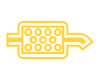
Diesel particulate filter – DPF
Yellow / amber · Warning · Steady illumination
Meaning
On relevant diesel versions it indicates accumulated soot and a need for filter regeneration.
Recommended action
Check regeneration driving conditions in your specific manual. If other warnings appear or engine operation is abnormal, do not follow a universal internet regeneration procedure.
Key indication
No single speed, duration or engine speed applies to all engines. Petrol GPF/OPF requires separate verification.

Engine oil pressure – flashing red warning
Red · Warning · Flashing
Meaning
A flashing red symbol with an oil-pressure fault message warns of inadequate lubrication. A correct oil level does not prove correct pressure.
Recommended action
Stop safely and switch off the engine. Do not leave it running. Any restart must explicitly follow the instructions for the specific vehicle; obtain professional assistance if uncertain.
Key indication
Follow the exact message and your vehicle’s manual. The general guide does not document every model variant.
Brakes and stability systems

Electromechanical brake servo not working · multiple meanings of the same symbol
Electromechanical brake servo not working
Red · Warning · Steady
Meaning
Brake assistance is not working. More pedal force is required and stopping distances increase.
Recommended action
Stop safely, applying greater brake pedal force as required. Do not continue driving; obtain professional assistance immediately.
Key indication
This is an example of an indication. Check its meaning for your specific model and equipment against the exact message and your vehicle’s owner’s manual.
Brake system
Red · Warning
Meaning
Depending on the version, the symbol may relate to an applied parking brake, low brake fluid or a brake system fault.
Recommended action
The exact symbol and message are decisive. If the warning remains after releasing the parking brake or the vehicle reports a brake fault, stop safely and obtain professional assistance.
Key indication
Topping up brake fluid does not repair the cause of its loss. Distinguish a fault warning from the normal parking brake indication.

Brake pad wear
Yellow / amber · Warning · Steady
Meaning
The system indicates that the brake pads require inspection.
Recommended action
Arrange prompt professional brake inspection and pad replacement as required. The lamp does not indicate how many kilometres remain before replacement.
Key indication
This is an example of an indication. Check its meaning for your specific model and equipment against the exact message and your vehicle’s owner’s manual.

ABS fault
Yellow / amber · Warning · Steady
Meaning
The anti-lock braking system is not working correctly or is unavailable. Normal braking may remain available without ABS protection.
Recommended action
Arrange professional inspection promptly. If a red brake warning or STOP instruction also appears, stop safely and follow the exact message.
Key indication
This is an example of an indication. Check its meaning for your specific model and equipment against the exact message and your vehicle’s owner’s manual.

ESC / TCS intervention · multiple meanings of the same symbol
ESC / TCS intervention
Yellow / amber · Operating information · Flashing
Meaning
Flashing indicates that stability or traction control is intervening. It does not by itself indicate a fault.
Recommended action
Adapt speed and driving style to available grip and traffic conditions. The system cannot overcome physical limits.
Key indication
This is an example of an indication. Check its meaning for your specific model and equipment against the exact message and your vehicle’s owner’s manual.
ESC fault or system-induced deactivation
Yellow / amber · Warning · Steady
Meaning
A lamp that stays on after the initial check may indicate a fault or system-induced deactivation. This differs from flashing during intervention.
Recommended action
Read the message and follow the cited manual. If the lamp remains on, arrange professional inspection; do not rely on stability control being available.
Key indication
This is an example of an indication. Check its meaning for your specific model and equipment against the exact message and your vehicle’s owner’s manual.

Brake servo – restricted operation, amber warning
Yellow / amber · Warning · Steady
Meaning
With the documented amber warning, electromechanical braking assistance is restricted. Pedal pulsations may occur and stopping distance can increase.
Recommended action
Allow for greater brake-pedal effort and seek professional service. Other simultaneous messages, including STOP, take priority; amber is not universal assurance that continued travel is safe.
Key indication
Different from red servo failure with the instruction not to continue. In another message the same sign can refer to another brake component; exact text and cited edition are decisive.

ASR – traction control manually off (Caddy)
Yellow / amber · Operating information · Steady
Meaning
On this Caddy, the steady amber skidding-car OFF sign confirms manual ASR deactivation. Not automatically a fault or complete deactivation of every stability function.
Recommended action
Keep ASR enabled in normal conditions. Follow the manual when switching it off for loose surfaces or freeing a stuck vehicle. Re-enable ASR once that situation has passed.
Key indication
Not the plain symbol flashing during ASR/ESC intervention. Control is in infotainment ESC settings; menu name alone does not establish that all ESC functions are off.
Steering, chassis and tyres

Power steering – red warning
Red · Warning · Steady
Meaning
The red steering-wheel symbol in this guide indicates failure of electromechanical steering assistance.
Recommended action
Stop safely, do not continue driving and obtain immediate professional inspection.
Key indication
Follow the exact message and your vehicle’s manual. The general guide does not document every model variant.

Power steering – amber warning · multiple meanings of the same symbol
Power steering – amber warning
Yellow / amber · Warning · Steady
Meaning
Steady illumination may indicate reduced steering assistance or a condition after battery disconnection and reconnection.
Recommended action
Follow the exact message and vehicle manual. Obtain professional inspection if the warning persists.
Key indication
Follow the exact message and your vehicle’s manual. The general guide does not document every model variant.
Steering lock – flashing amber symbol
Yellow / amber · Warning · Flashing
Meaning
In this guide, flashing can relate to a strained steering column or a column that has not unlocked or locked.
Recommended action
Follow the exact message and manual; obtain professional assistance if the steering cannot be safely unlocked.
Key indication
Follow the exact message and your vehicle’s manual. The general guide does not document every model variant.
Airbags and safety systems

Seat belt not fastened
Red · Warning · Steady / flashing
Meaning
The warning indicates an unfastened driver’s or passenger’s seat belt. It may flash and sound while driving.
Recommended action
Before driving, ensure all occupants fasten their belts correctly and children use an appropriate restraint.
Key indication
This is an example of an indication. Check its meaning for your specific model and equipment against the exact message and your vehicle’s owner’s manual.

Airbag or belt tensioner fault
Airbag or belt tensioner fault
Yellow / amber · Warning · Steady
Meaning
A fault has been detected in at least one airbag or belt tensioner. A text message may accompany the lamp.
Recommended action
Have the airbags and belt tensioners professionally checked promptly.
Key indication
Follow the exact message and your vehicle’s manual. The general guide does not document every model variant.
Lighting and visibility

Main beam headlights
Blue · Operating information · Steady
Meaning
Main beam or the headlight flasher is on.
Recommended action
Use them considerately and dip in good time to avoid dazzling others.
Key indication
This is an example of an indication. Check its meaning for your specific model and equipment against the exact message and your vehicle’s owner’s manual.

Rear fog light
Yellow / amber · Operating information · Steady
Meaning
The rear fog light is on. This is an operating indication, not an engine fault.
Recommended action
Use it according to visibility and applicable rules. Switch it off when visibility improves.
Key indication
This is an example of an indication. Check its meaning for your specific model and equipment against the exact message and your vehicle’s owner’s manual.

Exterior lighting fault
Yellow / amber · Warning · Steady
Meaning
The vehicle has detected a lighting fault. Identify the affected light from the message and inspection.
Recommended action
Check the lights and arrange repair. Follow the manual; some light sources are not user-replaceable.
Key indication
This is an example of an indication. Check its meaning for your specific model and equipment against the exact message and your vehicle’s owner’s manual.

Turn signals or hazard warning lights
Green · Operating information · Flashing
Meaning
Flashing indicates turn signals or hazard warning lights in operation. A faster rate may indicate a failed turn signal on the listed versions.
Recommended action
Check that the lights work correctly. Use hazard lights as appropriate when securing the vehicle.
Key indication
This is an example of an indication. Check its meaning for your specific model and equipment against the exact message and your vehicle’s owner’s manual.
Driver assistance systems

ACC – take control and brake
Red · Warning · Steady
Meaning
Automatic ACC deceleration is insufficient in the current situation. The vehicle requests driver intervention. Do not confuse this red symbol with the green prompt during gear selection.
Recommended action
Take control of speed immediately and brake as necessary. Do not wait for ACC to resolve the danger by itself.
Key indication
This is an example of an indication. Check its meaning for your specific model and equipment against the exact message and your vehicle’s owner’s manual.

Take-over steering request
White · Information / warning depending on state · Steady
Meaning
The vehicle asks the driver to take over steering. This does not confirm that the system can handle the situation independently.
Recommended action
Safely take over steering, monitor traffic and follow the exact vehicle message. Be ready to brake.
Key indication
The indicator illuminates white and an accompanying prompt appears; the reviewed chapters do not state flashing. The red request has higher urgency. Association with Travel Assist, Emergency Assist or Lane Assist depends on equipment and the cited manual.

Take over steering immediately
Red · Warning · Steady
Meaning
The vehicle requests immediate driver steering control.
Recommended action
Safely take over steering immediately, monitor traffic and follow the exact vehicle message. Be ready to brake.
Key indication
The indicator illuminates red with an accompanying message; depending on the situation, a sound or steering-wheel vibration follows. The reviewed chapters do not state flashing. Association with Travel Assist, Emergency Assist or Lane Assist depends on equipment and the cited manual.
Transmission and drive

Press the brake pedal
Green · Operating information · Steady
Meaning
The brake pedal is not pressed when engaging drive or changing the selector position.
Recommended action
Press the brake pedal and carry out the requested operation as instructed.
Key indication
This is an example of an indication. Check its meaning for your specific model and equipment against the exact message and your vehicle’s owner’s manual.
Battery and electrical system

Charging fault – battery not charging while driving
Red · Warning · Steady
Meaning
The red warning indicates that the battery is not charging while driving. It does not identify the failed component.
Recommended action
Stop safely and do not continue. Switch off unnecessary electrical consumers and obtain professional inspection of the electrical system.
Key indication
Follow the exact message and your vehicle’s manual. The general guide does not document every model variant.
Operating and information symbols

Start-stop – engine stopped automatically
White · Operating information · Steady
Meaning
The system is available and automatic engine stop is active. The ignition remains on and the engine can restart.
Recommended action
Switch off the ignition properly and secure the vehicle when leaving it. Disable start-stop as instructed before working in the engine compartment.
Key indication
This is an example of an indication. Check its meaning for your specific model and equipment against the exact message and your vehicle’s owner’s manual.

Start-stop unavailable or switched off
White · Function restricted · Steady
Meaning
Automatic stop conditions are not met or the function is switched off. The symbol alone does not diagnose a fault or a defective battery.
Recommended action
Follow any accompanying message. If the vehicle explicitly reports a system fault, arrange inspection; distinguish normal unavailability from a fault.
Key indication
This is an example of an indication. Check its meaning for your specific model and equipment against the exact message and your vehicle’s owner’s manual.

Central warning – priority 1
Red · Warning · Steady / flashing
Meaning
A high-priority warning accompanied by a specific message and possibly a sound. The triangle alone does not identify a failed component.
Recommended action
Stop safely, do not continue driving and follow the specific message. Obtain professional assistance as required.
Key indication
This is an example of an indication. Check its meaning for your specific model and equipment against the exact message and your vehicle’s owner’s manual.
Infotainment and control symbols
Media

Add to favorites · multiple uses of the same symbol
Add to favorites
Control symbol
Meaning and function
Adds a media file to favorites.
Add station to favourites
Control symbol
Meaning and function
Adds a radio station to favorites.

Albums
Control symbol
Meaning and function
Indicates the category of music albums.

Artists
Control symbol
Meaning and function
Indicates the performer category.

Audiobooks
Control symbol
Meaning and function
Indicates the audiobook category.

Media via Bluetooth
Media via Bluetooth
Control symbol
Meaning and function
Selects a device connected via Bluetooth as a media source; it also allows you to select and connect a previously unconnected device.

Compilation
Control symbol
Meaning and function
Indicates the compilation category.

Current playback · multiple uses of the same symbol
Current playback
Control symbol
Meaning and function
Opens the current playback screen.
Current radio playback
Control symbol
Meaning and function
Opens the current radio playback.

Favorites · multiple uses of the same symbol
Favorites
Control symbol
Meaning and function
Opens the favorites list.
Favorite radio stations
Control symbol
Meaning and function
Opens favorites. A small symbol in the station list indicates a station that is already saved in the favorites.

Genres
Control symbol
Meaning and function
Indicates a category of music genres.

Selecting a media source · multiple uses of the same symbol
Selecting a media source
Control symbol
Meaning and function
Allows you to choose a media source; in the described interface, this controller is at the top right.
Select an active phone
Control symbol
Meaning and function
It allows you to select the active device from two or more connected mobile phones.
Selecting a band or type of reception
Control symbol
Meaning and function
Allows you to select a frequency band or type of reception.

Minimize playback
Control symbol
Meaning and function
Minimizes the playback view.

Music tracks
Control symbol
Meaning and function
Indicates the category of music tracks.

My media
Control symbol
Meaning and function
Selects a common media database. Here you can also select connected USB devices and their folders.

Next track · multiple uses of the same symbol
Next track
Control symbol
Meaning and function
Skips to the next track.
Next radio station
Control symbol
Meaning and function
Selects the next station from the station list or favorites.

Pause playback
Control symbol
Meaning and function
Pauses playback.

Play
Control symbol
Meaning and function
Starts playback.

Playlists
Control symbol
Meaning and function
Indicates playlists.

Podcasts
Control symbol
Meaning and function
Indicates the podcast category.

Previous track · multiple uses of the same symbol
Previous track
Control symbol
Meaning and function
Skips to the previous track.
Previous radio station
Control symbol
Meaning and function
Selects the previous station from the station list or favorites.

Repeat all tracks
Control symbol
Meaning and function
Repeats all tracks.

Repeat current track
Control symbol
Meaning and function
Repeats the currently playing track.

The topmost folder of a media source · multiple uses of the same symbol
The topmost folder of a media source
Control symbol
Meaning and function
Returns to the top-level folder of the media source.
Back a level
Control symbol
Meaning and function
Returns to the parent level.

Searching · multiple uses of the same symbol
Searching
Control symbol
Meaning and function
Opens the search.
Search destination
Control symbol
Meaning and function
Allows you to enter and search for a navigation destination.
Full text search
Control symbol
Meaning and function
Opens a full-text search.

Settings · multiple uses of the same symbol
Settings
Control symbol
Meaning and function
Opens the settings.
Navigation settings
Control symbol
Meaning and function
Opens navigation settings, such as navigation notification settings.
Radio settings
Control symbol
Meaning and function
Opens the radio settings.

Random order
Control symbol
Meaning and function
Plays tracks in random order.
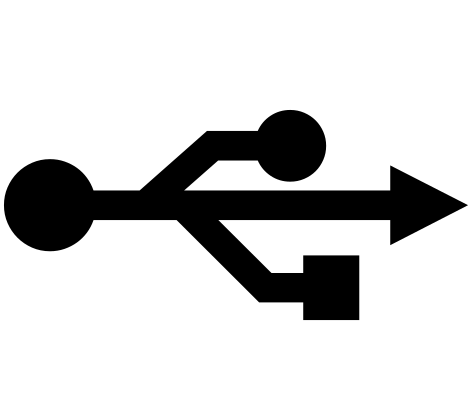
Media from USB
Control symbol
Meaning and function
Selects the USB connected device as the media source.

Full screen video
Control symbol
Meaning and function
Switches the video to full screen mode.

Videos
Control symbol
Meaning and function
Indicates the video category.
Radio

DAB station supports Slideshow
Control symbol
Meaning and function
Indicates a DAB station supporting Slideshow accompanying images.

Slideshow not available
Control symbol
Meaning and function
Indicates that accompanying Slideshow images are not available for that DAB station.

DAB reception is not possible
Control symbol
Meaning and function
Indicates that DAB reception is not possible.

Manual frequency selection
Control symbol
Meaning and function
Opens the frequency band for manual frequency selection. For FM, this option is only available when the common list of stations is turned off in the radio settings.

My playlist
Control symbol
Meaning and function
Indicates the My Playlist function in radio mode.
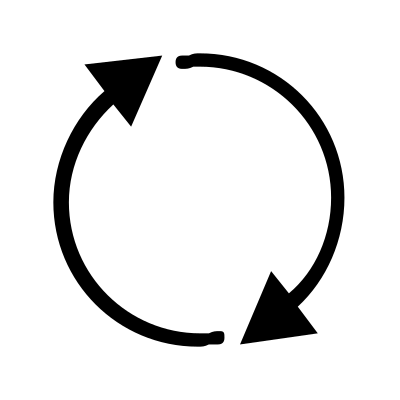
Update station list
Control symbol
Meaning and function
Manually updates the list of radio stations.

Radio sound muted
Control symbol
Meaning and function
The speakers are muted. Tap to unmute the radio sound.

Radio sound on
Control symbol
Meaning and function
The speakers are on and the radio is audible. Tap to mute the sound.

List of radio stations
Control symbol
Meaning and function
Opens a list of radio stations.

Switch radio and media
Control symbol
Meaning and function
Switches between Radio and Media modes.
Navigation

Enter or open an address
Control symbol
Meaning and function
When searching for a destination, it opens the detailed address entry; opens the address in the contact list.

Estimated time of arrival
Control symbol
Meaning and function
Displays the estimated time of arrival at the destination. Tap to switch to estimated time to destination.
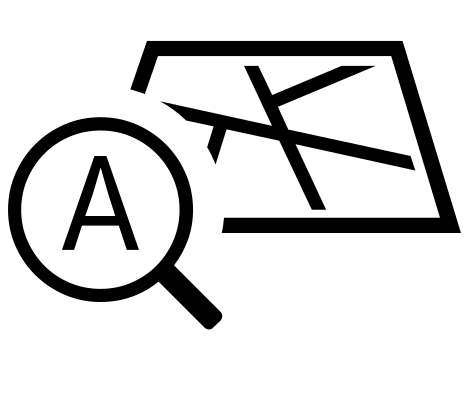
Automatic map mode
Control symbol
Meaning and function
Indicates fully automatic map mode: orientation in the direction of travel, position, zoom and tilt.

Close route plan
Control symbol
Meaning and function
Closes the route plan.

Estimated distance to destination
Control symbol
Meaning and function
Displays the estimated distance to the destination of the route. Tap to switch to estimated arrival time or time remaining to destination.

Home
Control symbol
Meaning and function
Indicates the home address.

Navigation map
Control symbol
Meaning and function
Opens the navigation map.

Map orientation
Control symbol
Meaning and function
Allows you to set the orientation of the map.

Map scale
Control symbol
Meaning and function
Indicates the scale of the map.

Estimated time to destination
Control symbol
Meaning and function
Displays the estimated time to the destination of the route. Tap to switch to estimated arrival time.

The destination of the current route
Control symbol
Meaning and function
Indicates the destination of the current guidance.

Route information
Control symbol
Meaning and function
Opens information about the route in the route overview.
Route options
Control symbol
Meaning and function
When guidance is active, it displays route options in the route overview.

Route overview and alternatives · multiple uses of the same symbol
Route overview and alternatives
Control symbol
Meaning and function
During active guidance, it displays an overview of the route and alternative routes to the current destination.
Route overview in additional window
Control symbol
Meaning and function
An additional window displays the route overview. It doesn't start guidance directly: it shows details and alternative routes first.

Saved addresses and contacts · multiple uses of the same symbol
Saved addresses and contacts
Control symbol
Meaning and function
Opens the saved addresses and possibly also the contact list of the connected mobile phone.
Contacts
Control symbol
Meaning and function
Opens the contact list of the connected mobile phone.

Show current location
Control symbol
Meaning and function
Displays the current location.

Save to favorites
Control symbol
Meaning and function
Saves the item to favorites in the additional window.

Current vehicle location
Control symbol
Meaning and function
Click to center the map on the vehicle or display vehicle location details based on the current view.

Workplace
Control symbol
Meaning and function
Indicates a workplace or business address.
Phone and messages

A phone call
Control symbol
Meaning and function
Used to start, control or display a call according to the current screen.
Call lists and frequent contacts
Control symbol
Meaning and function
Opens lists of incoming and outgoing calls and frequently used numbers or contacts. If the actively connected phone supports it, it will also display its favorite and frequently used contacts.

Conference call
Control symbol
Meaning and function
Adds a participant to a conference or joins calls and starts a conference.

Dial a phone number
Control symbol
Meaning and function
Allows you to dial a phone number.

Dictate a text message
Control symbol
Meaning and function
Allows you to create a text message by voice.

End or reject the call
Control symbol
Meaning and function
Ends an ongoing call or rejects an incoming call.
Put the call on hold
Control symbol
Meaning and function
Puts an ongoing call on hold.
Incoming call
Control symbol
Meaning and function
Indicates an incoming call in the call list.

Messages
Control symbol
Meaning and function
Opens SMS text messages and in supported countries also email.
Missed call
Control symbol
Meaning and function
Indicates a missed call in the call list.

Mute handsfree
Control symbol
Meaning and function
Mutes the handsfree. Judge the exact effect by the current call screen.
Outgoing call
Control symbol
Meaning and function
Indicates an outgoing call in the call list.

Text message received
Control symbol
Meaning and function
Indicates a received text message.

Reject a call with a message
Control symbol
Meaning and function
Rejects the call using the SMS template.

Text message sent
Control symbol
Meaning and function
Indicates a sent text message.

Voicemail
Control symbol
Meaning and function
Indicates the voicemail function.
Phone and app connectivity

Android Auto
Control symbol
Meaning and function
Selects Android Auto technology.

Apple CarPlay
Control symbol
Meaning and function
Selects Apple CarPlay technology.
Unsure what an indicator means?
When contacting the workshop, tell us the model, production year, powertrain and exact message. A photograph of the entire instrument cluster message and whether the lamp is steady or flashing will help. Take photographs only with the vehicle safely parked.
Workshop hours: Mon–Fri 9:00–18:00.
Office and bookings: +420 605 399 448
Workshop: +420 608 313 437
This is not a 24-hour breakdown service. A photograph alone is not sufficient to diagnose a fault.